Tag: training

  • The LED Coaching Light: A Contact Center Coaching Tool that Actually Works
    The LED Coaching Light: A Contact Center Coaching Tool that Actually Works

    The LED Coaching Light: A Contact Center Coaching Tool that Actually Works

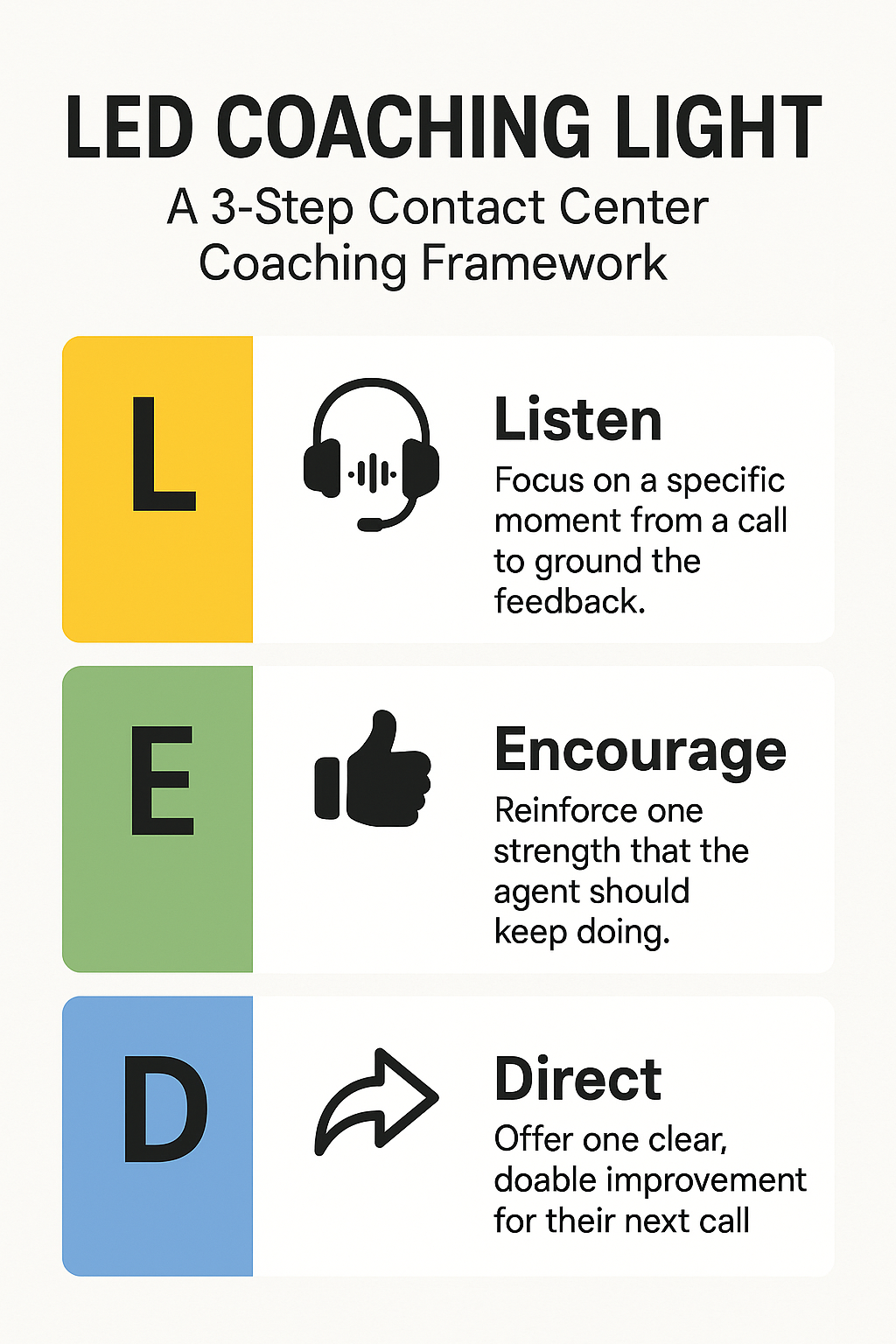
    A vertical infographic titled “LED Coaching Light: A 3-Step Contact Center Coaching Framework.” It shows three color-coded panels: yellow for “L – Listen” with a headset icon, green for “E – Encourage” with a thumbs-up icon, and blue for “D – Direct” with a forward arrow icon. Each panel has a short caption describing the step.
    A simple, professional 3-step framework (Listen, Encourage, Direct) for effective contact center coaching.

    Imagine Laura, a busy frontline supervisor in a bustling contact center—managing 15 agents, back-to-back calls, rising KPIs, and a literal queue of managers requesting her time. She wants her team to improve—but she’s swamped. Every coach call is either rushed or skipped. She hears her agents respond with glazed-over faces. “What could you have done differently?” The question lands flat.

    But Laura tries something new. For the next week, between calls, she uses a “LED moment” with each agent—just 60 seconds. She listens to a quick snippet, praises real strengths, and gives a single, practical tip. By week’s end, agents report feeling supported; QA scores tick upward. It wasn’t magic, but it was intentional.


    Why Contact Center Coaching Matters

    In contact centers, feedback feels like a compliance checkbox—but it doesn’t have to be. Studies show that:

    • 75% of agents receive coaching at least monthly and 72% say these sessions are useful (Calabrio, Why Agent Coaching Matters)
    • Consistent coaching like this boosts first-call resolution, which correlates 1:1 with customer satisfaction—every 1% FCR uptick improves satisfaction by 1% and NPS by 1.4 points. (Wikipedia, FCR)
    • Coaching not only improves performance—it reduces turnover. Centers with high-manager floor time have double the staff retention compared to those without. (McKinsey, Smarter Call Coaching)

    Attracting the right people is half the battle—keeping them is the other. A strong coaching culture empowers agents while strengthening loyalty and reducing costly churn.


    Why the LED Coaching Light?

    Research shows that traditional coaching often fails due to:

    • Managers bogged down in prep and admin
    • Agents needing multiple reminders before adopting new skills
    • Too many formal reviews and not enough in-the-moment guidance

    LED Coaching Light solves this. It’s:

    • Fast: Under 5 minutes
    • Focused: One strength, one micro-improvement
    • Human: Built on real call snippets, delivered casually

    Laura’s story isn’t rare—it’s replicable. If you want coaching that works in the real world of contact center stress and urgency, LED delivers. And makes contact center coaching feel like something managers want to do.


    What is the LED Coaching Light?

    L – Listen
    Start with a small, specific snippet of a call. Either play back a short segment or summarize it clearly. No need to rehash the entire call—just anchor the feedback in a concrete moment.

    E – Encourage
    Find something to reinforce. This isn’t about fluffy praise—this is about pointing out what worked so the agent knows to keep doing it.

    D – Direct
    Offer one improvement. Just one. It should be clear, doable, and worth implementing on the very next call.


    LED in Real-World Coaching Scenarios

    Scenario 1: Soft Skills on a Tough Call

    Jenna took a call from an upset patient waiting on a prescription. She stayed factual but sounded clipped.

    Listen: “Let’s review the section around minute 3 when the patient asked for a faster resolution.”
    Encourage: “You stayed calm and didn’t interrupt. That’s a win—staying composed when someone’s venting isn’t easy.”
    Direct: “Next time, try: ‘I hear how frustrating this is. Let’s go over your options together.’”

    ScenarioOriginal PhraseLED TipImproved Phrase
    Jenna’s call“There’s nothing we can do”Add empathy“I hear your frustration—let’s go over options”

    Scenario 2: High Performer, Small Miss

    Luis skipped the greeting and dove right into solving the issue.

    Listen: “Here’s where the call starts—no greeting.”
    Encourage: “Your problem-solving speed is top-notch.”
    Direct: “Let’s still open with ‘Thanks for calling—Luis here.’ That sets a consistent tone.”

    ScenarioOriginal PhraseLED Tip (Direct)Improved Phrase
    Luis starts the call without a greeting and jumps straight to problem-solving“Okay, let me pull up your account…”Add a warm, consistent greeting to set the tone“Thanks for calling—this is Luis. Let me pull up your account…”

    Scenario 3: New Agent, Confidence Check

    Ashley hesitated explaining a denied claim policy.

    Listen: “This part where you explained the denial stood out.”
    Encourage: “You didn’t over-apologize, and you stayed respectful.”
    Direct: “Add: ‘Here’s what you can do next.’ It shifts focus from denial to action.”

    ScenarioOriginal PhraseLED Tip (Direct)Improved Phrase
    Ashley hesitates when explaining a denied claim and ends the call abruptly“Unfortunately, the claim was denied… that’s all I can say.”Shift focus from denial to next steps to build confidence and clarity“The claim was denied—but here’s what you can do next…”

    Using LED Without Making It Weird

    • Keep it casual: Use LED on the fly—after a call, in a chat, or during side-by-sides.
    • Make it consistent: A quick LED moment each week per rep builds momentum.
    • Don’t overdo it: If there’s no obvious correction, stick to encouragement.

    TL;DR: LED Coaching Light

    L – Listen to a moment in the call
    E – Encourage one strength
    D – Direct one simple improvement

    Quick. Specific. Actually useful contact center coaching.


    FAQs About Contact Center Coaching with LED

    What makes LED different from traditional contact center coaching?

    It’s fast, low-pressure, and focused on real-time feedback—designed for the real world, not HR checklists.

    Can LED be used in non-voice channels?

    Yes. Just replace “Listen” with “Review”—the same flow works for chat, email, and SMS transcripts.

    Do I have to find something to fix on every call?

    Not at all. Some LED moments are just about celebrating progress.

    How do I track LED coaching?

    Keep it lightweight: use a shared spreadsheet or embed a form in your QA system with “L-E-D” fields.

    How do I get buy-in from my supervisors?

    Start small. Try LED in a team huddle or pilot it with one team. Managers will feel the difference—and so will agents.

    Want more insights like this?

    Subscribe to TrueCX’s newsletter—the #1 resource for contact center trainers—for the latest in AI-powered training, team performance strategies, and real-world tips for building a stronger, smarter contact center, starting with contact center coaching.

  • 5 Ways to Improve Call Center Onboarding Without Slowing Down Ops

    5 Ways to Improve Call Center Onboarding Without Slowing Down Ops

    5 Ways to Improve Call Center Onboarding Without Slowing Down Ops

    New Reality: AI Is Redefining Call Center Onboarding

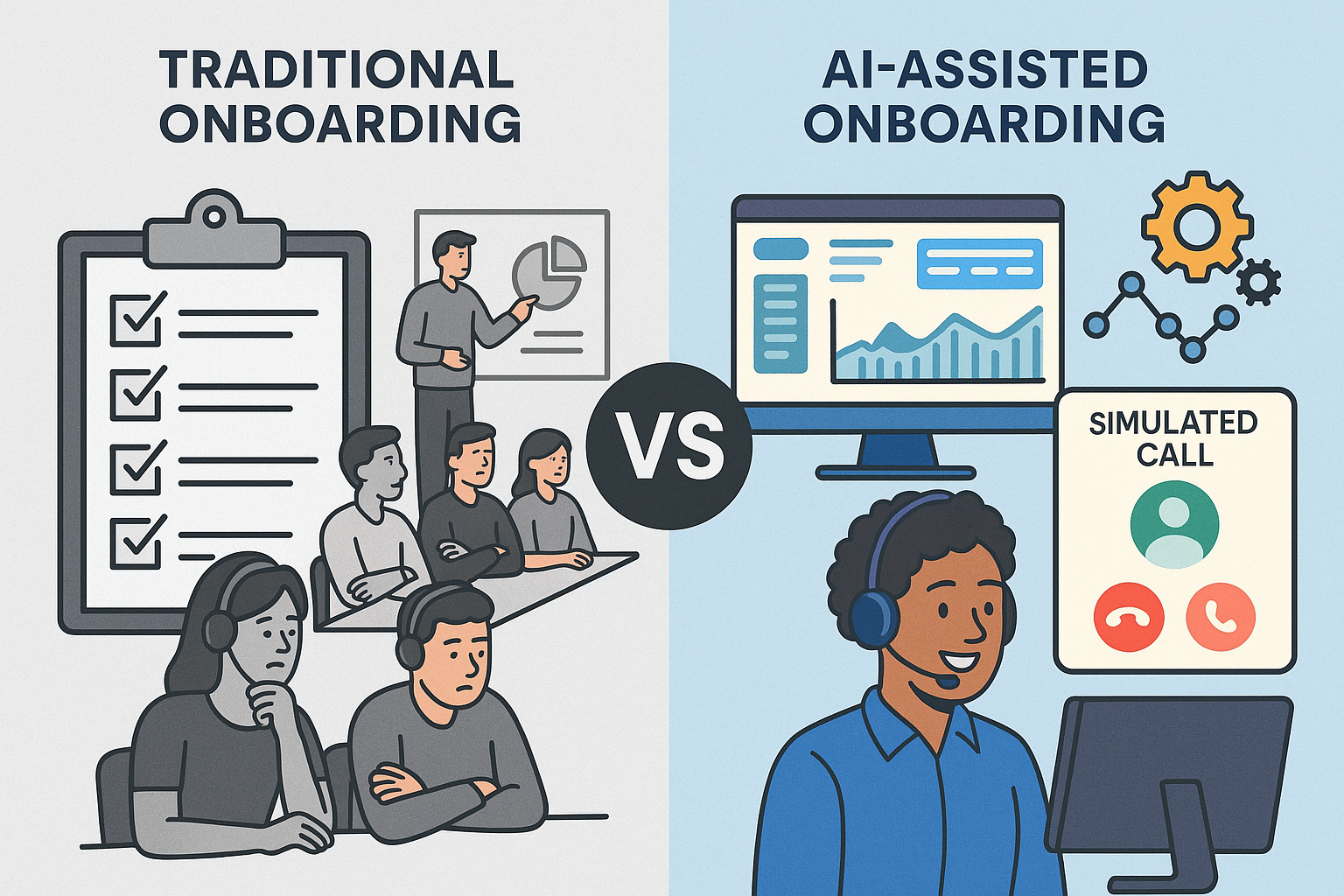
    Side-by-side comparison of traditional and AI-assisted call center onboarding. Left: bored agents in a classroom with checklists and a whiteboard. Right: smiling agent using a headset in front of a dashboard with simulated call and automation icons.
    Contrasting outdated onboarding methods with modern AI-enhanced training in call centers.

    Today’s contact center leaders face a balancing act: ramp agents faster, improve call quality, and avoid disrupting daily operations.

    But traditional onboarding hasn’t kept up. Lengthy classroom sessions, inconsistent roleplay, and slow feedback loops are still common — even though they rarely translate into better performance.

    And that gap is costly. According to McKinsey, high-performing agents are up to 3x more productive than low performers. Meanwhile, ICMI reports that 62% of contact centers take more than two months to fully onboard a new agent. That’s too long.

    The opportunity? AI-powered onboarding that lives in the back office. You can safely optimize training where it won’t affect customers — giving your team faster ramp times, better data, and more control.

    1. Identify High and Low Performers Early

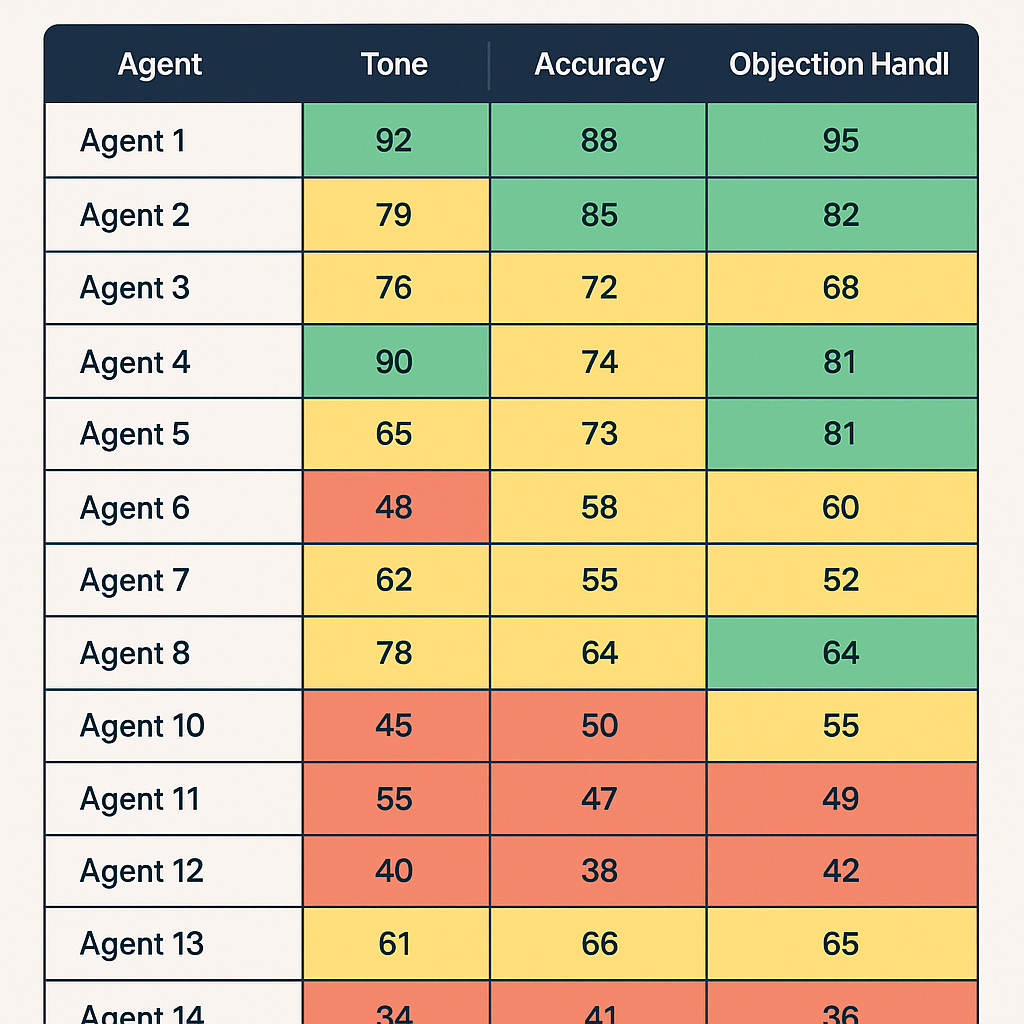
    A training dashboard displaying mock call performance scores for 14 agents across three categories: Tone, Accuracy, and Objection Handling. Each score is color-coded with green (top performers), yellow (average), and red (low performers).

    The earlier you can separate high-potential hires from poor fits, the better. Early training is your chance to assess not just skills, but coachability — a leading indicator of long-term success.

    Many leaders hesitate to cycle out low performers too soon. But dragging them through onboarding can waste thousands in time and wages, while slowing your coaches down.

    Action Tip:

    In the first week, score mock calls using a rubric with clear categories: product accuracy, tone, active listening, and objection handling. Use this data to tag coachable agents for fast-tracking, and move on quickly from those who aren’t progressing.

    2. Track Performance Before the First Real Call

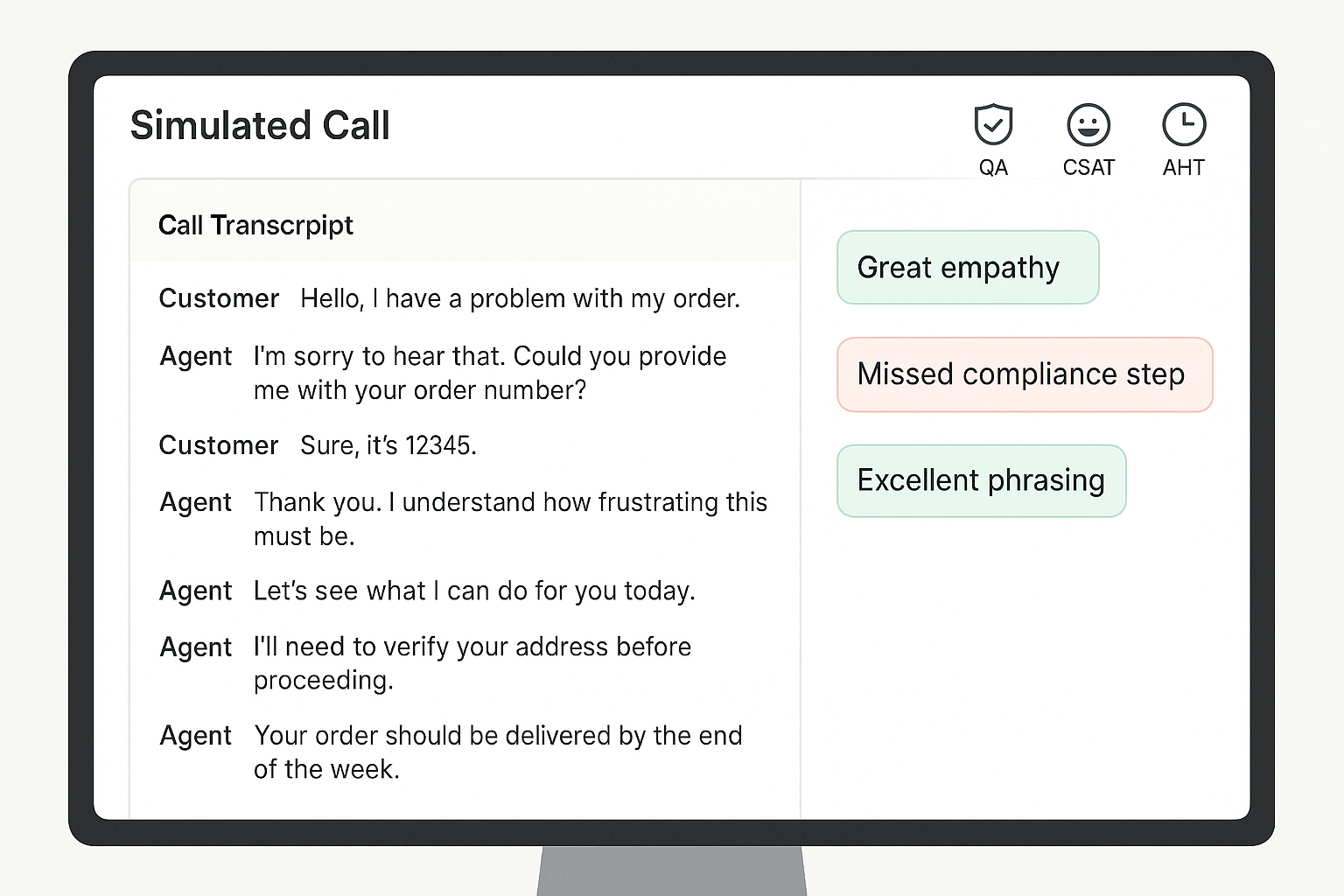
    A computer screen displaying a simulated customer service call interface with a call transcript on the left and feedback annotations like “Great empathy” and “Missed compliance step” on the right, along with QA, CSAT, and AHT icons at the top.

    Your first live call shouldn’t be the first time you assess an agent’s skills.

    Without early benchmarks, it’s impossible to know who’s ready — or what good looks like. That’s why simulated performance tracking is key.

    Leading teams are using AI-powered roleplay and simulation to measure call handling, QA adherence, and even mock CSAT before agents hit the floor. This reduces the chance of bad first impressions with customers.

    Action Tip:

    Use virtual customers to simulate key scenarios during onboarding. Track how each rep performs on scripted calls, objections, compliance, and empathy. Benchmark performance across day 1, week 1, and week 4.

    3. Make Practice Safe, Frequent, and Feedback-Rich

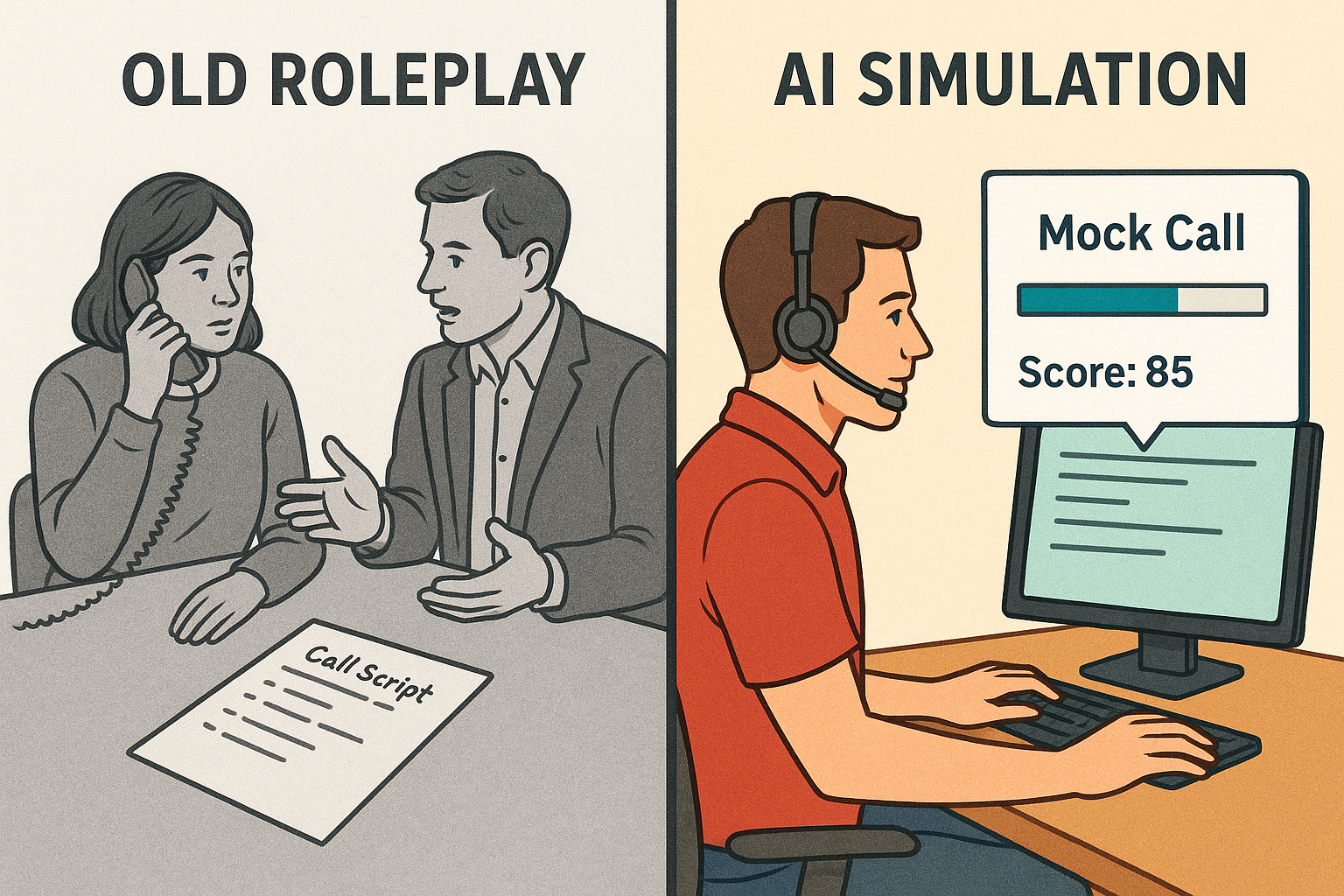
    Split-screen illustration comparing traditional call roleplay and modern AI simulation. Left side shows two people practicing a call with a phone and call script; right side shows a person at a computer with a headset, mock call progress bar, and a score of 85.
    From manual practice to measurable progress: how AI is transforming call training.

    Live roleplays are useful, but they’re often inconsistent. One coach might give thorough feedback while another lets agents skate by. Worse, they’re time-consuming.

    Practice needs to be low-risk, repeatable, and paired with instant feedback. AI makes this possible. Simulated calls can happen anytime, anywhere, and every interaction can be scored against consistent standards.

    Action Tip:

    Replace ad hoc roleplay with structured simulations powered by virtual customers. Layer in automated scoring and feedback, so agents always know what to fix. Aim for 3–5 short simulations per module, with a minimum passing score required to move on.

    4. Optimize for Your Fastest Rampers

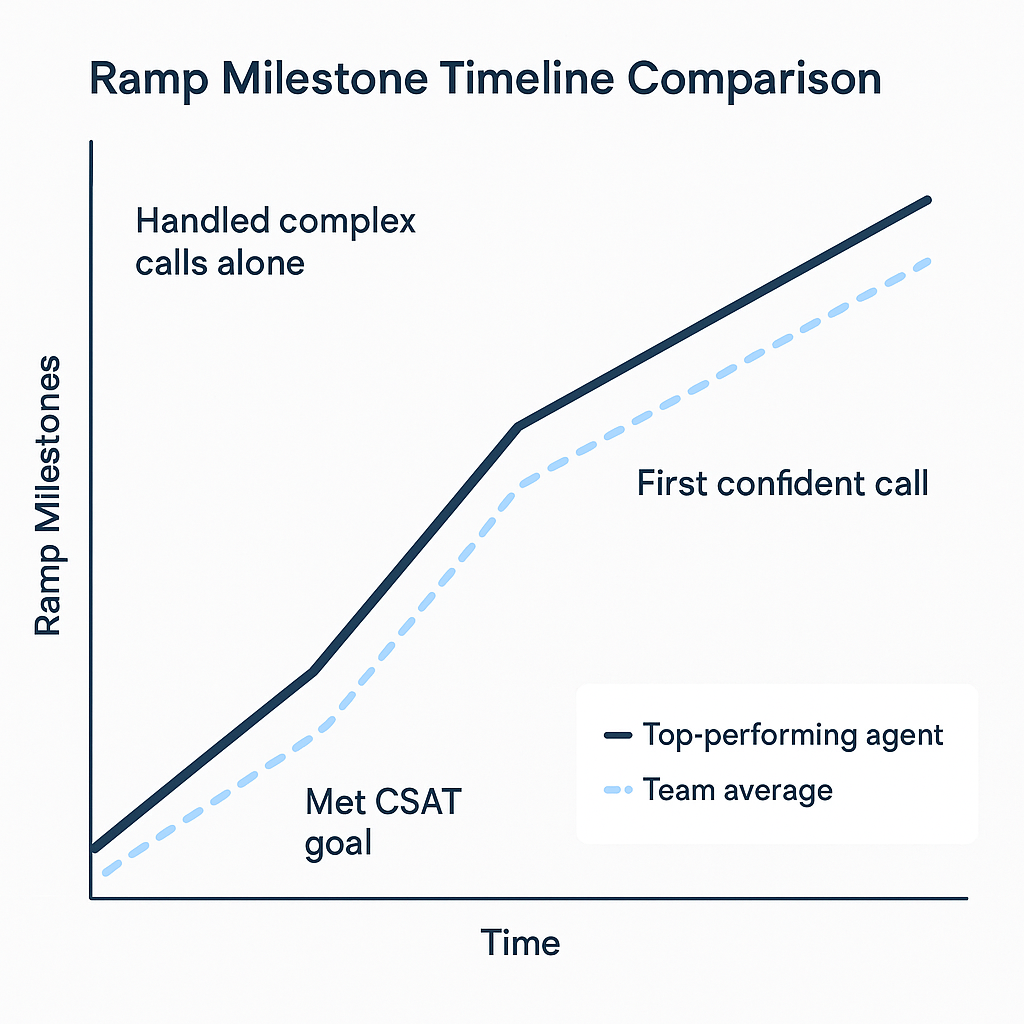
    A 2D digital line graph comparing the ramp-up timeline of a top-performing agent versus the team average. The graph shows three milestones—“Met CSAT goal,” “First confident call,” and “Handled complex calls alone”—with the top performer reaching each milestone earlier than the team average.

    A Salesforce study found that shortening ramp time by just 10% led to a 12% increase in agent productivity. Source

    Most onboarding is designed for the average hire. That drags down your timeline.

    Instead, study your fastest-ramping agents and reverse-engineer their path. When did they become proficient? What practice helped them most? What milestones did they hit and when?

    This approach lets you rebuild onboarding around outcomes — not activities.

    Action Tip:

    Track your top performers’ onboarding journey across three milestones:

    1. Time to confident first call
    2. Time to hit CSAT / QA targets
    3. Time to independent handling of complex scenarios

    Use those patterns to redesign your onboarding flow around results, not just schedules.

    5. Shift from “One and Done” to Ongoing Micro-Coaching

    Most agents regress after onboarding if they don’t get regular coaching. But teams are often too busy to keep supporting new hires beyond week one.

    That’s where micro-coaching comes in. By pushing small, targeted refreshers based on real call data, you can keep agents sharp without adding to your team’s workload.

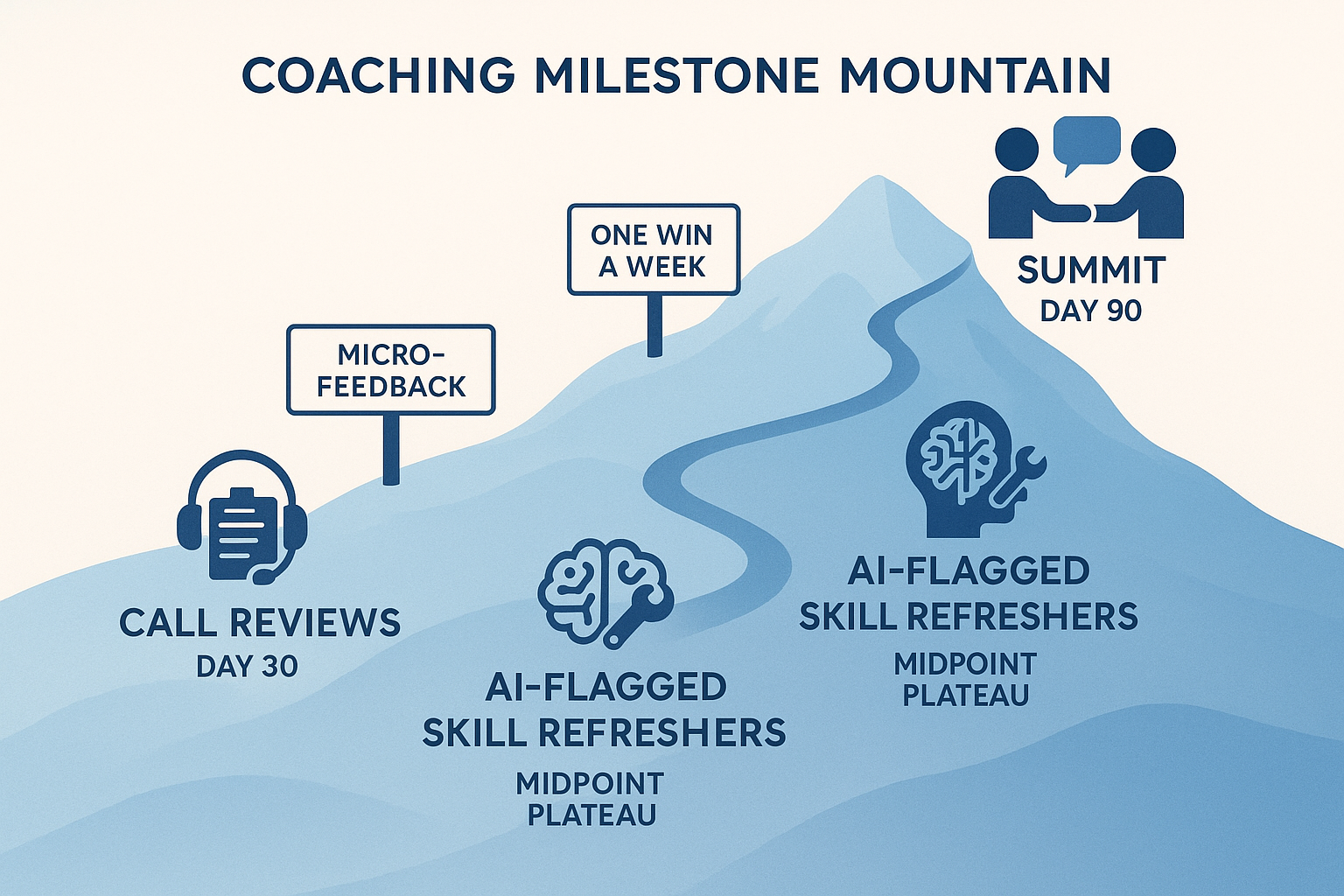
    A stylized mountain trail map showing a 90-day coaching journey with three key milestones: Call Reviews at Day 30, AI-Flagged Skill Refreshers at Day 60, and Peer Coaching at Day 90, along a blue gradient mountain path.
    A visual metaphor for a 90-day coaching journey, with milestones marked along a rising mountain path: Call Reviews (Day 30), AI-Flagged Skill Refreshers (Day 60), and Peer Coaching (Day 90).

    Action Tip:

    Create a 30/60/90 day plan that combines live call reviews with 5–10 minute refreshers. Use AI to flag skill gaps and trigger the right micro-lesson. Consider peer coaching too — it boosts engagement and reinforces best practices.

    Call Center Onboarding Optimization Checklist

    Here’s your quick-start reference for streamlining onboarding without sacrificing quality.

    Agent Evaluation (Week 1)

    Score every agent on coachability using mock or simulated calls
    Use a rubric: tone, product accuracy, objection handling
    Tag high-potential agents for fast-tracking
    Part ways early with non-coachable hires

    Performance Benchmarks

    Set QA, CSAT, and AHT targets for day 1, week 1, and month 1
    Use simulated environments to pre-test before live calls
    Track new-hire performance in a shared dashboard

    Training Program Design

    Focus on practice and feedback over slide-heavy sessions
    Use AI-driven simulations instead of manual roleplays
    End each module with a pass/fail assessment or mock scenario

    AI & Automation Integration

    Deploy Intelligent Virtual Customers for scalable mock calls
    Automate scoring and feedback to free up coaches
    Use performance data to trigger just-in-time coaching

    Ongoing Reinforcement

    Build a 30/60/90 day roadmap with checkpoints and refreshers
    Push short, targeted lessons based on call performance
    Enable peer reviews and shared call feedback

    Final Thoughts: Onboarding Doesn’t Have to Be a Bottleneck

    Modern onboarding doesn’t have to mean slowing down operations or risking the customer experience.

    Training lives in the back office. That’s where innovation can thrive — and where AI can safely support your team.

    If you’re ready to reduce ramp time while giving your agents more practice, more feedback, and a smoother path to proficiency, TrueCX can help.

    Explore how TrueCX’s Intelligent Virtual Customers enable faster, smarter onboarding — without slowing down your floor.

    Keep Reading