Tag: call center

  • 95% of AI Projects Fail. Don’t Let Your Call Center Be One of Them.

    95% of AI Projects Fail. Don’t Let Your Call Center Be One of Them.

    95% of AI Projects Fail. Don’t Let Your Call Center Be One of Them.

    By now, you’ve probably heard the stat: 95% of AI projects fail. It’s been splashed across headlines and whispered in boardrooms ever since MIT’s 2024 study on enterprise AI adoption found that the vast majority of pilots fizzle before delivering measurable business value (MIT Sloan, Windows Central, The AI Navigator).

    That failure rate isn’t just academic. It’s a warning sign for executives under pressure to “do something with AI.” Boards are demanding results, employees are skeptical, and customers are unforgiving when half-baked solutions make their experience worse. Nowhere is this pressure more acute than in call centers, where AI has been sold as the silver bullet to reduce costs and transform customer experience.

    The problem? Most call center AI projects don’t even make it out of the pilot phase. The technology may be powerful, but when the rollout is rushed, misaligned, or poorly integrated, the results are predictable: frustrated employees, wasted budgets, and a public failure that makes the next project even harder to sell.

    But here’s the thing—failure isn’t inevitable. A small percentage of organizations are already proving AI can make call centers faster, smarter, and more resilient. The difference isn’t the tools they buy. It’s how they implement them.
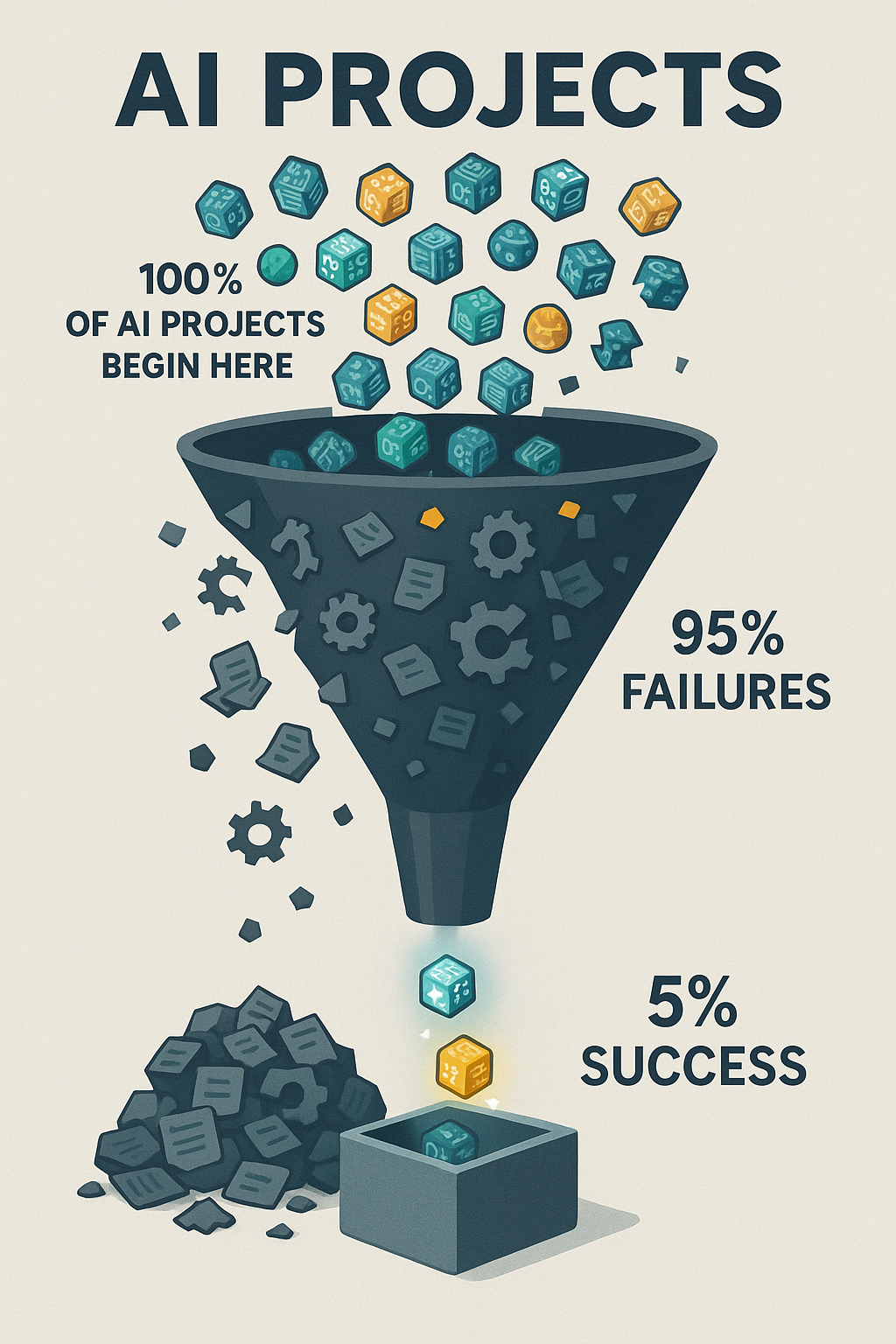
    An infographic showing a large funnel labeled "AI Projects." At the top, 100% of AI projects enter as colorful icons with circuit patterns. Along the funnel, most icons spill out into a pile labeled "95% Failures," while only a few glowing icons reach the bottom into a box labeled "5% Success."
    Only 5% of AI projects make it to success — a reminder of the challenges and discipline required to deliver real value.

    This article will break down why so many call center AI projects fail, and more importantly, what you can do to ensure yours doesn’t.

    The Real Reasons Behind the 95% Failure Rate

    If we peel back the headlines, the real story behind AI’s 95% failure rate is that most projects collapse under the same set of avoidable mistakes. In call centers, the pressure to “do something with AI” often leads to rushed pilots, unclear success metrics, and cultural resistance long before the technology itself has a chance to prove value. To understand how not to become another cautionary tale, it’s worth starting with the most common—and most fatal—mistake: launching without a clear path to ROI.

    1. No Clear ROI

    Executives are under pressure to “do something with AI,” so projects often start for the wrong reasons: to appease a board, to follow competitors, or to run with a vendor’s shiny demo. But without a clear business case—shorter handle times, fewer escalations, lower attrition—pilots rarely connect to the P&L.

    This is why so many projects stall out after the pilot phase. They look impressive in a slide deck, but when budget reviews come around, leaders ask the one question no one wants to answer: what value did this actually create? If the answer isn’t measurable, the project dies.

    2. People and Culture Problems
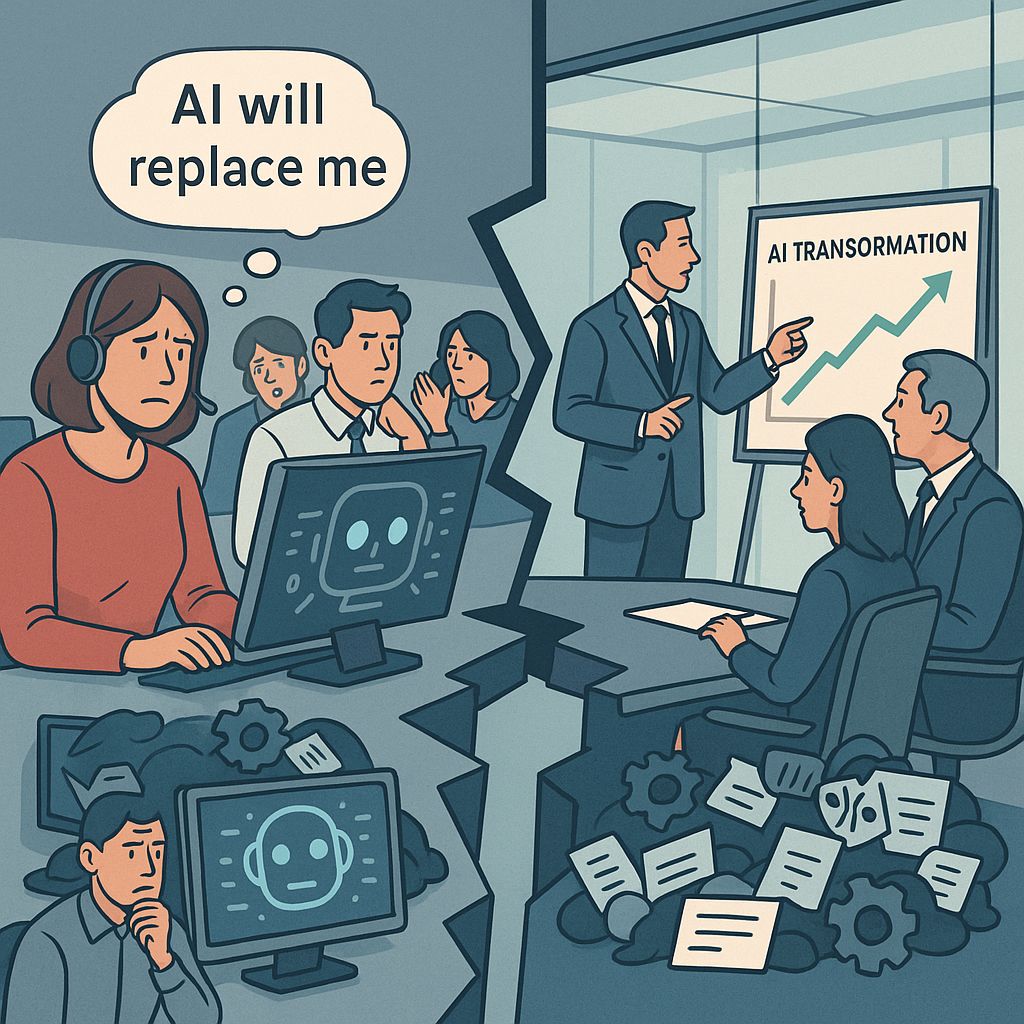
    An office split into two halves: on the left, worried call center employees at computers with thought bubbles like “AI will replace me.” On the right, executives in a glass boardroom discuss an “AI Transformation” chart. A broken gap between them symbolizes disconnect.
    AI adoption isn’t just about technology—it’s about trust. Bridging the gap between leadership’s ambitions and employees’ readiness is the real transformation.

    AI transformation doesn’t happen in a vacuum. It happens through people—and too often, people are an afterthought.

    Agents see AI as a threat to their jobs. Managers see it as a top-down initiative they weren’t consulted on. And executives underestimate how much training, communication, and cultural readiness is required for adoption. The result? Resistance, slow uptake, and even outright sabotage.

    A recent survey by Boston Consulting Group found that less than 20% of frontline employees feel confident using AI in their day-to-day work. If your people don’t understand it, trust it, or see “what’s in it for them,” no amount of investment will make it stick.

    3. Broken Plumbing (Integration + Data)

    AI isn’t magic—it runs on infrastructure. And in call centers, that infrastructure is notoriously complex. CRMs, telephony systems, workforce management tools, QA software… if the AI solution doesn’t plug into them seamlessly, it creates more friction than it solves.

    Then there’s the data problem. Call centers produce mountains of data, but much of it is siloed, messy, or incomplete. “Garbage in, garbage out” isn’t just a cliché—it’s the reality. Poor data hygiene leads to bots giving wrong answers, analytics missing the mark, and employees spending more time cleaning up after AI than doing their actual jobs.

    4. Misplaced Bets

    Finally, there’s the temptation to swing for the fences. Leaders want big, customer-facing wins—chatbots that deflect thousands of calls, or voice AI that handles entire conversations. The problem? These are the riskiest bets. Failures are public, employees lose trust, and customers are quick to share horror stories on social media.

    Meanwhile, the boring stuff—back-office automation like compliance checks, call routing optimization, or transcript QA—quietly delivers reliable ROI. But because it’s less flashy, it often gets overlooked until budgets are burned and credibility is gone.

    The Pattern

    Call center AI projects don’t fail because the technology isn’t ready. They fail because organizations underestimate the cultural lift, overcomplicate the rollout, and bet on the wrong projects.

    Until those fundamentals are addressed, AI will remain a boardroom talking point instead of a bottom-line driver.


    Solutions: How to Avoid Being in the 95%

    1. Reduce Variables: Start Small, Not System-Wide

    Simplify integration—launch where dependencies are low. The biggest AI failures are not due to the technology; they’re due to how organizations deploy it. Pulling off an enterprise-wide automation without ironing out integration and infrastructure first is a high-risk move guaranteed to detonate mid-flight.

    A recent TechRadar Pro analysis labels this the “last-mile problem,” where grand digital transformation plans derail when hitting legacy systems, tangled data governance, and real-world constraints.
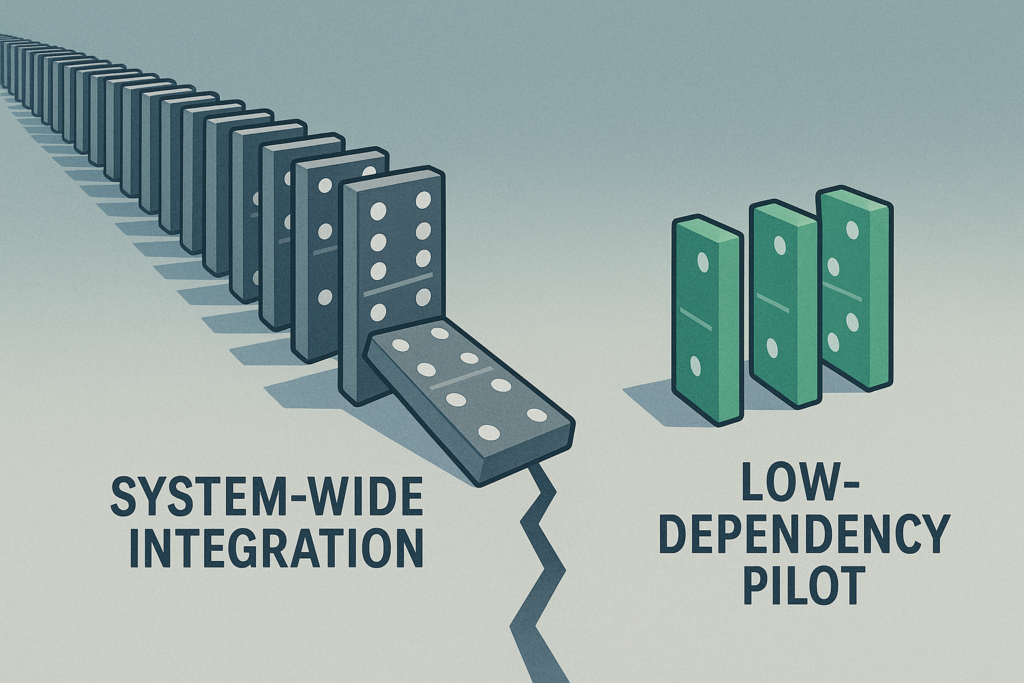
    Two sets of dominos side by side. On the left, a long chain of gray dominos labeled “System-Wide Integration,” precariously lined up with one tipping over, showing fragility. On the right, three neat green dominos labeled “Low-Dependency Pilot,” standing stable and isolated.
    Big transformations carry big risks. Start small: a low-dependency pilot offers safety, control, and confidence before scaling.

    The lesson: “implementation is strategy”—not just choosing the tech, but ensuring it works in practice.

    Similarly, Gartner reports that a whopping 77% of engineering leaders say integrating AI into existing applications remains a major challenge, and advises selecting platforms with cohesive ecosystems rather than patching together disparate tools.

    Where to start: low-dependency, high-ROI projects

    • Call Routing Automation
      Use AI to intelligently pre-route calls based on simple metadata (region, priority, agent skill set), which often requires minimal CRM integration but delivers clear impact on handling times and customer experience.
    • Workforce Scheduling Support
      Implement AI assistants that leverage historical patterns for smarter shift assignments or adherence monitoring—again, typically interacting only with workforce management modules, not full CRM pipelines.
    • Quality Assurance Automation
      Instead of automating agent-facing scripts or customer interactions, choose an internal process—like analyzing call transcripts for compliance or sentiment—that runs independently and delivers immediate insight and ROI.

    Select initial projects with low system coupling—components that can run nearly standalone or work within well-defined scopes. These “minimum viable integrations” reduce complexity while proving value in real business terms.

    2. Build Employee Buy-In Early

    From skepticism to empowerment: Make AI feel like a help, not a threat.

    Set the Stage with Data

    Employee sentiment around AI adoption is fraught with concern. A recent GoTo survey found that 62% of employees believe AI is significantly overhyped, and 86% admit they aren’t using it to its full potential—mainly because they lack confidence in how or where it fits into their day-to-day work.

    Meanwhile, a Pew Research Center study shows that only 16% of workers use AI at all, and a staggering 80% do not—highlighting a gap between access and adoption. 

    These trends reveal a hidden truth: resistance isn’t about stubbornness—it’s about uncertainty.

    Focus: Education Before Automation

    Instead of positioning AI as a replacement, frame it as a tool that makes agents’ lives easier. Provide contextual training tailored to real workflow scenarios, and walk through how AI can reduce mundane tasks—like auto-sorting inbound calls or flagging compliance breaches—not replace human judgment.

    Pilot with Employee Champions

    AI adoption spreads best through peer advocacy, not top-down mandates. Identify a group of motivated agents—trusted individuals who are curious and coachable—and involve them early. They act as localized influencers: shaping adoption norms, providing feedback, and demonstrating AI’s value in their own workflows. This grassroots approach builds momentum from the frontline upward.

    Build Trust Through Communication

    Trust in leadership strongly influences trust in AI. A Harvard Business Review insight underscores that employees are skeptical about AI when they don’t trust the leadership behind it—especially if they feel AI is being used without transparency or benevolent intent.

    Open dialogue about AI’s role, limitations, and safety—tracks not just outcomes, but message clarity—makes adoption feel intentional, not imposed.

    3. Automate the Back Office First

    Minimize risk—let quiet wins build credibility.
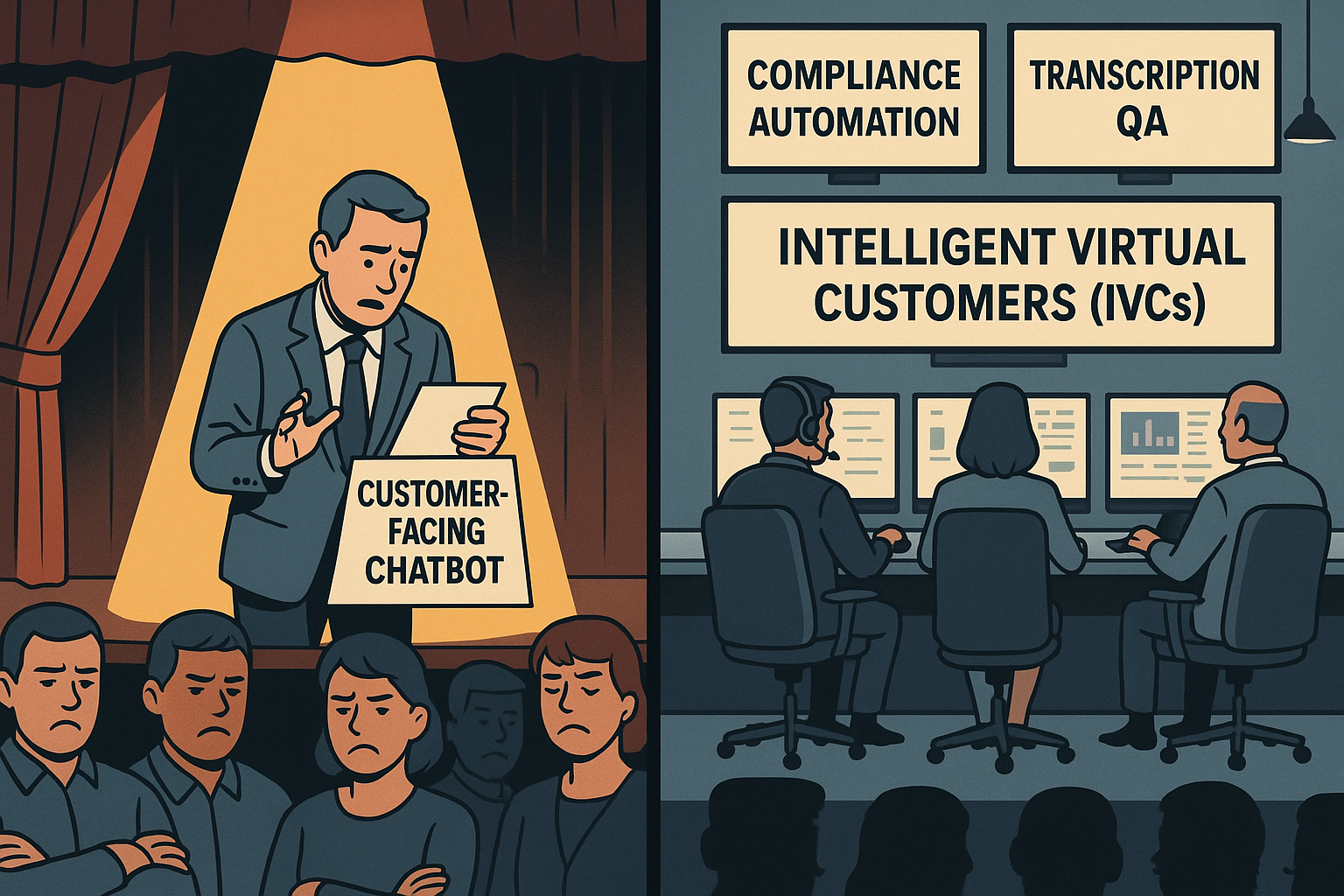
    A split-screen business illustration of a theater. On the left, a nervous man stands under a harsh yellow spotlight on stage, fumbling with cue cards labeled “Customer-Facing Chatbot,” while a frustrated audience crosses their arms and frowns. On the right, a calm, blue-toned control room shows operators at consoles with glowing dashboards labeled “Compliance Automation,” “Transcription QA,” and “Intelligent Virtual Customers (IVCs).”
    While chatbots struggle in the spotlight, behind-the-scenes automation drives efficiency and reliability.

    “Automate the back office first” may sound like an overused mantra, but it’s popular for a reason: starting where AI has fewer customer-facing risks gives organizations the breathing room to prove ROI without the PR nightmare of a failed chatbot rollout.

    Back-office functions—compliance, transcription QA, performance analytics, and Intelligent Virtual Customers (IVCs)—are ideal launchpads. They’re process-heavy, measurable, and less exposed to the customer’s direct line of sight.

    What to Automate First

    • Compliance Checks: Automate auditing call transcripts to flag regulatory or policy issues.
    • Transcription QA: Use AI to analyze recordings for accuracy, sentiment, or script adherence.
    • Performance Analytics: Spot patterns in agent productivity, escalation trends, or customer sentiment shifts.
    • Intelligent Virtual Customers (IVCs): Synthetic customers designed to simulate real conversations. Instead of risking failure with live customers, IVCs let you test, train, and refine AI models against realistic scenarios—quietly, safely, and cost-effectively.

    Case in Point: Commonwealth Bank’s Cautionary Tale

    When Australia’s Commonwealth Bank (CBA) pushed AI voice bots directly into customer service, the outcome was public and painful. Bots failed to resolve issues, call volumes rose, and 45 jobs were cut prematurely before the bank had to backpedal amid backlash.

    It’s a textbook example of chasing a headline instead of proving AI’s value in safer, internal domains first.

    Why It Works

    • Low visibility = low risk: Errors happen behind the scenes, not in front of customers.
    • Proof of value: Automating “boring but critical” processes shows real, measurable ROI.
    • Foundation for scale: Early wins build executive and employee confidence for more ambitious rollouts.

    4. Vendor Strategy: Safe Bet vs. Fast Bet

    Choosing the right partner can make or break your AI project.

    Option 1: Incumbent Vendors — The Safe Bet

    Large, established vendors (think your existing CRM, workforce management, or cloud providers) come with undeniable advantages: scale, security, and the credibility that reassures your board. They’ve delivered before, and they’ll integrate into your existing tech stack with less friction.

    The trade-off? Speed. Big vendors often move slowly, layering AI into their products incrementally. You’ll sacrifice agility for stability—but for some executives, especially those under scrutiny from boards or regulators, that’s the right call.

    Option 2: Startups — The Fast Bet

    Smaller, specialized vendors often innovate faster. They can spin up pilots in weeks, customize deeply for niche workflows, and push the boundaries of what’s possible with AI.

    But there are risks: limited resources, unproven scalability, and the potential for hiccups that frustrate employees or erode credibility with customers. A failed startup partnership can set your AI agenda back years—not because the tech was bad, but because your organization loses confidence.

    Vendor Strategy: Safe Bet vs. Fast Bet

    FactorIncumbent Vendor (Safe Bet)Startup Vendor (Fast Bet)
    Speed to DeploySlower, incremental rolloutFast, agile pilots
    IntegrationStrong alignment with existing stackFlexible, but may require workarounds
    Credibility with BoardHigh — proven track recordMixed — depends on reputation
    Risk of FailureLow technical risk, slower ROIHigher risk of hiccups, potential setbacks
    InnovationSteady, but rarely disruptiveCutting-edge, niche solutions
    ScalabilityEnterprise-grade, reliableMay struggle at large volumes
    Best Fit When…Board/regulators demand stability; credibility matters mostSpeed and differentiation are critical; appetite for risk is higher
    Hybrid StrategyUse for customer-facing or mission-critical AIUse for back-office pilots and innovation sprints

    The Executive Framework: Choosing Your Path

    When deciding between safe and fast, align the choice to your risk appetite and board expectations:

    • If credibility matters most: Stick with incumbents. They provide a defensible, low-risk path to AI adoption.
    • If speed and differentiation are critical: Partner with startups. Be ready to embrace hiccups as the price of innovation.
    • If you want both: Consider a hybrid strategy—pilot with a startup in the back office (low risk, high learning), while aligning your customer-facing roadmap with a trusted incumbent.

    Bottom line: There’s no “right” choice, only the choice that fits your strategic posture. The wrong vendor isn’t just a missed opportunity—it can turn your call center into another 95% statistic.


    Executive Playbook: Making Call Center AI Work

    AI success in call centers isn’t about chasing the flashiest tools. It’s about discipline, focus, and choosing battles you can win. Here’s the checklist every executive should keep in mind before greenlighting the next AI project:

    ✅ Tie Every Pilot to Measurable ROI

    If you can’t connect the project to the P&L, don’t start it. Define success upfront in hard metrics: reduced handle time, lower attrition, higher CSAT, or compliance cost savings. Every pilot should answer the board’s question: “What business value did this create?”

    ✅ Pick “Low Surface Area” Projects First

    Start where integration is simplest and dependencies are minimal. Call routing, workforce scheduling, and QA automation deliver quick wins without touching every system in the stack. Prove value before attempting system-wide transformations.

    ✅ Train Employees and Align Incentives

    AI doesn’t work if people won’t use it. Invest in education that shows employees how AI helps their workflows, not replaces them. Reward early adopters, celebrate quick wins, and use employee champions to spread momentum.

    ✅ Prioritize Back-Office Before Customer-Facing

    Public-facing AI failures destroy credibility fast. Back-office automation—compliance checks, transcription QA, performance analytics, Intelligent Virtual Customers (IVCs)—delivers ROI quietly while giving you space to refine the technology.

    ✅ Match Vendor Choice to Risk Appetite

    Don’t let vendor selection be an afterthought. If stability and credibility matter most, lean on incumbents. If speed and differentiation are critical, partner with startups. Better yet, build a hybrid strategy: use startups for low-risk pilots, then scale with trusted incumbents.

    The Bottom Line

    AI projects succeed when leaders treat them as business initiatives, not tech experiments. Anchor every step in ROI, simplify your first moves, bring employees along for the ride, and choose vendors with your strategic posture in mind. Do this, and your call center won’t just avoid being part of the 95%—it will help define the playbook for the 5%.


    TLDR; The 5% Opportunity

    The numbers may be grim—95% of AI projects fail—but they’re not destiny. For call centers, success isn’t about betting on the flashiest AI or rushing to impress the board with a chatbot demo. It’s about focus, realism, and cultural readiness.

    The difference between the 95% that fail and the 5% that succeed isn’t the technology. It’s leadership. Leaders who demand measurable ROI, start small, bring employees along, and place smart vendor bets are already proving AI can make call centers more efficient, resilient, and customer-centric.

    As an executive, you don’t have the luxury of treating AI as an experiment. Your job, your team, and your customer experience depend on getting it right. The good news: you can get it right—if you build deliberately, not reactively.

    So here’s the call to action: Don’t chase the hype. Build the foundation that makes your call center part of the 5%.

  • Gamify This: 7 High Impact Call Center Training Activities That Boost Effectiveness

    Gamify This: 7 High Impact Call Center Training Activities That Boost Effectiveness

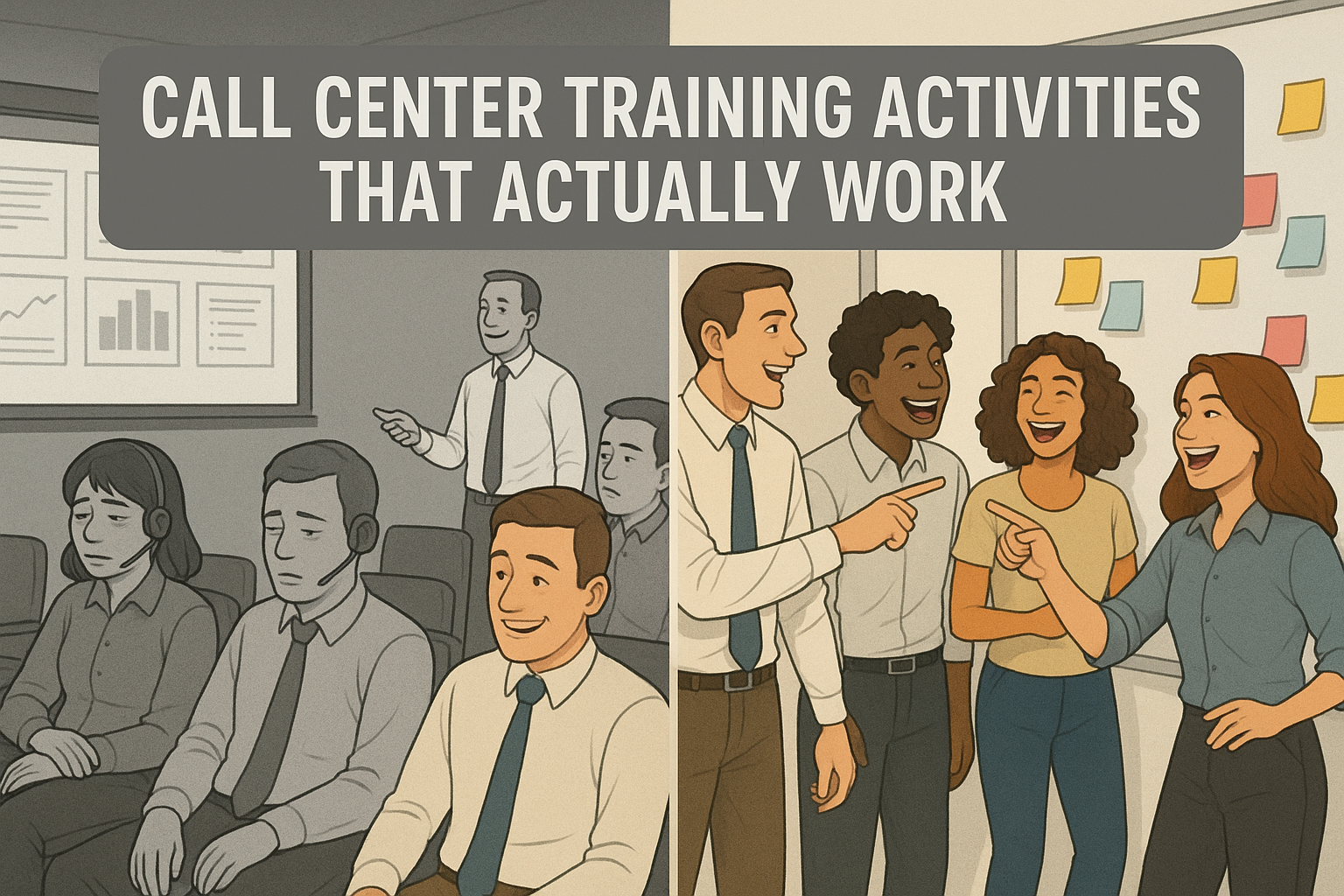
    "Split illustration showing dull call center training with disengaged agents on the left and energetic, collaborative agents using sticky notes on the right.
    Contrast between boring PowerPoint-based training and engaging, activity-driven training in call centers.

    Let’s be honest: too many call center training sessions feel like death by PowerPoint. Agents sit politely through hours of slides, nodding along, but two weeks later you’re still wondering if they can handle a live customer without freezing. If you’ve ever looked out at a sea of blank stares and thought, “This can’t be sinking in,” you’re not alone.

    Ready to dive right in? Skip ahead to the 7 gamification activities.

    The good news is these activities aren’t just for new hire training. The same games and challenges can be used to refresh skills with seasoned agents, coach through weak spots, or inject energy into a slow day on the floor. Gamification isn’t about bells and whistles—it’s about creating moments where agents are engaged, practicing, and building confidence in ways that last.

    Why Gamification Works in Call Center Training

    Gamification isn’t about adding fluff to training. It’s about turning learning into something agents can absorb, remember, and apply under pressure. When you build in game-like activities, you get four big wins:

    • Improved retention and recall: Agents are more likely to remember policies, products, and processes when they’ve practiced them in a challenge or game instead of just hearing about them.
    • Interactive, not passive: Games break the monotony of lecture-heavy training. They get agents talking, moving, and thinking out loud, which locks in the learning.
    A diverse group of five call center agents sitting around a classroom table, engaged in discussion with notebooks, pens, and coffee cups.
    Agents lean in during a training activity, taking notes and sharing ideas in a collaborative classroom setting.
    • Soft skills in action: Listening, empathy, and problem-solving are hard to teach with slides. Gamified scenarios let agents practice these skills in realistic but safe situations.
    • Stronger team connection: Shared challenges and a little healthy competition build rapport. That sense of team carries over when agents hit the floor together.

    7 High-Impact Call Center Training Activities

    1. Icebreaker Bingo

    Trainer’s Snapshot

    • Group size: 8 to 20 works best
    • Run time: 10 to 15 minutes
    • Prep time: 3 to 5 minutes
    • Materials: Bingo cards or shared doc, pens or chat reactions
    • Formats: In person or virtual
    • Primary goal: Fast connection, lower nerves, surface skills and backgrounds you can leverage later
    • What you’ll watch for: Who leads conversations, who hangs back, unexpected strengths to reference during coaching
    • Follow-up: 2 to 3 minute debrief and quick callouts of interesting finds

    How it works

    1. Give everyone a 5×5 card of short statements.
    2. Agents circulate and find a teammate who matches each square, then write that person’s name in it. One name per square.
    3. First to complete a row or column calls Bingo.
    4. Debrief with two quick prompts: what surprised you, and who you want to partner with in the next activity.

    Why it works

    You get immediate energy, fast rapport, and a snapshot of the room. It primes agents to talk, listen, and ask purposeful questions, which is the whole job on the phones.

    Variations

    • Queue Bingo: Squares tied to your top call drivers or systems.
    • Skill Bingo: Behaviors you want to see on calls, like summarizing or labeling emotion.
    • Remote Twist: Use a shared doc or poll; reactions count as signatures.

    Common pitfalls

    • Prompts that are too personal or generic. Keep them job-relevant and safe.
    • Cards that are impossible to complete. Make sure multiple people can match each square.

    AI Prompt Support

    Use this with ChatGPT or your LLM of choice to generate tailor-made Bingo cards in under a minute.

    You are helping a call center trainer create Icebreaker Bingo cards for a live session.
    
    Context:
    - Company: [COMPANY NAME]
    - Team: [TEAM TYPE, e.g., Billing, Tech Support, Sales]
    - Audience: [NEW HIRES | MIXED TENURE]
    - Format: [IN-PERSON | VIRTUAL]
    - Goals: Fast connection, surface skills and backgrounds, reduce first-day nerves, prime listening and questioning
    - Constraints: No personal or sensitive data. Keep prompts professional, inclusive, and job-relevant.
    
    Task:
    
    1) Generate THREE 5x5 Bingo card sets with distinct themes:
       A) Queue Bingo: squares tied to our top 5 call drivers, systems, and workflows.
       B) Skill Bingo: squares reflecting call behaviors we want to reinforce.
       C) Experience Bingo: squares about prior roles, tools used, and training preferences.
    
    2) For each set:
       - Provide 30 prompts, each 6 to 9 words, clear and specific.
       - Ensure at least 2 people in a group of 12 could match most squares.
       - Avoid health, family, age, nationality, or commute questions.
       - Include 4 squares that reference our environment:
         • products/services: [LIST 3 TO 5] 
         • systems/tools: [LIST 3 TO 5]
         • policies/topics: [LIST 3 TO 5]
       - Mark 5 prompts as “easy,” 5 as “challenge,” the rest “standard.”
    
    3) Output format for each set:
       - A Markdown 5x5 grid labeled “FREE” in the center if needed.
       - A plain list of all prompts underneath for quick copy.
       - A 60-second facilitator note with:
         • who can sign a square and how to verify quickly
         • a tie-break rule
         • 3 debrief questions tied to our goals
         • 2 optional replacements in case a square does not fit our group
    
    4) If Format is VIRTUAL:
       - Add instructions for running in Zoom or Teams chat.
       - Replace “signatures” with “@name” mentions or reactions.
       - Provide a single-share link friendly version of the grid in Markdown.
    
    5) Quality checks:
       - No duplicate prompts within a set.
       - No sensitive or personal topics.
       - Language at 7th to 8th grade reading level.
       - Keep the tone professional and upbeat.
    
    Now ask me only for any missing inputs in a single line of questions, then produce the three themed sets.

    2. Role-Play Switcheroo

    Trainer’s Snapshot

    • Group size: 2 to 6 per round
    • Run time: 15–20 minutes
    • Prep time: None with an Intelligent Virtual Customer (IVC) tool, 5–10 minutes if setting scenarios manually
    • Materials: IVC platform (shameless plug: check out TrueCX if you’re in the market), or printed role-play scenarios
    • Formats: In person or virtual
    • Primary goal: Build empathy, adaptability, and quick decision-making
    • What you’ll watch for: How agents adapt when the switch happens, whether they mirror empathy back to the “customer,” and how they carry tone through the transition
    • Follow-up: Debrief with transcripts (if using IVC) or group discussion

    How it works

    With an Intelligent Virtual Customer tool, trainees interact with an AI-driven customer simulation. One trainee starts as the “agent,” responding in real time. Mid-scenario, the trainer clicks “Switch,” and the tool flips roles—now the first trainee becomes the customer (continuing the persona’s responses) while the second takes over as the agent.

    If you don’t have an IVC yet, you can still run this activity the old-fashioned way: pair trainees and have one act as the customer, the other as the agent. At the switch, they trade roles and continue the call. The key is keeping prompts realistic so the practice feels valuable, not like over-the-top role-playing.

    Why it works

    • Agents experience what it’s like to be the customer, which makes empathy less abstract.
    • Adaptability is tested live: can the new agent step in midstream and keep the conversation productive?
    • The IVC option removes awkward “pretend” moments and gives consistent, trackable practice.
    • The debrief turns a fun exercise into practical coaching.

    Variations

    • Timed Switch: Swap roles every 90 seconds no matter where the call is.
    • Curveball Switch: The trainer triggers the swap at unpredictable moments.
    • Group Mode: While two agents switch off, others observe and score empathy, clarity, and adaptability.

    Common pitfalls

    • Switching before rapport is established. Let the first “agent” warm up.
    • Overcomplicating the customer profile too early. Start with common call types before escalating.
    • Skipping reflection. The switch only works if trainees stop and talk about what changed.

    AI Support

    An Intelligent Virtual Customer tool takes this activity to another level. It keeps scenarios realistic, tracks transcripts, and highlights coaching opportunities. If you’re exploring IVCs, shameless plug—TrueCX specializes in building these simulations and can preload your top call drivers, personas, and escalation paths.

    3. The 60-Second Knowledge Blitz

    Trainer’s Snapshot

    • Group size: Works with any size, best with 6+
    • Run time: 5–10 minutes per round
    • Prep time: 5 minutes to build a question list (or none if using AI-generated sets)
    • Materials: Timer, whiteboard or scoreboard, optional buzzer or chat reactions
    • Formats: In person or virtual
    • Primary goal: Boost recall, sharpen focus under pressure, reinforce policies or product details
    • What you’ll watch for: Who answers confidently, who hesitates, which questions consistently stump the group
    • Follow-up: Review the top 3 most-missed questions and turn them into a quick coaching moment

    How it works

    Set a timer for 60 seconds. One trainee answers as many rapid-fire questions as possible before time runs out. Rotate until everyone gets a turn. Questions should focus on your top policies, workflows, or product knowledge.

    Why it works

    • Transforms rote memorization into a fast, fun challenge.
    • Builds quick recall under mild pressure, just like live calls.
    • Surfaces weak spots instantly, giving you ready-made coaching material.

    Variations

    • Team Blitz: Teams compete, with steals allowed if a player misses.
    • Category Blitz: Organize by theme (verification, billing, troubleshooting, product features).
    • Reverse Blitz: Give the answer, and trainees provide the question.

    Common pitfalls

    • Questions that are all surface-level or all obscure. Aim for a balanced mix.
    • Focusing on speed over accuracy. Reward correct answers most.
    • Letting the energy die—short rounds keep it sharp.

    AI Prompt Support

    Here’s a ready-to-use prompt you can drop into ChatGPT or your LLM of choice to auto-generate question sets tailored to your industry and policies.

    You are helping a call center trainer create a 60-Second Knowledge Blitz game.
    The goal is to generate fast-paced quiz questions that reinforce the exact knowledge agents need on the floor.
    
    Inputs:
    - Industry: [INDUSTRY NAME, e.g., Telecom, Retail Banking, Healthcare Insurance]  
    - Products/Services: [LIST 3–5 key items]  
    - Top Call Drivers: [LIST 3–5 common reasons customers call]  
    - Key Policies/Processes: [LIST 3–5 rules or workflows agents must recall quickly]  
    - Agent Experience Level: [NEW HIRES | MIXED TENURE | SEASONED]  
    - Difficulty: [EASY | STANDARD | CHALLENGE]  
    - Format: [IN-PERSON | VIRTUAL]  
    
    Task:  
    
    1. Generate **30 quiz questions** tailored to the inputs above.  
       - Keep questions short (one sentence).  
       - Each answer should be one to two sentences max.  
       - Balance difficulty: 10 easy recall, 15 standard, 5 challenge.  
       - Prioritize accuracy, clarity, and relevance to live calls.  
    
    2. Organize questions by category:
       - Policies & Compliance
       - Product/Service Knowledge
       - Troubleshooting/Process Steps
       - Customer Handling (tone, empathy, escalation triggers)
    
    3. Output format:
       - A numbered list of questions with their correct answers.  
       - Mark each question EASY, STANDARD, or CHALLENGE.  
       - Include a **lightning round** of 5 “Yes/No” or “True/False” questions for bonus speed play.  
    
    4. End with a **facilitator note** explaining:
       - How to run the blitz in person vs. virtual.  
       - How to score (accuracy over speed).  
       - How to debrief (highlight the top 3 most-missed questions as coaching points).  
    
    Constraints:  
    - No trick questions.
    - No outdated or obscure details.
    - Use a professional but engaging tone.

    4. Customer Empathy Map

    Trainer’s Snapshot

    • Group size: 3–6 per team
    • Run time: 20–25 minutes
    • Prep time: 5 minutes if building scenarios manually, none with AI-generated content
    • Materials: Whiteboard or large paper, sticky notes or markers, optional digital collaboration tool (Miro, MURAL, Jamboard)
    • Formats: In person or virtual
    • Primary goal: Strengthen empathy, sharpen listening skills, and understand the customer’s perspective beyond surface-level complaints
    • What you’ll watch for: Who focuses only on “what was said” vs. who digs deeper into feelings and motivations
    • Follow-up: Have teams share their maps, compare similarities and differences, and identify one empathy skill to practice on calls

    How it works

    Divide agents into small groups. Each group gets a customer scenario (e.g., wrong bill, service outage, delayed delivery). On their empathy map, they document the customer’s:

    • Says: What the customer actually says aloud
    • Thinks: What the customer is likely thinking but not saying
    • Feels: The emotions driving their behavior
    • Does: The actions they take (e.g., calling back repeatedly, threatening to cancel)

    Teams then share maps with the larger group, sparking discussion about what customers really need in those moments—beyond just a resolution.

    Why it works

    • Builds emotional awareness—agents stop seeing “angry customer” and start seeing the person behind it.
    • Reinforces active listening and digging beneath the words.
    • Helps agents prepare for emotional dynamics, not just technical fixes.

    Variations

    • Escalation Map: Map the customer’s emotional journey over multiple interactions.
    • Reverse Map: Start with “Feels” and “Thinks,” then work backward to “Says” and “Does.”
    • Compare Queues: Give different groups different call drivers, then compare empathy maps side by side.

    Common pitfalls

    • Staying shallow (“They’re mad” instead of “They’re scared about losing service”). Push teams to dig deeper.
    • Treating it as a guessing game instead of a tool to sharpen real listening.
    • Skipping the debrief. The reflection is where empathy lessons stick.

    AI Prompt Support

    Here’s a ready-to-use prompt you can give to ChatGPT or any LLM to generate empathy map scenarios tailored to your industry and call drivers.

    You are helping a call center trainer create Customer Empathy Map scenarios.  
    
    The goal is to generate realistic situations that challenge agents to understand a customer’s words, feelings, thoughts, and actions.  
    
    Inputs:  
    - Industry: [INDUSTRY NAME, e.g., Retail Banking, Telecom, Healthcare Insurance]
    - Customer Persona: [e.g., Busy parent, Elderly customer, Small business owner]
    - Top Call Driver: [e.g., Billing error, Service outage, Denied claim]
    - Customer History: [First-time caller | Repeat caller | Escalated case]
    - Agent Experience Level: [New hire | Experienced agent | Mixed group]
    - Tone of Customer: [Calm, Frustrated, Angry, Confused, Upset but polite]
    
    Task:  
    
    1. Generate **5 customer scenarios** based on the inputs above.
       - Each scenario should include:
         • Customer’s **situation/context** (1–2 sentences)
         • Sample **“Says”** (3–4 customer quotes)
         • Likely **“Thinks”** (3–4 unspoken thoughts)
         • Likely **“Feels”** (3–4 emotions with context)
         • Likely **“Does”** (3–4 observable actions)
    
    2. Ensure each scenario feels realistic and mirrors the emotional complexity agents will encounter on real calls.
    
    3. Output format:
       - Scenario header (short title)
       - Scenario details structured under: Says, Thinks, Feels, Does
       - A 2-sentence facilitator note explaining how to run the empathy map activity with this scenario.
    
    Constraints:
    - Keep customer language professional but authentic (avoid cartoonish overacting).  
    - Stay industry-relevant, reflecting actual call drivers.  
    - Use neutral, inclusive language.  
    - Write at a 7th–8th grade reading level for clarity.

    5. Problem-Solving Relay

    Trainer’s Snapshot

    • Group size: 4 to 8 per team, 2 to 4 teams
    • Run time: 20 to 25 minutes plus a 5 minute debrief
    • Prep time: 10 minutes if you build cases manually, near zero with AI generated packets
    • Materials: Scenario cards, timer, whiteboard or shared doc, simple scoring sheet
    • Formats: In person or virtual with breakout rooms
    • Primary goal: Practice end to end resolution under time pressure and improve handoffs
    • What you will watch for: Clear verification, crisp documentation, smart use of systems, timely escalation, quality of handoff notes
    • Follow up: Convert the winning path into a one page job aid and log the common blockers you saw

    How it works

    Create one realistic multi step case tied to a top call driver. Break the journey into legs that match your process, for example: verify, discover, research, apply policy, resolve, document. Split your team into a relay line. Each person owns one leg with a strict time box, then passes the case to the next person using a short handoff note. Keep the customer context continuous. Score for accuracy, policy adherence, empathy cues in notes, and speed. Run a quick debrief and repeat with a small twist.

    Why it works

    • Forces process discipline without feeling like a lecture
    • Builds respect for clean handoffs and notes other people can use
    • Exposes gaps that get missed in single person mock calls
    • Creates a safe space to practice escalation logic and tradeoffs

    Variations

    • Blind Handoff: The next agent sees only the prior notes, not the live conversation
    • Escalation Fork: Add a decision point where the wrong choice costs time
    • Evidence Hunt: Release a key artifact when someone asks the right question
    • Noise Round: Introduce a minor system outage or policy change mid relay

    Common pitfalls

    • Steps are vague so no one knows what good looks like
    • Speed gets rewarded over accuracy and documentation
    • The same two people dominate every leg
    • No debrief, so lessons do not transfer to live calls

    AI Prompt Support

    Use this prompt with ChatGPT or your LLM of choice to generate a complete Problem Solving Relay packet tailored to your shop.

    You are helping a call center trainer design a Problem-Solving Relay activity.
    
    Goal:
    Create a realistic, multi-step resolution exercise that trains agents to verify, diagnose, apply policy, resolve, and document with clean handoffs under time pressure.
    
    Inputs:
    - Industry: [e.g., Telecom, Retail Banking, Healthcare Insurance, E-commerce]
    - Queue/Team: [e.g., Billing, Tech Support, Claims, Orders]
    - Products/Services: [list 3–5]
    - Top Call Driver: [e.g., billing error, service outage, denied claim]
    - Systems in scope: [e.g., CRM, Billing, Knowledge Base, Ticketing]
    - Verification requirements: [fields that MUST be confirmed]
    - Compliance constraints: [e.g., PCI, HIPAA, disclosure rules]
    - SLAs or targets: [e.g., AHT, FCR, hold time]
    - Escalation tiers: [e.g., L1, L2, Supervisor, Back office]
    - Agent experience level: [New hire | Mixed | Seasoned]
    - Complexity level: [Easy | Standard | Challenge]
    - Format: [In-person | Virtual]
    - Number of teams: [e.g., 3 teams of 5]
    
    Tasks:
    
    1) Build ONE primary scenario tied to the Top Call Driver.
       - Provide a 3-sentence brief, a customer persona, starting context, and data available at start.
       - Include 2 red herrings and 2 missing but discoverable facts.
       - State what success looks like in one sentence.
    
    2) Map the relay into 4–6 legs. For EACH leg, include:
       - Objective and time limit
       - Required actions and system steps
       - 3 targeted questions the agent should ask
       - Artifacts to produce (case note, disposition, order ID, etc.)
       - Success criteria and common mistakes
       - Penalties for breaking policy or skipping verification
    
    3) Provide a handoff note template that fits on 4 lines:
       - Context, what was verified, what was tried, next step
    
    4) Create a scoring rubric out of 100 points:
       - 60 quality, 25 process adherence, 15 time
       - List exact deductions for misses like verification, disclosures, wrong disposition
    
    5) Add facilitator controls:
       - When to drop a curveball, how to keep time, tie-break rule
       - A quick hint the trainer can give without solving the problem
    
    6) Produce printable materials:
       - Scenario card
       - Role cards for each leg
       - Team score sheet
    
    7) Write a 5 minute debrief plan:
       - 5 questions that connect to empathy, policy, and process
       - Turn the winning path into a one-page job aid outline
    
    8) Provide variants:
       - Virtual instructions with breakout rooms and a shared doc
       - Smaller teams with combined legs
       - Hard mode that adds an escalation decision
    
    Output format:
    - Use clear Markdown headings.
    - Sections in this order: Scenario Brief, Legs, Handoff Template, Scoring Rubric, Facilitator Controls, Printables, Debrief Plan, Variants.
    
    Constraints:
    - No personal or sensitive data. Use placeholders if needed.
    - Keep language clear at a 7th to 8th grade reading level.
    - Keep tone professional and realistic. No overacting cues.
    - Ensure at least one valid resolution path exists and is fully described.

    6. Call Simulation Challenge

    Trainer’s Snapshot

    • Group size: 2 to 4 per scenario
    • Run time: 20–25 minutes
    • Prep time: None with an Intelligent Virtual Customer (IVC) tool, 10–15 minutes if building scenarios manually
    • Materials: IVC platform (check out TrueCX if you’re exploring options) or printed call scripts
    • Formats: In person or virtual
    • Primary goal: Practice real-world customer scenarios, test decision-making under pressure, strengthen feedback culture
    • What you’ll watch for: Who asks clarifying questions, who rushes, who de-escalates well, who misses key details
    • Follow-up: Peer or AI-driven feedback, highlight best practices, repeat with tougher scenarios

    How it works

    With an Intelligent Virtual Customer tool, agents enter a simulated call designed around your top call drivers (billing issue, tech outage, shipping delay, etc.). In small groups, one agent handles the “customer,” while others observe and note strengths or gaps. After the call, everyone discusses what went well, what to improve, and how they’d handle it differently. Then rotate roles so each person gets a turn in the hot seat.

    If you don’t have an IVC, the fallback is a trainer-written scenario played by a peer. One person acts as the customer with a short script or prompt, while the other handles the call. Observers provide feedback. It works, but consistency depends on how committed peers are to playing the customer role.

    Why it works

    • Moves agents from theory into practice in a safe, repeatable environment.
    • Surfaces blind spots that won’t show up in a lecture—like skipping verification or failing to check account notes.
    • Builds peer-to-peer coaching habits when agents give feedback on what they observed.
    • With an IVC, trainers get transcripts and performance data without disrupting flow.

    Variations

    • Speed Round: Multiple short calls in quick succession, testing fast resets.
    • Escalation Path: Run the same scenario twice, with the second round adding a curveball (angrier customer, policy roadblock).
    • Silent Observer: One agent listens without participating, then summarizes the customer’s emotions and key points.

    Common pitfalls

    • Overloading new hires with edge cases too early. Start with top 3 call drivers first.
    • Letting feedback drag. Keep it structured: one strength, one improvement.
    • Agents slipping into “performance mode” instead of natural conversations. Remind them realism beats theatrics.

    AI Support

    This activity comes alive with an Intelligent Virtual Customer tool. It standardizes scenarios, ensures consistency across groups, and provides objective feedback. You can preload the exact calls your agents will face on the floor and even adjust difficulty as confidence grows.

    If you’re ready to take the guesswork out of practice calls, shameless plug—TrueCX builds custom simulations around your real call drivers and gives you live insights into agent readiness.

    7. Recognition Race

    Trainer’s Snapshot

    • Group size: Any size, works best with 8+
    • Run time: Ongoing throughout training or coaching cycle
    • Prep time: 5–10 minutes to design scoring categories
    • Materials: Scoreboard (whiteboard, shared doc, or LMS tracking), small rewards (optional)
    • Formats: In person or virtual
    • Primary goal: Motivate consistent engagement, recognize contributions in real time, reinforce the right behaviors
    • What you’ll watch for: Who contributes consistently, who improves week to week, and who thrives under visible recognition
    • Follow-up: Tie points back to specific strengths (e.g., “3 points for catching that policy detail”), then highlight winners in a closing recognition moment

    How it works

    The Recognition Race runs in the background of training. Agents earn points for positive behaviors like volunteering answers, helping peers, completing activities on time, or demonstrating empathy in role-plays. Track scores visibly so everyone sees progress. At the end of training, recognize the top scorers with a certificate, shout-out, or small prize.

    Why it works

    • Turns engagement into a visible, ongoing game instead of a one-off activity.
    • Encourages quieter agents to contribute, since every action counts.
    • Builds a culture of recognition where effort gets noticed, not just outcomes.
    • Reinforces the exact behaviors you want to see on the floor.

    Variations

    • Team Race: Score by table or breakout group instead of individuals to promote collaboration.
    • Surprise Points: Award double points for a hidden “focus skill” (like empathy) revealed at the end of the session.
    • Peer Recognition: Let agents award one point to a peer who helped them during training.

    Common pitfalls

    • Overcomplicating the system. Keep it simple: clear actions, visible points, and quick tallying.
    • Rewarding only speed or volume. Balance recognition with quality and accuracy.
    • Skipping the celebration. Recognition without a moment of closure feels hollow.

    AI Prompt Support

    Here’s a detailed prompt to help you design a Recognition Race that matches your training goals, culture, and agents.

    You are helping a call center trainer design a Recognition Race activity.  
    
    The goal is to create a simple, motivating points-based system that rewards agent engagement and reinforces key behaviors during training or coaching.  
    
    Inputs:  
    - Industry: [e.g., Telecom, Banking, Healthcare, E-commerce]  
    - Training Type: [Onboarding | Refresher | Coaching Program]  
    - Agent Experience Level: [New hires | Mixed | Experienced]  
    - Key Behaviors to Reinforce: [e.g., volunteering answers, helping peers, applying empathy, accuracy, speed]  
    - Format: [In-person | Virtual | Hybrid]  
    - Training Duration: [1 day | 1 week | 4 weeks]  
    - Reward Style: [Public recognition | Certificates | Small prizes | Team competition only]  
    
    Task:  
    
    1. Generate a Recognition Race system tailored to the inputs above.  
       - Define **5–7 scoring actions** (behaviors agents can earn points for).  
       - Assign clear point values (e.g., +2 for answering a tough question).  
       - Provide a simple **scoreboard design** suitable for the format.  
       - Suggest **1–2 optional penalties** for disruptive behaviors (if appropriate).  
    
    2. Provide **3 variations**:  
       - Individual competition  
       - Team-based  
       - Hybrid (mix of both)  
    
    3. Write a **scoring rubric**:  
       - Points available per activity/day  
       - Total possible points for the program  
       - How to handle ties  
    
    4. Add a **facilitator guide**:  
       - How to explain the rules quickly  
       - How to keep scoring visible without slowing down training  
       - How to announce winners (tone: celebratory, not punitive)  
    
    5. End with a **5-question debrief set** to link recognition back to agent motivation and workplace culture.  
    
    Constraints:  
    - Keep the system easy to manage without technology.  
    - Avoid rewarding only extroverts; ensure points cover a variety of engagement styles.  
    - Keep tone professional but fun.  
    - All language should be clear at a 7th–8th grade reading level.

    How Trainers Can Apply These Activities

    The best part about these activities is their flexibility. They’re not locked to onboarding or “Day 1 icebreakers”—you can slot them in wherever you need a boost in engagement, practice, or focus.

    • Adapt by training stage
      • Onboarding: Use them to break up long sessions, build confidence, and get new hires practicing early.
      • Refresher training: Drop in a Knowledge Blitz or Simulation Challenge to reinforce updates without another slide deck.
      • Coaching: Run a quick Empathy Map or Problem-Solving Relay with agents who are struggling in specific areas.
    • Mix and match formats. Every activity can run in person, in a virtual classroom, or even as a quick stand-up huddle on the floor. A Recognition Race works as well in a Zoom room as it does on a whiteboard in training.
    • Keep setup low effort, high impact. These activities don’t need complex prep. A few scenario cards, a timer, or a shared doc is enough. If you do have an Intelligent Virtual Customer tool, you can instantly scale role-plays and simulations—but even without one, every exercise here is trainer-ready with simple materials.
    • Always close the loop. The activity is the spark, but the debrief is where learning sticks. Build in 3–5 minutes at the end to highlight what went well, what could improve, and how the lesson ties directly back to live calls.

    TL;DR: Call Center Training Activities

    Call center training activities keep agents engaged, improve retention, and build real-world skills faster than lecture-heavy sessions. The most effective ones are simple to run, adaptable for onboarding or refresher training, and focus on interaction over theory.

    Here are 7 high-impact call center training activities trainers can use right away:

    1. Icebreaker Bingo – Fast connection builder on Day 1.
    2. Role-Play Switcheroo – Agents swap roles mid-scenario to build empathy and adaptability.
    3. 60-Second Knowledge Blitz – Rapid-fire quiz for policy and product recall.
    4. Customer Empathy Map – Map what customers say, think, feel, and do.
    5. Problem-Solving Relay – Team race to resolve multi-step customer issues.
    6. Call Simulation Challenge – Realistic practice calls with peer or AI-driven customers.
    7. Recognition Race – Ongoing points system to reward engagement.

    How to use them:

    • Adapt for onboarding, refresher training, or coaching.
    • Run in person, virtually, or during quick huddles.
    • Always include a short debrief so the learning sticks.

    Bottom line: Gamified call center training activities make learning stick, boost confidence, and strengthen team morale. Start with one in your next session and build from there.


    Want more insights like this?

    Subscribe to TrueCX’s newsletter—the #1 resource for contact center trainers—for the latest in AI-powered training, team performance strategies, and real-world tips for building a stronger, smarter contact center, starting with contact center coaching.

  • The LED Coaching Light: A Contact Center Coaching Tool that Actually Works

    The LED Coaching Light: A Contact Center Coaching Tool that Actually Works

    The LED Coaching Light: A Contact Center Coaching Tool that Actually Works

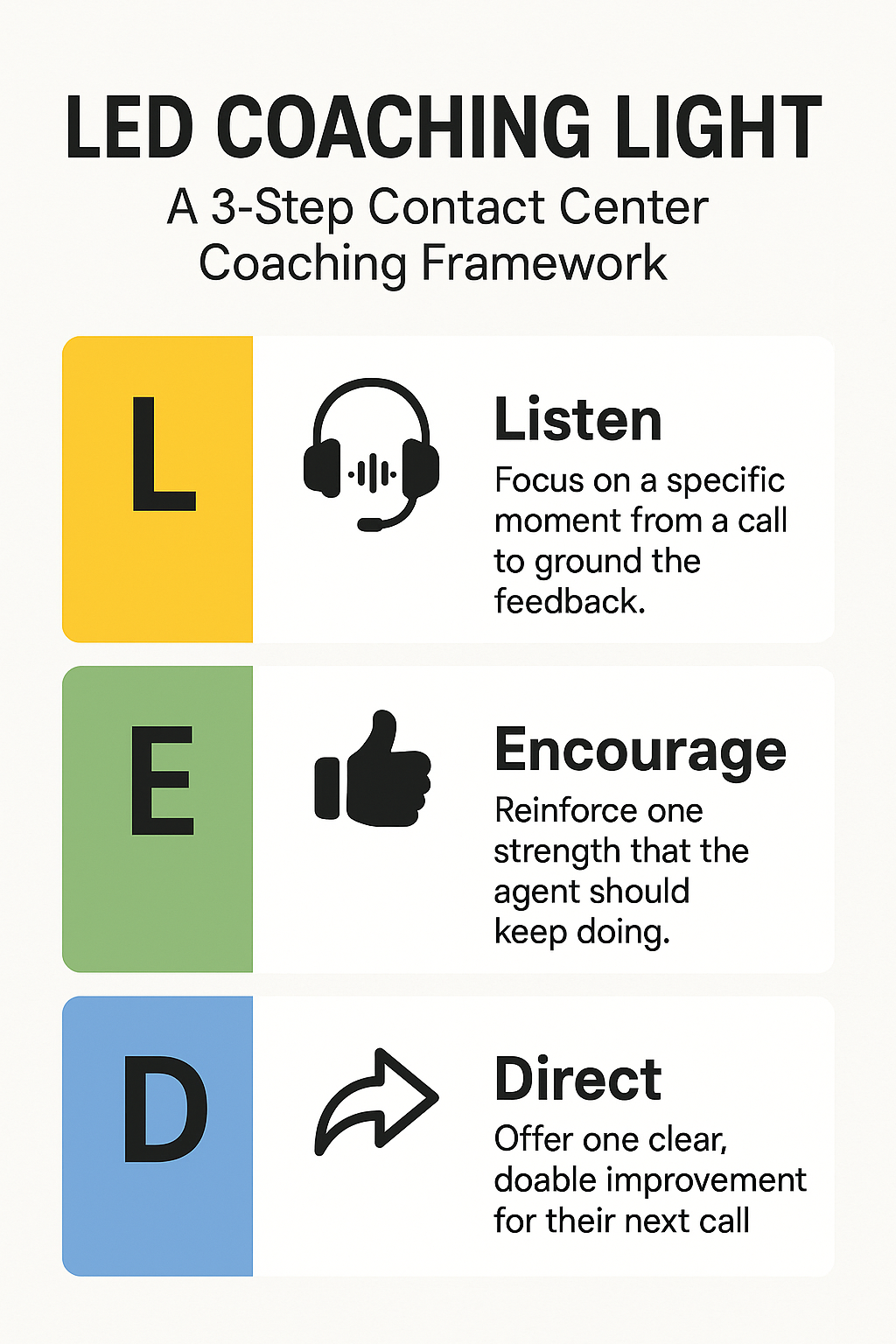
    A vertical infographic titled “LED Coaching Light: A 3-Step Contact Center Coaching Framework.” It shows three color-coded panels: yellow for “L – Listen” with a headset icon, green for “E – Encourage” with a thumbs-up icon, and blue for “D – Direct” with a forward arrow icon. Each panel has a short caption describing the step.
    A simple, professional 3-step framework (Listen, Encourage, Direct) for effective contact center coaching.

    Imagine Laura, a busy frontline supervisor in a bustling contact center—managing 15 agents, back-to-back calls, rising KPIs, and a literal queue of managers requesting her time. She wants her team to improve—but she’s swamped. Every coach call is either rushed or skipped. She hears her agents respond with glazed-over faces. “What could you have done differently?” The question lands flat.

    But Laura tries something new. For the next week, between calls, she uses a “LED moment” with each agent—just 60 seconds. She listens to a quick snippet, praises real strengths, and gives a single, practical tip. By week’s end, agents report feeling supported; QA scores tick upward. It wasn’t magic, but it was intentional.


    Why Contact Center Coaching Matters

    In contact centers, feedback feels like a compliance checkbox—but it doesn’t have to be. Studies show that:

    • 75% of agents receive coaching at least monthly and 72% say these sessions are useful (Calabrio, Why Agent Coaching Matters)
    • Consistent coaching like this boosts first-call resolution, which correlates 1:1 with customer satisfaction—every 1% FCR uptick improves satisfaction by 1% and NPS by 1.4 points. (Wikipedia, FCR)
    • Coaching not only improves performance—it reduces turnover. Centers with high-manager floor time have double the staff retention compared to those without. (McKinsey, Smarter Call Coaching)

    Attracting the right people is half the battle—keeping them is the other. A strong coaching culture empowers agents while strengthening loyalty and reducing costly churn.


    Why the LED Coaching Light?

    Research shows that traditional coaching often fails due to:

    • Managers bogged down in prep and admin
    • Agents needing multiple reminders before adopting new skills
    • Too many formal reviews and not enough in-the-moment guidance

    LED Coaching Light solves this. It’s:

    • Fast: Under 5 minutes
    • Focused: One strength, one micro-improvement
    • Human: Built on real call snippets, delivered casually

    Laura’s story isn’t rare—it’s replicable. If you want coaching that works in the real world of contact center stress and urgency, LED delivers. And makes contact center coaching feel like something managers want to do.


    What is the LED Coaching Light?

    L – Listen
    Start with a small, specific snippet of a call. Either play back a short segment or summarize it clearly. No need to rehash the entire call—just anchor the feedback in a concrete moment.

    E – Encourage
    Find something to reinforce. This isn’t about fluffy praise—this is about pointing out what worked so the agent knows to keep doing it.

    D – Direct
    Offer one improvement. Just one. It should be clear, doable, and worth implementing on the very next call.


    LED in Real-World Coaching Scenarios

    Scenario 1: Soft Skills on a Tough Call

    Jenna took a call from an upset patient waiting on a prescription. She stayed factual but sounded clipped.

    Listen: “Let’s review the section around minute 3 when the patient asked for a faster resolution.”
    Encourage: “You stayed calm and didn’t interrupt. That’s a win—staying composed when someone’s venting isn’t easy.”
    Direct: “Next time, try: ‘I hear how frustrating this is. Let’s go over your options together.’”

    ScenarioOriginal PhraseLED TipImproved Phrase
    Jenna’s call“There’s nothing we can do”Add empathy“I hear your frustration—let’s go over options”

    Scenario 2: High Performer, Small Miss

    Luis skipped the greeting and dove right into solving the issue.

    Listen: “Here’s where the call starts—no greeting.”
    Encourage: “Your problem-solving speed is top-notch.”
    Direct: “Let’s still open with ‘Thanks for calling—Luis here.’ That sets a consistent tone.”

    ScenarioOriginal PhraseLED Tip (Direct)Improved Phrase
    Luis starts the call without a greeting and jumps straight to problem-solving“Okay, let me pull up your account…”Add a warm, consistent greeting to set the tone“Thanks for calling—this is Luis. Let me pull up your account…”

    Scenario 3: New Agent, Confidence Check

    Ashley hesitated explaining a denied claim policy.

    Listen: “This part where you explained the denial stood out.”
    Encourage: “You didn’t over-apologize, and you stayed respectful.”
    Direct: “Add: ‘Here’s what you can do next.’ It shifts focus from denial to action.”

    ScenarioOriginal PhraseLED Tip (Direct)Improved Phrase
    Ashley hesitates when explaining a denied claim and ends the call abruptly“Unfortunately, the claim was denied… that’s all I can say.”Shift focus from denial to next steps to build confidence and clarity“The claim was denied—but here’s what you can do next…”

    Using LED Without Making It Weird

    • Keep it casual: Use LED on the fly—after a call, in a chat, or during side-by-sides.
    • Make it consistent: A quick LED moment each week per rep builds momentum.
    • Don’t overdo it: If there’s no obvious correction, stick to encouragement.

    TL;DR: LED Coaching Light

    L – Listen to a moment in the call
    E – Encourage one strength
    D – Direct one simple improvement

    Quick. Specific. Actually useful contact center coaching.


    FAQs About Contact Center Coaching with LED

    What makes LED different from traditional contact center coaching?

    It’s fast, low-pressure, and focused on real-time feedback—designed for the real world, not HR checklists.

    Can LED be used in non-voice channels?

    Yes. Just replace “Listen” with “Review”—the same flow works for chat, email, and SMS transcripts.

    Do I have to find something to fix on every call?

    Not at all. Some LED moments are just about celebrating progress.

    How do I track LED coaching?

    Keep it lightweight: use a shared spreadsheet or embed a form in your QA system with “L-E-D” fields.

    How do I get buy-in from my supervisors?

    Start small. Try LED in a team huddle or pilot it with one team. Managers will feel the difference—and so will agents.

    Want more insights like this?

    Subscribe to TrueCX’s newsletter—the #1 resource for contact center trainers—for the latest in AI-powered training, team performance strategies, and real-world tips for building a stronger, smarter contact center, starting with contact center coaching.

  • 3 AI-Powered Tactics to Streamline Recruiting, Onboarding & Training

    3 AI-Powered Tactics to Streamline Recruiting, Onboarding & Training

    From Hire to High-Performer: 3 AI-Powered Tactics to Streamline Recruiting, Onboarding & Training

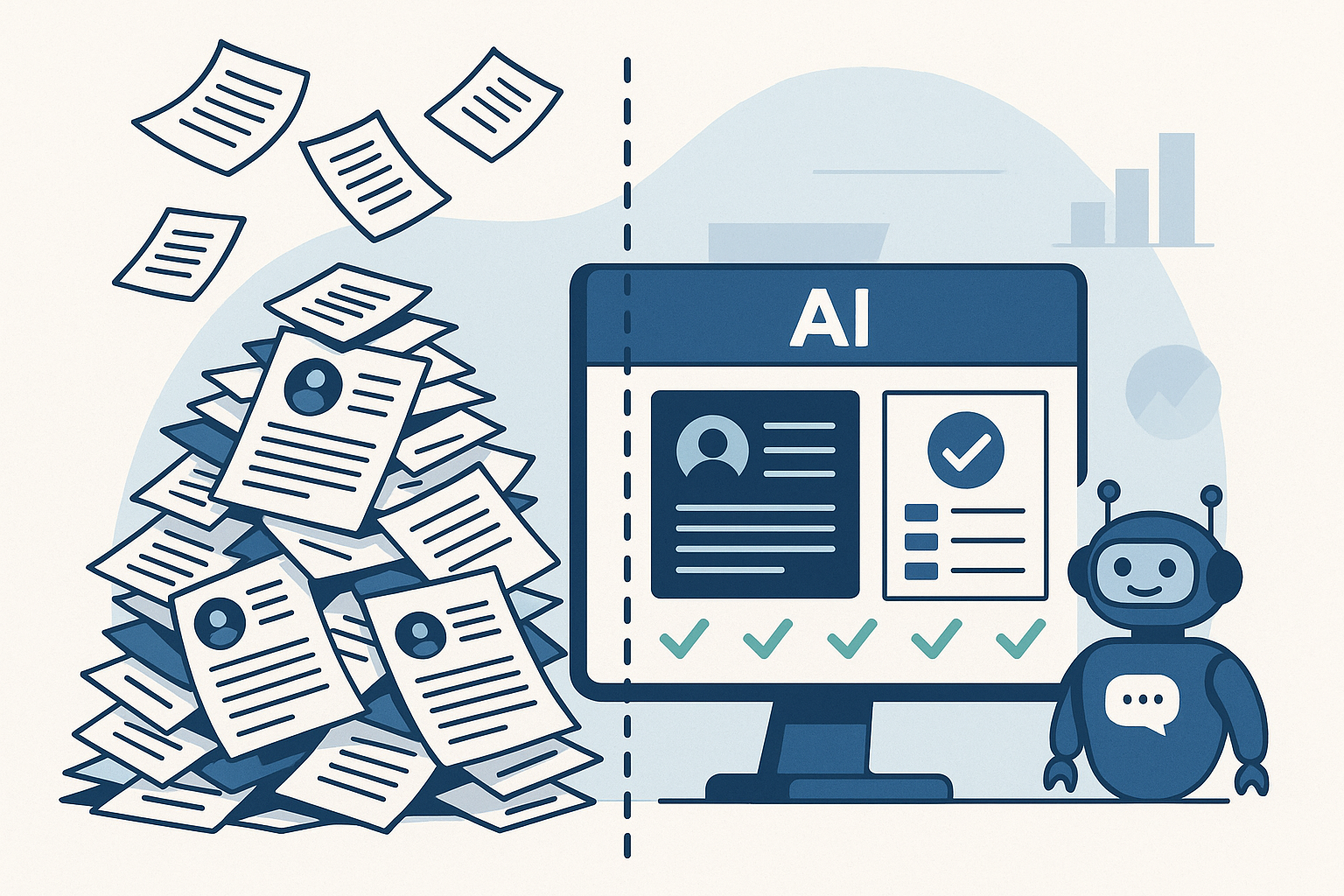
    A flat-style digital illustration showing a chaotic pile of paper resumes on the left and an AI-powered dashboard on the right. A friendly chatbot stands next to the screen, representing streamlined, automated recruiting.
    AI turns hiring chaos into clarity—cutting through the noise to surface the best-fit candidates, fast.

    It starts with a flood.

    You post a job, and hundreds of resumes roll in overnight. But instead of being a dream scenario, it’s a nightmare. Half the applicants are unqualified. The other half blur together in a sea of keyword-stuffed documents. Weeks go by, and your hiring managers are still stuck in interviews—while your top candidates have already accepted offers elsewhere.

    You’re not alone. The average time to hire in tech is now 44 days, up 18% from just two years ago (LinkedIn, Future of Recruiting).

    Meanwhile, AI-powered resume tools have flooded applicant pools with noise, not clarity.

    Then comes onboarding. Or rather, the lack of it.

    Your new hire arrives eager, but hits a wall of fragmented systems, outdated documents, and generic training that fails to reflect their role, region, or readiness. What should feel like a launchpad feels more like a holding pattern. And for many, that friction leads to early disengagement—or even departure. In fact, 28% of new hires quit within the first 90 days (Jobvite, Job Seeker Nation Report).

    And when it comes to training? Most programs are reactive, not proactive. Learning is disconnected from live performance, and managers don’t realize there’s a skill gap until it shows up in a customer call, a missed target, or a costly error. Only 12% of employees say they actually apply what they learn in training to their day-to-day job (HR Dive, Training ROI Study).

    From bloated recruiting cycles to onboarding that doesn’t onboard, and training that’s too little too late—talent systems are stuck in the past.

    It’s time for a smarter approach.

    In this blueprint, we’ll show how AI can transform the journey from hire to high-performer—cutting through the noise, connecting the dots, and delivering measurable impact at every stage.


    1. AI in Recruiting: Speed, Fairness & Fit

    Meet Alex, Head of Talent Operations at a national health tech provider. His challenge wasn’t a lack of applicants—it was keeping the right ones engaged long enough to show up for Day One.

    They were hiring contact center agents—high-turnover, high-pressure roles where time-to-hire wasn’t just a metric—it was the make-or-break variable. Coordinating start dates, managing candidate drop-off, and keeping hiring classes full was a weekly fire drill.

    “We’d lose half our candidates before we could even get them scheduled,” Alex said. “Sometimes we were planning a training class on Monday and still didn’t have confirmations by Friday.”

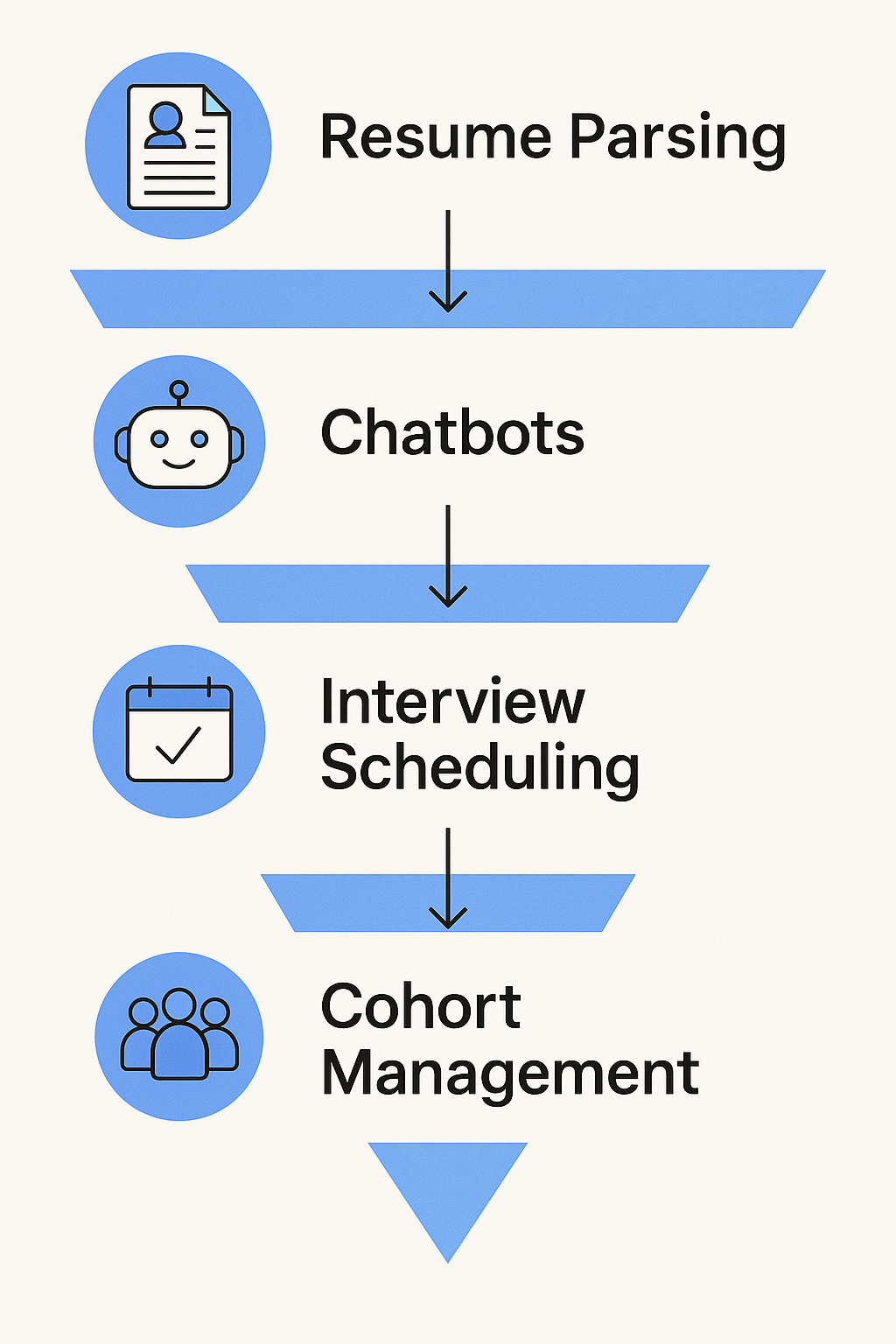
    A vertical infographic showing a four-step AI recruiting funnel: Resume Parsing, Chatbots, Interview Scheduling, and Cohort Management. Each step includes a blue icon and arrow to illustrate flow through the process.
    AI simplifies recruiting—from resume overload to cohort-ready candidates—with automation at every step.

    He’s not alone. According to Reccopilot, 57% of candidates lose interest if they don’t hear back within two weeks. In high-volume roles, that window is often tighter—measured in days, not weeks.

    So, Alex’s team turned to AI—not to automate away the human element, but to remove friction and speed up handoffs:

    • Instant resume screening helped triage hundreds of applicants daily, surfacing candidates who actually met licensing and shift requirements.
    • Automated outreach and SMS nudges kept candidates engaged with next steps, without manual follow-up.
    • Calendar-syncing AI tools allowed candidates to self-schedule interviews within hours of applying.
    • Once a hiring class was full, the system immediately closed the posting and adjusted the funnel for the next cohort—no spreadsheet gymnastics required.

    By layering in AI, Alex’s team didn’t just shave days off the process—they reclaimed control over start date planning. They could fill classes faster, reduce no-shows, and proactively balance capacity with demand.

    And most importantly, recruiters got back to what mattered: building trust, answering real questions, and moving fast on people who were ready to work.

    Summary Table: What AI Handles Today

    AI FeatureWhat It Does
    Resume ScreeningParses files, ranks by role fit
    Chat & Voice BotsEngages, asks questions, delivers interview links
    Interview SchedulingSyncs calendars, sends invites, sends reminders
    Bias MitigationAnonymizes applications, flags biased job wording
    Predictive MatchingRecommends best-fit candidates based on data

    2. AI in Onboarding: Turning Offers into Ready, Reliable Agents

    Continuing Alex’s journey at the health tech provider, the team faced a new challenge after fast hires: getting contact center agents to actually show up—and stay past Day One.

    With hires dropping out during paperwork or losing momentum before their start date, Alex knew onboarding needed a transformation.

    “We’d get them on the schedule, but then chaos hit—lost forms, late IT access, and stale communication,” he explained. “It wasn’t surprising that candidates ghosted before their first shift.”

    They needed speed, precision, and seamless coordination. Enter AI-powered onboarding.

    How AI reshaped onboarding for contact center heads:

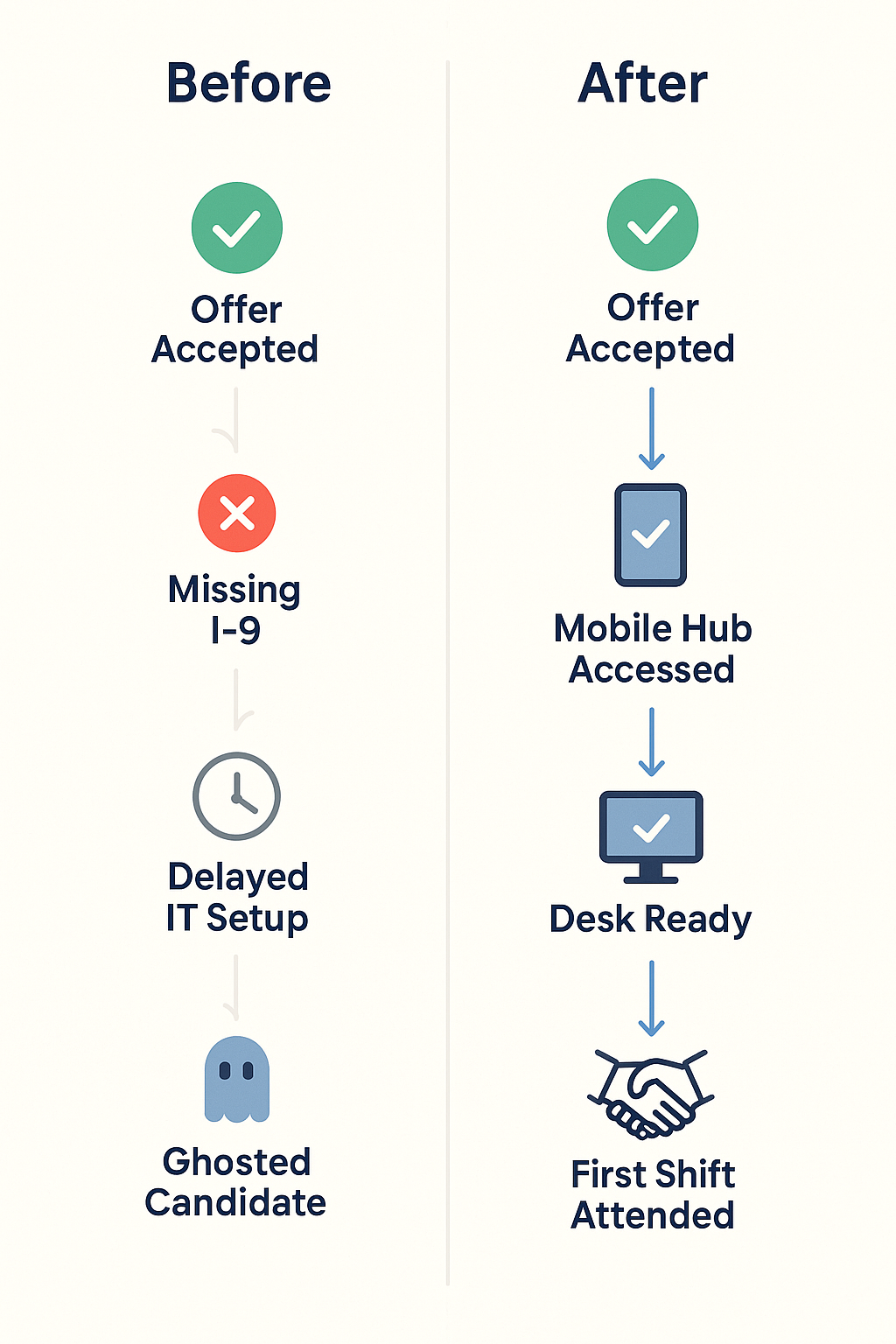
    • Automated workflows triggered IT setup, desk access, and training enrollment instantly once an offer was accepted—no more manual handoffs.
    • Smart reminders for forms like I‑9s and W‑4s meant nothing fell through the cracks before Day One.
    • Personalized onboarding hubs on mobile and desktop gave new agents a clear schedule, video intros, and orientation steps tailored to their role and start date.
    • Proactive engagement analytics flagged inactivity (e.g., no logins, unsigned docs), prompting recruiters to reach out before the candidate slipped away.
    A vertical infographic comparing onboarding steps before and after AI adoption. The "Before" side lists Offer Accepted, Missing I-9, Delayed IT Setup, and Ghosted Candidate. The "After" side shows Offer Accepted, Mobile Hub Accessed, Desk Ready, and First Shift Attended, using icons and checkmarks to show progress.
    From delays to Day One success—AI turns onboarding friction into a reliable, mobile-first experience.

    The data behind the gains:

    • AI onboarding systems reduce paperwork delays, helping employees reach full productivity 40% faster (inFeedo.ai, Employee Onboarding), while improving new-hire retention by 82% (Thirst, Onboarding Statistics 2025).
    • About 22% of job seekers don’t show up on Day One—but mobile-first, automated onboarding experiences dramatically reduce that risk (SafetyCulture Training).
    • 69% of employees are more likely to stay for three years when they experience a strong onboarding program (appical).

    The outcome:

    For Alex’s team, these changes made a measurable impact:

    • Onboarding no-shows dropped by 22%—equivalent to nearly one out of every five new hires now walking through the door.
    • Agents were operational 40% sooner, ready to take calls earlier and with better confidence.
    • HR was freed from tracking systems to coach and support with purpose—not just nag.

    Alex reflected: “AI didn’t just automate tasks—it brought clarity and kept people engaged when it mattered most.”


    3. AI in Training: Personalized, Data-Driven Enablement

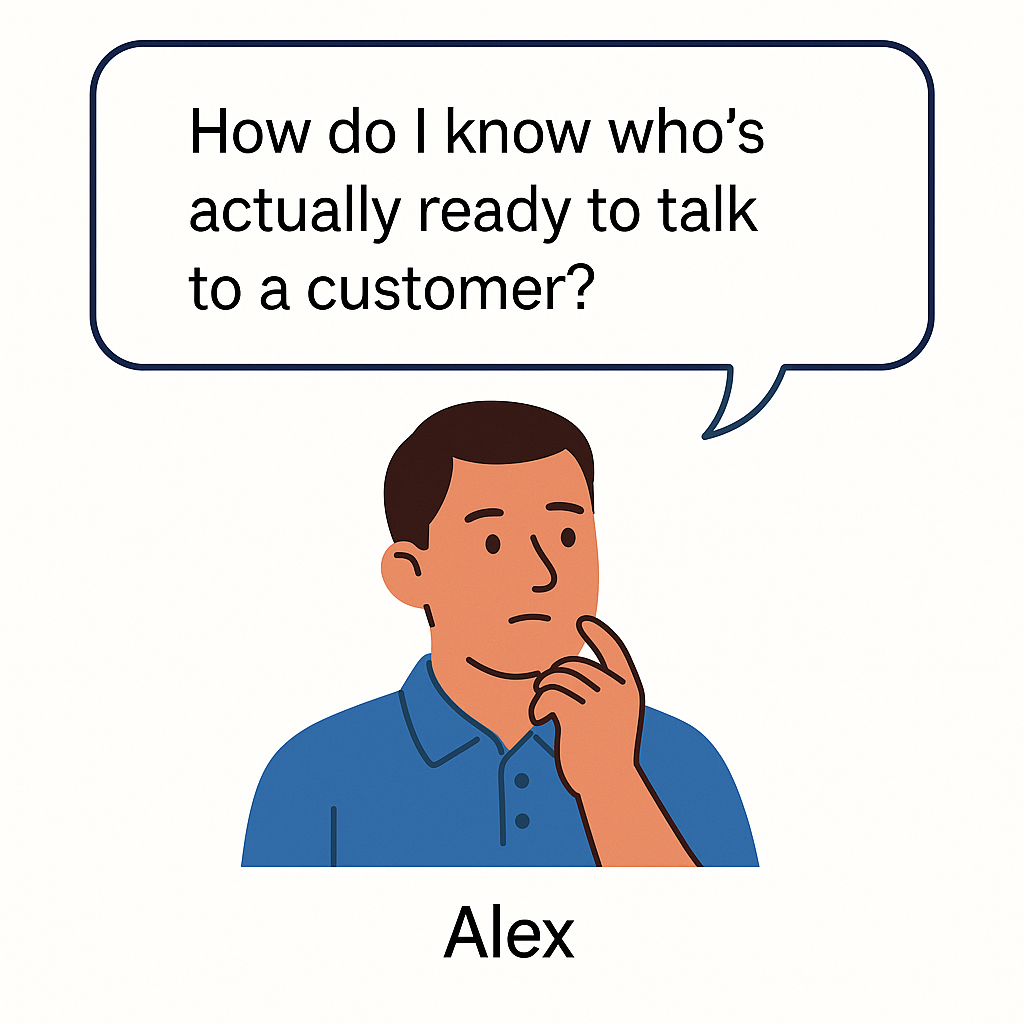
    A flat-style illustration of Alex, a thoughtful man in a blue polo shirt, resting his chin on his hand with a speech bubble that reads, “How do I know who’s actually ready to talk to a customer?”
    Alex’s turning point: bridging the gap between training and real-world readiness.

    By the time new contact center agents wrapped onboarding, Alex finally had momentum. No more no-shows. Fewer early exits. His hiring classes were full and engaged.

    But one question still kept him up at night:

    “How do I know who’s actually ready to talk to a customer?”

    Some agents sounded sharp in training but floundered live. Others passed quizzes but froze under pressure. And when readiness is unclear, every new hire is a gamble—risking CSAT scores, team morale, and customer trust.

    That’s where AI flipped the script—from reactive to predictive.

    Alex partnered with his Enablement and Ops leaders to implement AI-powered training diagnostics—not just to deliver content, but to predict agent performance before go-live.

    How it worked:

    • Simulated call environments gave new reps scenario-based roleplays that mirrored real customer issues. AI analyzed tone, timing, accuracy, and emotional response.
    • Live behavioral scoring surfaced patterns that humans might miss—hesitation on compliance topics, inconsistent empathy language, or procedural missteps.
    • Predictive readiness scores were generated for each rep, combining quiz data, practice call performance, and learning behavior to estimate live call success.
    • Managers received risk indicators before go-live: “Rep A needs more time on de-escalation,” or “Rep B shows high readiness for billing scenarios but missed security steps.”

    The result?

    “We stopped guessing,” Alex said. “We knew who was ready—and who needed coaching—before customers were on the line.”

    Measuring Effectiveness, Not Just Completions

    With traditional LMS systems, success = 100% module completion. But completion isn’t capability.

    With AI-enabled training tools like TrueCX, Alex’s team went beyond checkboxes:

    • Correlating training to outcomes: TrueCX mapped onboarding experiences to early KPIs like call handle time, escalation rate, and QA scores.
    • Identifying curriculum gaps: When reps consistently missed the mark on certain call types, TrueCX flagged the module responsible—turning lagging metrics into coaching opportunities.
    • Delivering precision coaching: Instead of mass refreshers, Alex’s enablement team delivered targeted reinforcement—one micro-module per rep, per skill gap.

    The Impact:

    • Ramp-to-performance time dropped by 30% for new hires with predictive diagnostics (Learning Guild, 2025).
    • Teams using AI to link training with performance saw 15–20% improvements in CSAT and first-call resolution, especially in healthcare, telecom, and finance sectors (McKinsey, 2024).
    • And perhaps most importantly: Alex now had a defensible, data-driven answer when senior leadership asked, “Is our training actually working?”

    Conclusion: Future of Work = AI‑Augmented, Not AI‑Replaced

    Alex’s journey—from chaotic hiring cycles to confident, call-ready agents—wasn’t about replacing people. It was about freeing people up to do what they’re best at.

    AI handled the noise:

    • The resume flood
    • The pre-Day-One paperwork chase
    • The uncertainty around training readiness

    What it gave back was clarity.

    Recruiters focused on conversations—not scheduling. Onboarding teams supported people—not forms. Enablement coached for performance—not just completions. And new hires showed up engaged, prepared, and confident.

    That’s the promise of AI across the talent lifecycle: not a shortcut, but a smarter, more connected way to scale the human side of your operation.

    The teams seeing real transformation aren’t throwing tools at every problem. They’re starting with the pain point that’s costing them most—hiring delays, no-shows, or inconsistent ramp—and solving that with precision. Then expanding from there.

    Start small. Start where it hurts. And build a system that helps people do what they do best—better.

    Because high-performance teams don’t just happen. They’re built—one insight, one system, one teammate at a time.


    You don’t need to overhaul everything overnight—but you do need to start.
    Pick the one place where friction is highest—hiring delays, onboarding chaos, or training that doesn’t translate—and ask:

    Where could AI remove the noise so your people can focus on what matters?

    The teams that win aren’t waiting for perfect.
    They’re starting small, learning fast, and building smarter—one system at a time.

    Ready to explore what that could look like in your org? We’d love to help you think it through.


    TL;DR

    Hiring contact center agents at scale is a race against time—and attrition. Nearly 57% of candidates lose interest if they don’t hear back within two weeks, and 22% of new hires never show up on Day One. For Alex, a Talent Ops leader at a high-growth health tech company, those numbers were more than statistics—they were weekly crises.

    This article follows Alex’s transformation from firefighting to forecasting. By applying AI across recruiting, onboarding, and training, his team slashed hiring delays, dropped no-shows by over 20%, and cut ramp time by 30%—all while improving rep performance and retention.

    Through smart automation, predictive training insights, and connected data, AI helped Alex’s team stop managing chaos and start building a workforce that was truly ready on Day One—and equipped to stay. If you’re scaling high-turnover roles, this is how you build the engine.

  • 5 Ways to Improve Call Center Onboarding Without Slowing Down Ops

    5 Ways to Improve Call Center Onboarding Without Slowing Down Ops

    5 Ways to Improve Call Center Onboarding Without Slowing Down Ops

    New Reality: AI Is Redefining Call Center Onboarding

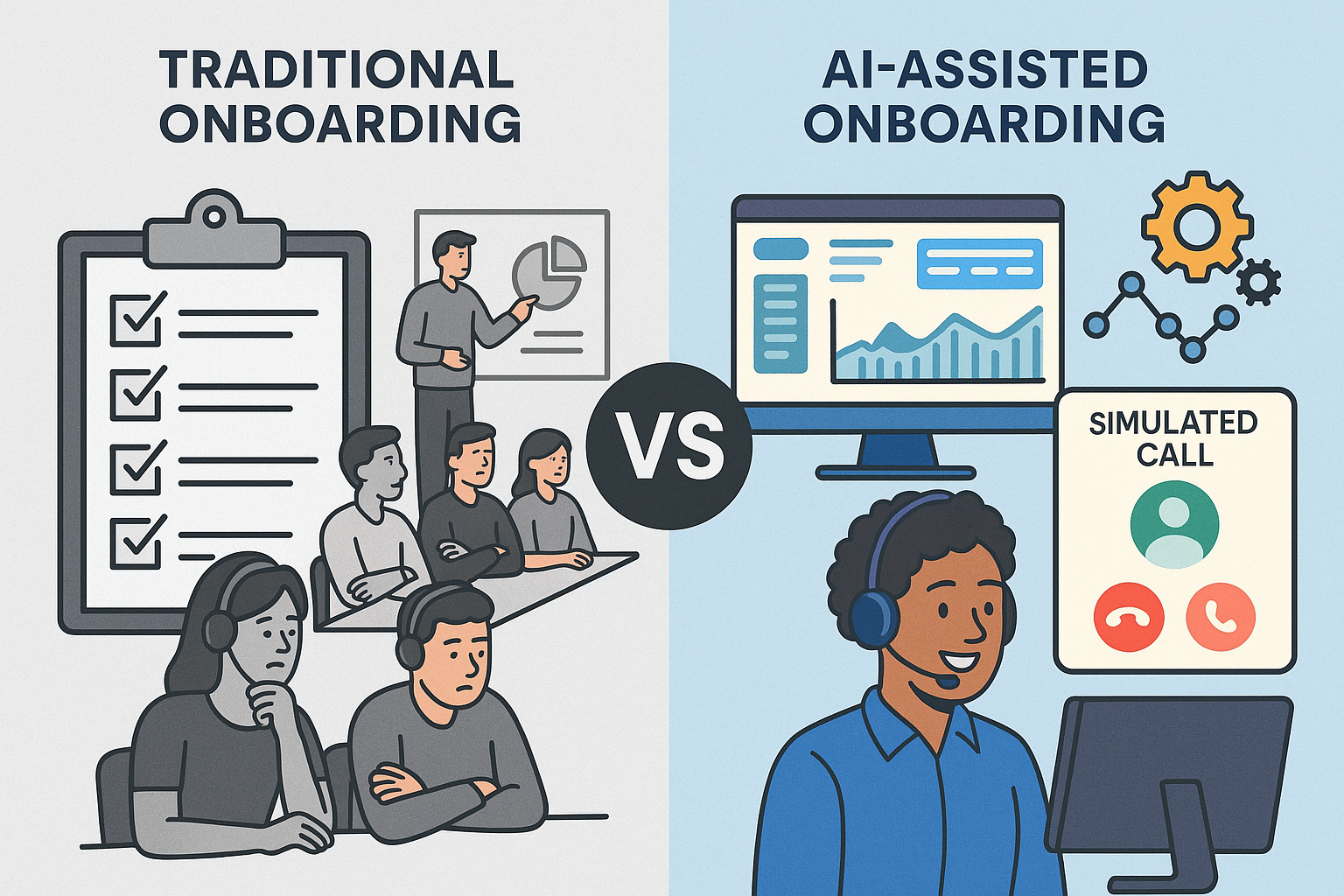
    Side-by-side comparison of traditional and AI-assisted call center onboarding. Left: bored agents in a classroom with checklists and a whiteboard. Right: smiling agent using a headset in front of a dashboard with simulated call and automation icons.
    Contrasting outdated onboarding methods with modern AI-enhanced training in call centers.

    Today’s contact center leaders face a balancing act: ramp agents faster, improve call quality, and avoid disrupting daily operations.

    But traditional onboarding hasn’t kept up. Lengthy classroom sessions, inconsistent roleplay, and slow feedback loops are still common — even though they rarely translate into better performance.

    And that gap is costly. According to McKinsey, high-performing agents are up to 3x more productive than low performers. Meanwhile, ICMI reports that 62% of contact centers take more than two months to fully onboard a new agent. That’s too long.

    The opportunity? AI-powered onboarding that lives in the back office. You can safely optimize training where it won’t affect customers — giving your team faster ramp times, better data, and more control.

    1. Identify High and Low Performers Early

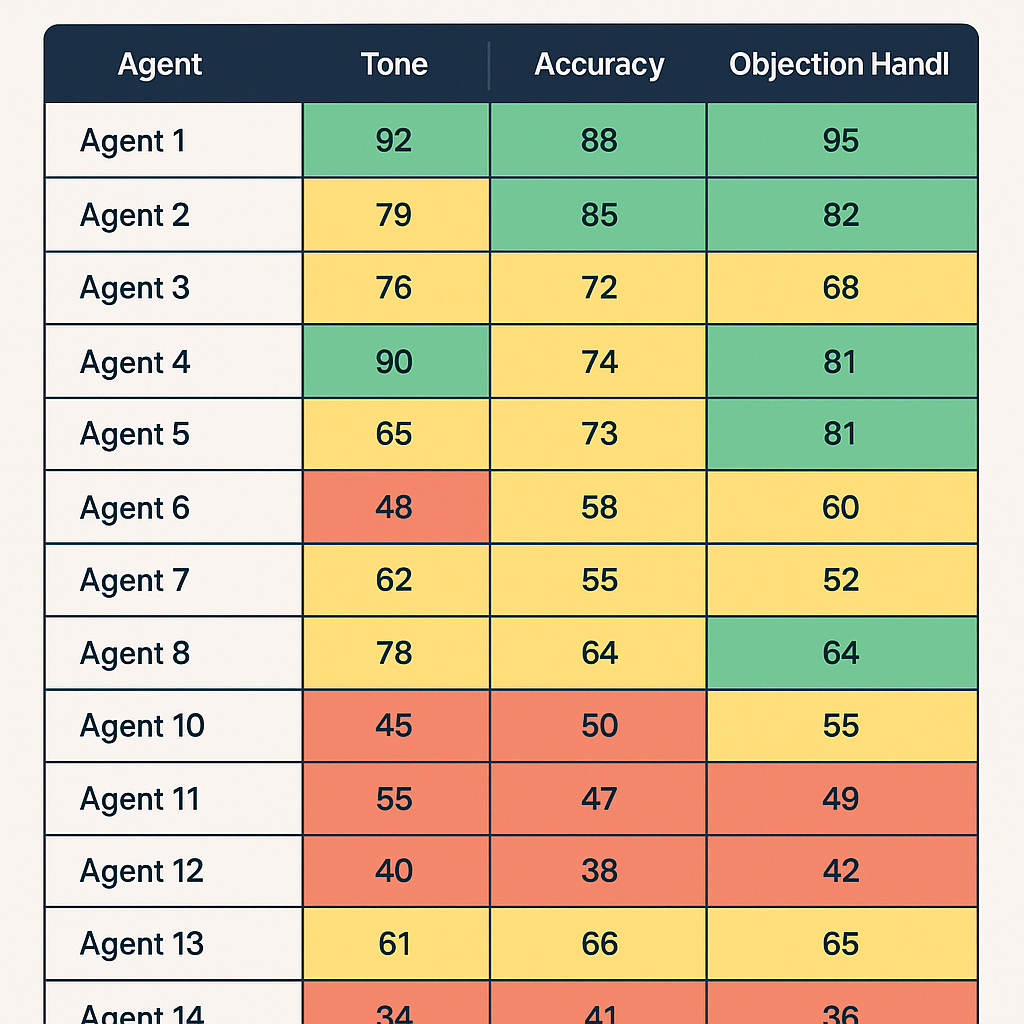
    A training dashboard displaying mock call performance scores for 14 agents across three categories: Tone, Accuracy, and Objection Handling. Each score is color-coded with green (top performers), yellow (average), and red (low performers).

    The earlier you can separate high-potential hires from poor fits, the better. Early training is your chance to assess not just skills, but coachability — a leading indicator of long-term success.

    Many leaders hesitate to cycle out low performers too soon. But dragging them through onboarding can waste thousands in time and wages, while slowing your coaches down.

    Action Tip:

    In the first week, score mock calls using a rubric with clear categories: product accuracy, tone, active listening, and objection handling. Use this data to tag coachable agents for fast-tracking, and move on quickly from those who aren’t progressing.

    2. Track Performance Before the First Real Call

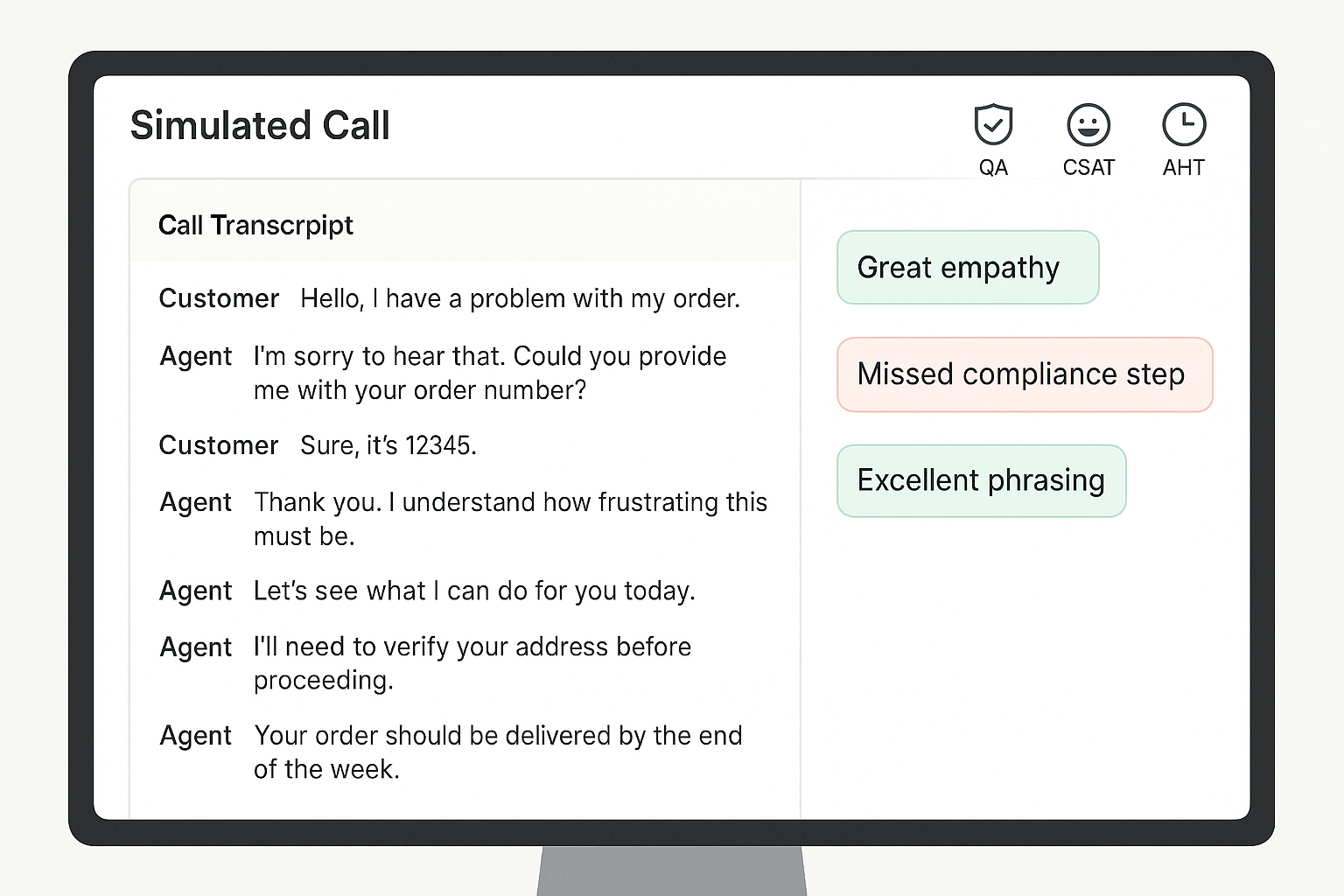
    A computer screen displaying a simulated customer service call interface with a call transcript on the left and feedback annotations like “Great empathy” and “Missed compliance step” on the right, along with QA, CSAT, and AHT icons at the top.

    Your first live call shouldn’t be the first time you assess an agent’s skills.

    Without early benchmarks, it’s impossible to know who’s ready — or what good looks like. That’s why simulated performance tracking is key.

    Leading teams are using AI-powered roleplay and simulation to measure call handling, QA adherence, and even mock CSAT before agents hit the floor. This reduces the chance of bad first impressions with customers.

    Action Tip:

    Use virtual customers to simulate key scenarios during onboarding. Track how each rep performs on scripted calls, objections, compliance, and empathy. Benchmark performance across day 1, week 1, and week 4.

    3. Make Practice Safe, Frequent, and Feedback-Rich

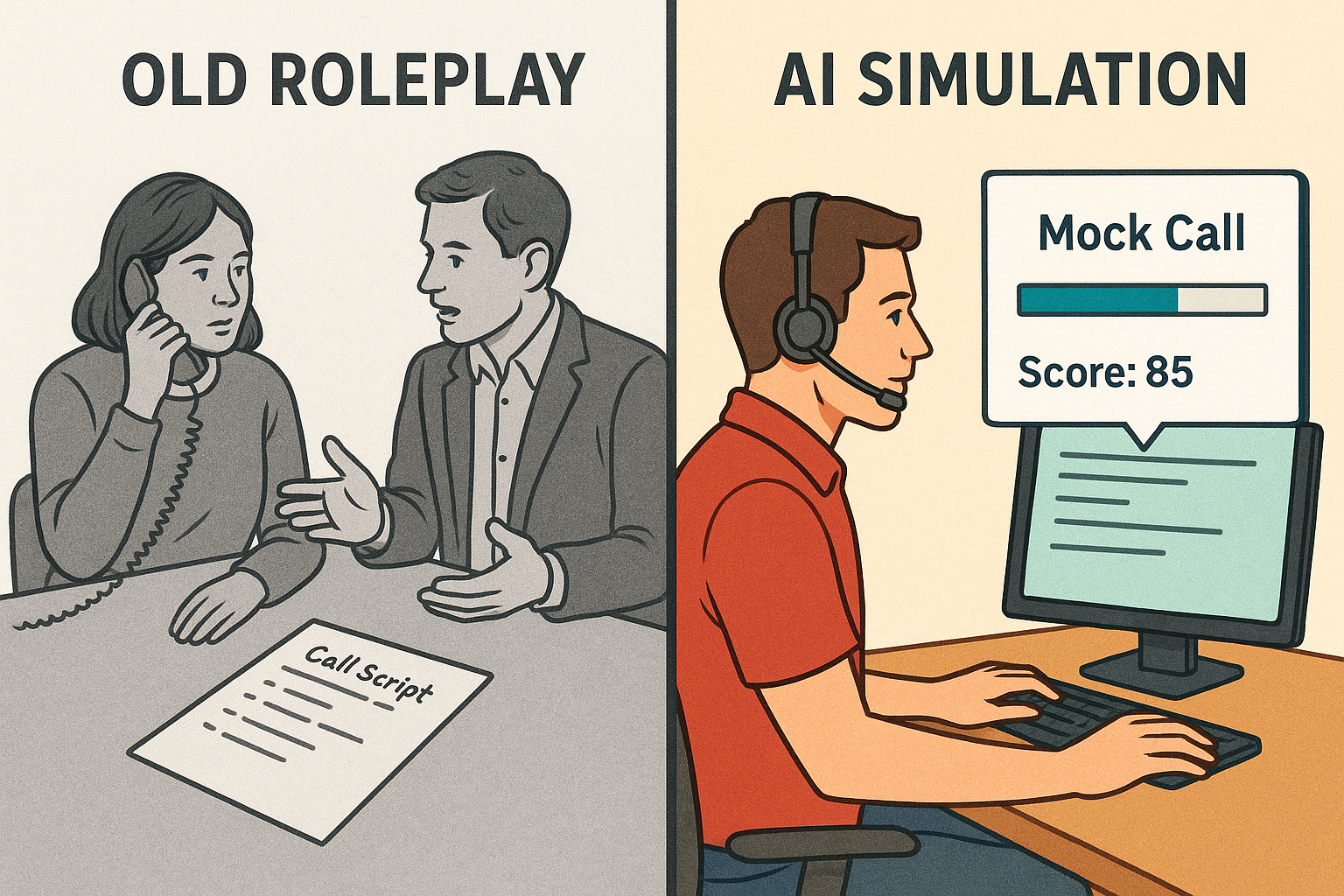
    Split-screen illustration comparing traditional call roleplay and modern AI simulation. Left side shows two people practicing a call with a phone and call script; right side shows a person at a computer with a headset, mock call progress bar, and a score of 85.
    From manual practice to measurable progress: how AI is transforming call training.

    Live roleplays are useful, but they’re often inconsistent. One coach might give thorough feedback while another lets agents skate by. Worse, they’re time-consuming.

    Practice needs to be low-risk, repeatable, and paired with instant feedback. AI makes this possible. Simulated calls can happen anytime, anywhere, and every interaction can be scored against consistent standards.

    Action Tip:

    Replace ad hoc roleplay with structured simulations powered by virtual customers. Layer in automated scoring and feedback, so agents always know what to fix. Aim for 3–5 short simulations per module, with a minimum passing score required to move on.

    4. Optimize for Your Fastest Rampers

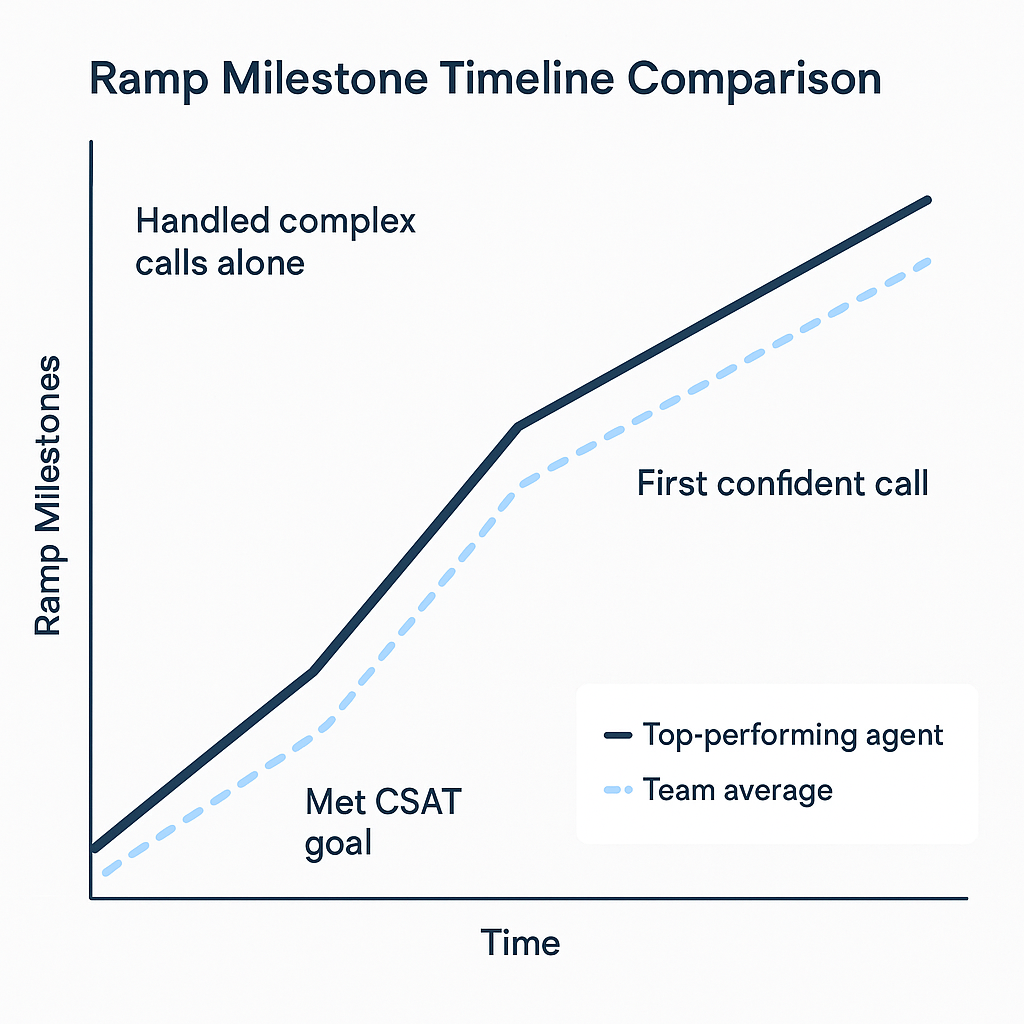
    A 2D digital line graph comparing the ramp-up timeline of a top-performing agent versus the team average. The graph shows three milestones—“Met CSAT goal,” “First confident call,” and “Handled complex calls alone”—with the top performer reaching each milestone earlier than the team average.

    A Salesforce study found that shortening ramp time by just 10% led to a 12% increase in agent productivity. Source

    Most onboarding is designed for the average hire. That drags down your timeline.

    Instead, study your fastest-ramping agents and reverse-engineer their path. When did they become proficient? What practice helped them most? What milestones did they hit and when?

    This approach lets you rebuild onboarding around outcomes — not activities.

    Action Tip:

    Track your top performers’ onboarding journey across three milestones:

    1. Time to confident first call
    2. Time to hit CSAT / QA targets
    3. Time to independent handling of complex scenarios

    Use those patterns to redesign your onboarding flow around results, not just schedules.

    5. Shift from “One and Done” to Ongoing Micro-Coaching

    Most agents regress after onboarding if they don’t get regular coaching. But teams are often too busy to keep supporting new hires beyond week one.

    That’s where micro-coaching comes in. By pushing small, targeted refreshers based on real call data, you can keep agents sharp without adding to your team’s workload.

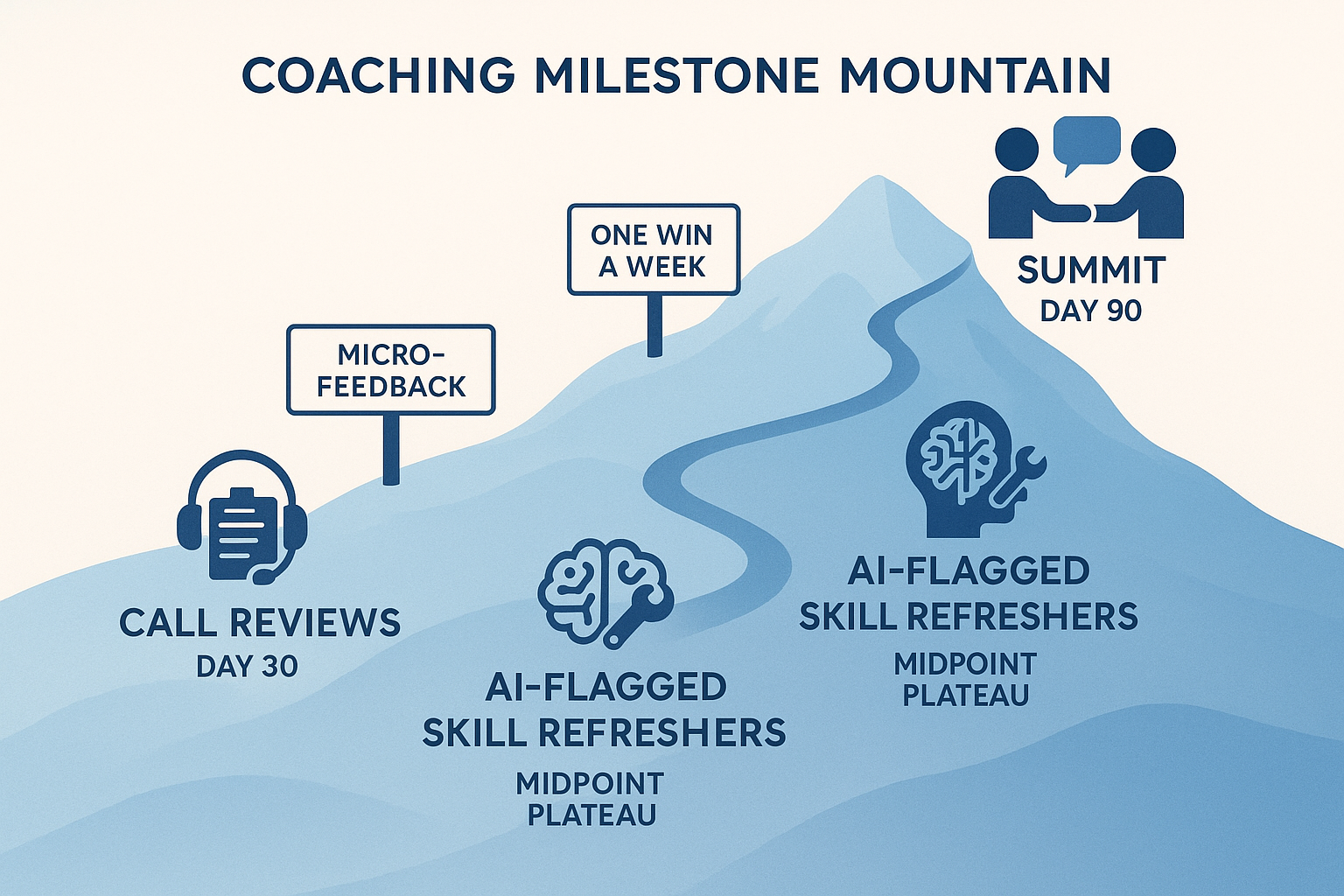
    A stylized mountain trail map showing a 90-day coaching journey with three key milestones: Call Reviews at Day 30, AI-Flagged Skill Refreshers at Day 60, and Peer Coaching at Day 90, along a blue gradient mountain path.
    A visual metaphor for a 90-day coaching journey, with milestones marked along a rising mountain path: Call Reviews (Day 30), AI-Flagged Skill Refreshers (Day 60), and Peer Coaching (Day 90).

    Action Tip:

    Create a 30/60/90 day plan that combines live call reviews with 5–10 minute refreshers. Use AI to flag skill gaps and trigger the right micro-lesson. Consider peer coaching too — it boosts engagement and reinforces best practices.

    Call Center Onboarding Optimization Checklist

    Here’s your quick-start reference for streamlining onboarding without sacrificing quality.

    Agent Evaluation (Week 1)

    Score every agent on coachability using mock or simulated calls
    Use a rubric: tone, product accuracy, objection handling
    Tag high-potential agents for fast-tracking
    Part ways early with non-coachable hires

    Performance Benchmarks

    Set QA, CSAT, and AHT targets for day 1, week 1, and month 1
    Use simulated environments to pre-test before live calls
    Track new-hire performance in a shared dashboard

    Training Program Design

    Focus on practice and feedback over slide-heavy sessions
    Use AI-driven simulations instead of manual roleplays
    End each module with a pass/fail assessment or mock scenario

    AI & Automation Integration

    Deploy Intelligent Virtual Customers for scalable mock calls
    Automate scoring and feedback to free up coaches
    Use performance data to trigger just-in-time coaching

    Ongoing Reinforcement

    Build a 30/60/90 day roadmap with checkpoints and refreshers
    Push short, targeted lessons based on call performance
    Enable peer reviews and shared call feedback

    Final Thoughts: Onboarding Doesn’t Have to Be a Bottleneck

    Modern onboarding doesn’t have to mean slowing down operations or risking the customer experience.

    Training lives in the back office. That’s where innovation can thrive — and where AI can safely support your team.

    If you’re ready to reduce ramp time while giving your agents more practice, more feedback, and a smoother path to proficiency, TrueCX can help.

    Explore how TrueCX’s Intelligent Virtual Customers enable faster, smarter onboarding — without slowing down your floor.

    Keep Reading