Category: Blog

  • 3 AI-Powered Tactics to Streamline Recruiting, Onboarding & Training

    3 AI-Powered Tactics to Streamline Recruiting, Onboarding & Training

    From Hire to High-Performer: 3 AI-Powered Tactics to Streamline Recruiting, Onboarding & Training
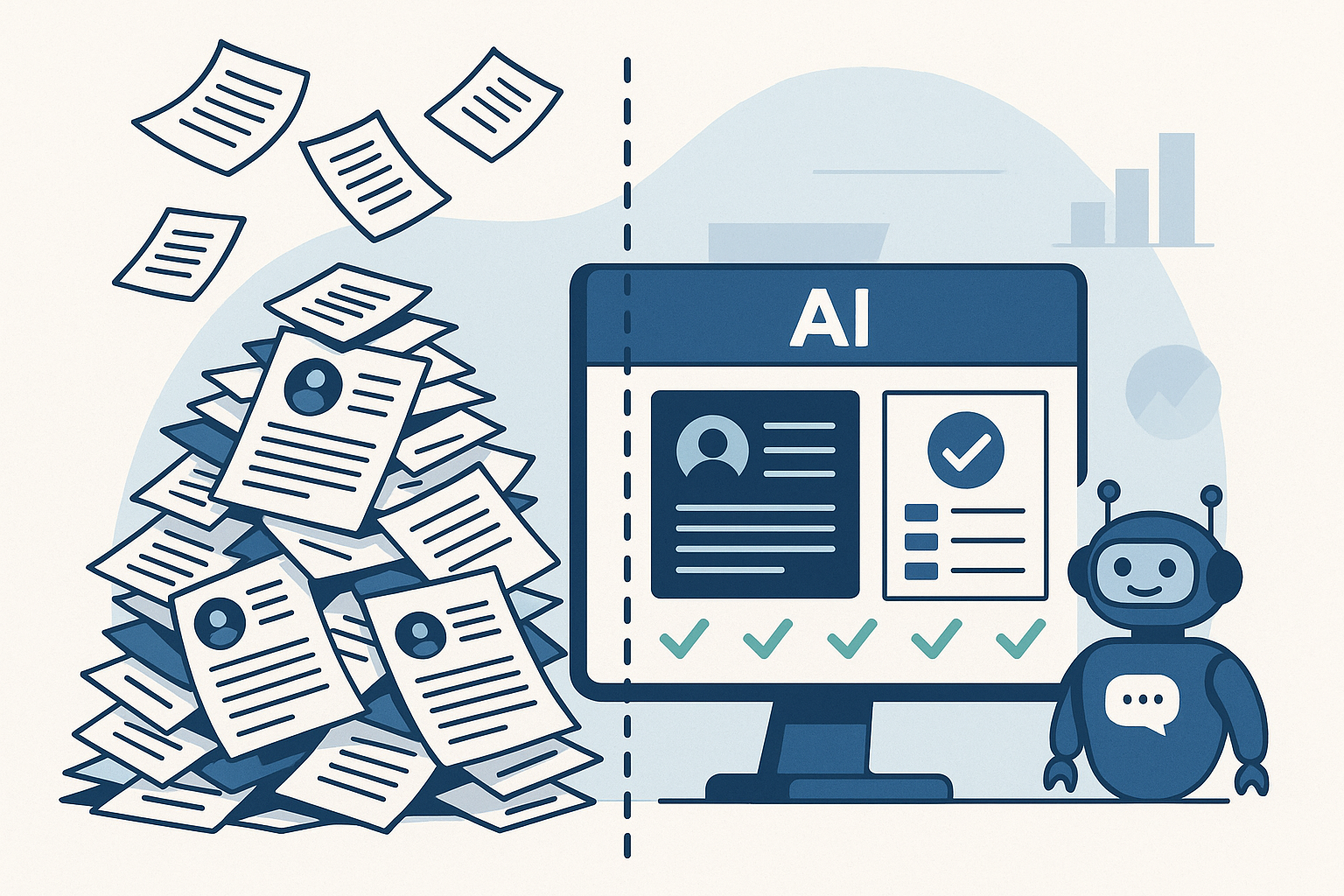
    A flat-style digital illustration showing a chaotic pile of paper resumes on the left and an AI-powered dashboard on the right. A friendly chatbot stands next to the screen, representing streamlined, automated recruiting.
    AI turns hiring chaos into clarity—cutting through the noise to surface the best-fit candidates, fast.

    It starts with a flood.

    You post a job, and hundreds of resumes roll in overnight. But instead of being a dream scenario, it’s a nightmare. Half the applicants are unqualified. The other half blur together in a sea of keyword-stuffed documents. Weeks go by, and your hiring managers are still stuck in interviews—while your top candidates have already accepted offers elsewhere.

    You’re not alone. The average time to hire in tech is now 44 days, up 18% from just two years ago (LinkedIn, Future of Recruiting).

    Meanwhile, AI-powered resume tools have flooded applicant pools with noise, not clarity.

    Then comes onboarding. Or rather, the lack of it.

    Your new hire arrives eager, but hits a wall of fragmented systems, outdated documents, and generic training that fails to reflect their role, region, or readiness. What should feel like a launchpad feels more like a holding pattern. And for many, that friction leads to early disengagement—or even departure. In fact, 28% of new hires quit within the first 90 days (Jobvite, Job Seeker Nation Report).

    And when it comes to training? Most programs are reactive, not proactive. Learning is disconnected from live performance, and managers don’t realize there’s a skill gap until it shows up in a customer call, a missed target, or a costly error. Only 12% of employees say they actually apply what they learn in training to their day-to-day job (HR Dive, Training ROI Study).

    From bloated recruiting cycles to onboarding that doesn’t onboard, and training that’s too little too late—talent systems are stuck in the past.

    It’s time for a smarter approach.

    In this blueprint, we’ll show how AI can transform the journey from hire to high-performer—cutting through the noise, connecting the dots, and delivering measurable impact at every stage.


    1. AI in Recruiting: Speed, Fairness & Fit

    Meet Alex, Head of Talent Operations at a national health tech provider. His challenge wasn’t a lack of applicants—it was keeping the right ones engaged long enough to show up for Day One.

    They were hiring contact center agents—high-turnover, high-pressure roles where time-to-hire wasn’t just a metric—it was the make-or-break variable. Coordinating start dates, managing candidate drop-off, and keeping hiring classes full was a weekly fire drill.

    “We’d lose half our candidates before we could even get them scheduled,” Alex said. “Sometimes we were planning a training class on Monday and still didn’t have confirmations by Friday.”
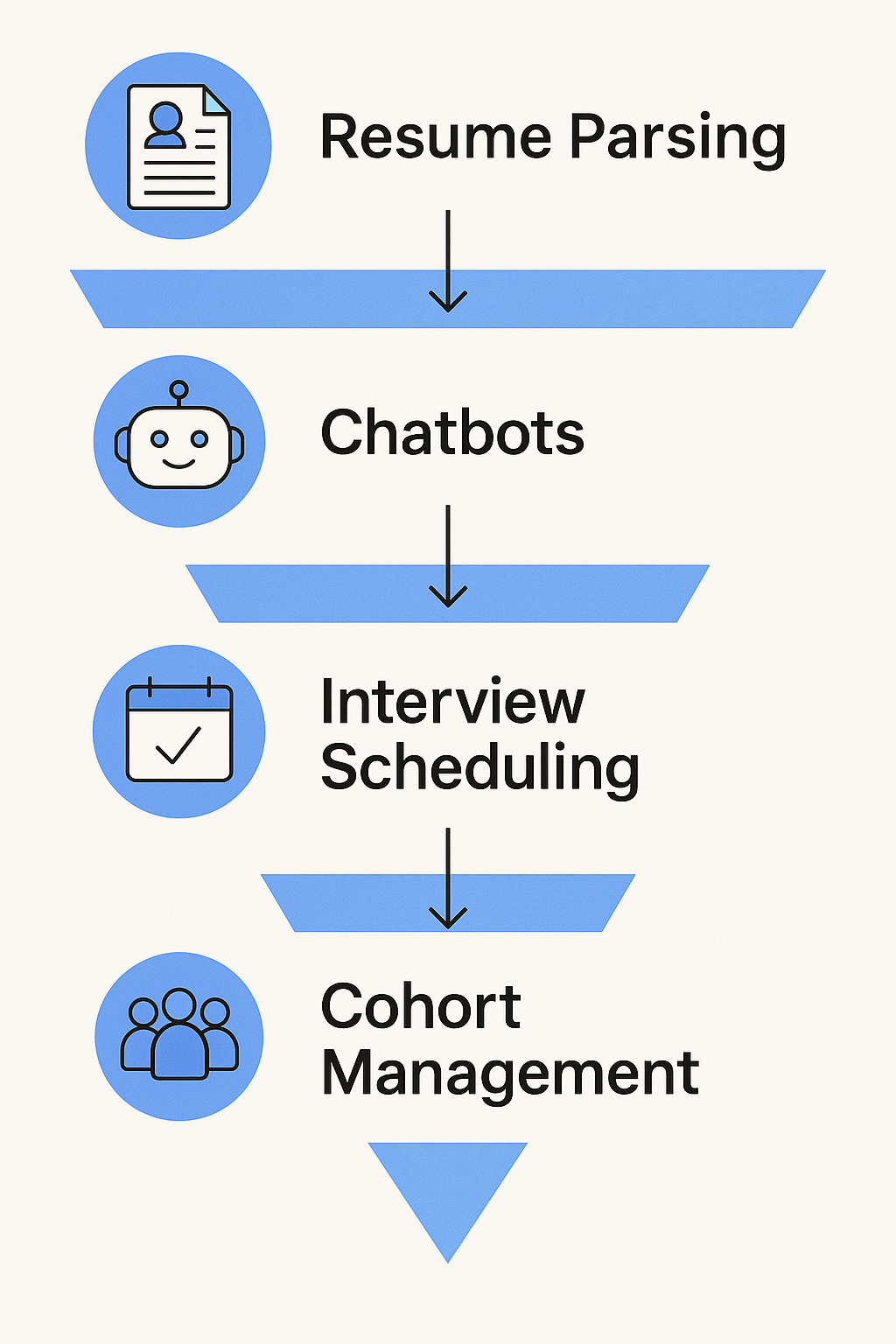
    A vertical infographic showing a four-step AI recruiting funnel: Resume Parsing, Chatbots, Interview Scheduling, and Cohort Management. Each step includes a blue icon and arrow to illustrate flow through the process.
    AI simplifies recruiting—from resume overload to cohort-ready candidates—with automation at every step.

    He’s not alone. According to Reccopilot, 57% of candidates lose interest if they don’t hear back within two weeks. In high-volume roles, that window is often tighter—measured in days, not weeks.

    So, Alex’s team turned to AI—not to automate away the human element, but to remove friction and speed up handoffs:

    • Instant resume screening helped triage hundreds of applicants daily, surfacing candidates who actually met licensing and shift requirements.
    • Automated outreach and SMS nudges kept candidates engaged with next steps, without manual follow-up.
    • Calendar-syncing AI tools allowed candidates to self-schedule interviews within hours of applying.
    • Once a hiring class was full, the system immediately closed the posting and adjusted the funnel for the next cohort—no spreadsheet gymnastics required.

    By layering in AI, Alex’s team didn’t just shave days off the process—they reclaimed control over start date planning. They could fill classes faster, reduce no-shows, and proactively balance capacity with demand.

    And most importantly, recruiters got back to what mattered: building trust, answering real questions, and moving fast on people who were ready to work.

    Summary Table: What AI Handles Today

    AI FeatureWhat It Does
    Resume ScreeningParses files, ranks by role fit
    Chat & Voice BotsEngages, asks questions, delivers interview links
    Interview SchedulingSyncs calendars, sends invites, sends reminders
    Bias MitigationAnonymizes applications, flags biased job wording
    Predictive MatchingRecommends best-fit candidates based on data

    2. AI in Onboarding: Turning Offers into Ready, Reliable Agents

    Continuing Alex’s journey at the health tech provider, the team faced a new challenge after fast hires: getting contact center agents to actually show up—and stay past Day One.

    With hires dropping out during paperwork or losing momentum before their start date, Alex knew onboarding needed a transformation.

    “We’d get them on the schedule, but then chaos hit—lost forms, late IT access, and stale communication,” he explained. “It wasn’t surprising that candidates ghosted before their first shift.”

    They needed speed, precision, and seamless coordination. Enter AI-powered onboarding.

    How AI reshaped onboarding for contact center heads:

    • Automated workflows triggered IT setup, desk access, and training enrollment instantly once an offer was accepted—no more manual handoffs.
    • Smart reminders for forms like I‑9s and W‑4s meant nothing fell through the cracks before Day One.
    • Personalized onboarding hubs on mobile and desktop gave new agents a clear schedule, video intros, and orientation steps tailored to their role and start date.
    • Proactive engagement analytics flagged inactivity (e.g., no logins, unsigned docs), prompting recruiters to reach out before the candidate slipped away.
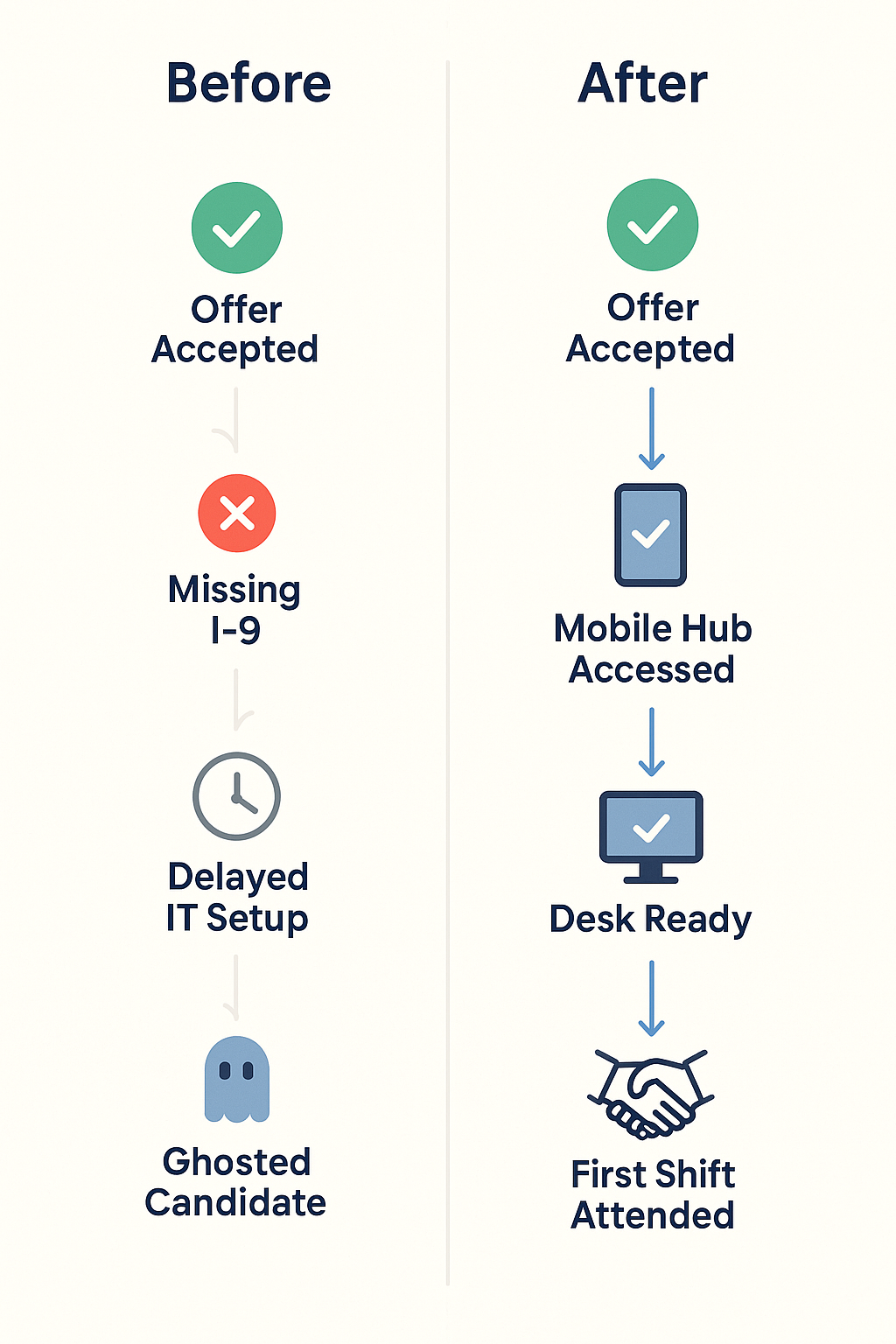
    A vertical infographic comparing onboarding steps before and after AI adoption. The "Before" side lists Offer Accepted, Missing I-9, Delayed IT Setup, and Ghosted Candidate. The "After" side shows Offer Accepted, Mobile Hub Accessed, Desk Ready, and First Shift Attended, using icons and checkmarks to show progress.
    From delays to Day One success—AI turns onboarding friction into a reliable, mobile-first experience.

    The data behind the gains:

    • AI onboarding systems reduce paperwork delays, helping employees reach full productivity 40% faster (inFeedo.ai, Employee Onboarding), while improving new-hire retention by 82% (Thirst, Onboarding Statistics 2025).
    • About 22% of job seekers don’t show up on Day One—but mobile-first, automated onboarding experiences dramatically reduce that risk (SafetyCulture Training).
    • 69% of employees are more likely to stay for three years when they experience a strong onboarding program (appical).

    The outcome:

    For Alex’s team, these changes made a measurable impact:

    • Onboarding no-shows dropped by 22%—equivalent to nearly one out of every five new hires now walking through the door.
    • Agents were operational 40% sooner, ready to take calls earlier and with better confidence.
    • HR was freed from tracking systems to coach and support with purpose—not just nag.

    Alex reflected: “AI didn’t just automate tasks—it brought clarity and kept people engaged when it mattered most.”


    3. AI in Training: Personalized, Data-Driven Enablement
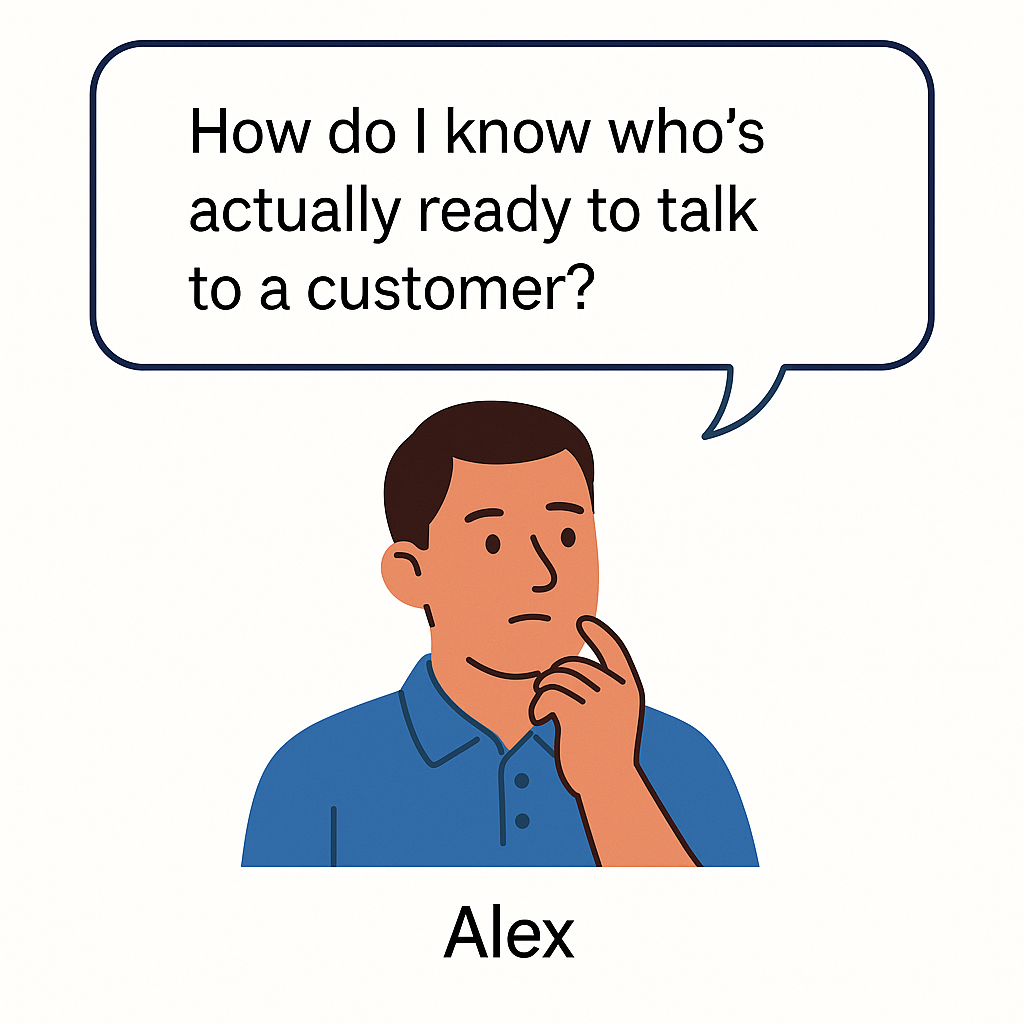
    A flat-style illustration of Alex, a thoughtful man in a blue polo shirt, resting his chin on his hand with a speech bubble that reads, “How do I know who’s actually ready to talk to a customer?”
    Alex’s turning point: bridging the gap between training and real-world readiness.

    By the time new contact center agents wrapped onboarding, Alex finally had momentum. No more no-shows. Fewer early exits. His hiring classes were full and engaged.

    But one question still kept him up at night:

    “How do I know who’s actually ready to talk to a customer?”

    Some agents sounded sharp in training but floundered live. Others passed quizzes but froze under pressure. And when readiness is unclear, every new hire is a gamble—risking CSAT scores, team morale, and customer trust.

    That’s where AI flipped the script—from reactive to predictive.

    Alex partnered with his Enablement and Ops leaders to implement AI-powered training diagnostics—not just to deliver content, but to predict agent performance before go-live.

    How it worked:

    • Simulated call environments gave new reps scenario-based roleplays that mirrored real customer issues. AI analyzed tone, timing, accuracy, and emotional response.
    • Live behavioral scoring surfaced patterns that humans might miss—hesitation on compliance topics, inconsistent empathy language, or procedural missteps.
    • Predictive readiness scores were generated for each rep, combining quiz data, practice call performance, and learning behavior to estimate live call success.
    • Managers received risk indicators before go-live: “Rep A needs more time on de-escalation,” or “Rep B shows high readiness for billing scenarios but missed security steps.”

    The result?

    “We stopped guessing,” Alex said. “We knew who was ready—and who needed coaching—before customers were on the line.”

    Measuring Effectiveness, Not Just Completions

    With traditional LMS systems, success = 100% module completion. But completion isn’t capability.

    With AI-enabled training tools like TrueCX, Alex’s team went beyond checkboxes:

    • Correlating training to outcomes: TrueCX mapped onboarding experiences to early KPIs like call handle time, escalation rate, and QA scores.
    • Identifying curriculum gaps: When reps consistently missed the mark on certain call types, TrueCX flagged the module responsible—turning lagging metrics into coaching opportunities.
    • Delivering precision coaching: Instead of mass refreshers, Alex’s enablement team delivered targeted reinforcement—one micro-module per rep, per skill gap.

    The Impact:

    • Ramp-to-performance time dropped by 30% for new hires with predictive diagnostics (Learning Guild, 2025).
    • Teams using AI to link training with performance saw 15–20% improvements in CSAT and first-call resolution, especially in healthcare, telecom, and finance sectors (McKinsey, 2024).
    • And perhaps most importantly: Alex now had a defensible, data-driven answer when senior leadership asked, “Is our training actually working?”

    Conclusion: Future of Work = AI‑Augmented, Not AI‑Replaced

    Alex’s journey—from chaotic hiring cycles to confident, call-ready agents—wasn’t about replacing people. It was about freeing people up to do what they’re best at.

    AI handled the noise:

    • The resume flood
    • The pre-Day-One paperwork chase
    • The uncertainty around training readiness

    What it gave back was clarity.

    Recruiters focused on conversations—not scheduling. Onboarding teams supported people—not forms. Enablement coached for performance—not just completions. And new hires showed up engaged, prepared, and confident.

    That’s the promise of AI across the talent lifecycle: not a shortcut, but a smarter, more connected way to scale the human side of your operation.

    The teams seeing real transformation aren’t throwing tools at every problem. They’re starting with the pain point that’s costing them most—hiring delays, no-shows, or inconsistent ramp—and solving that with precision. Then expanding from there.

    Start small. Start where it hurts. And build a system that helps people do what they do best—better.

    Because high-performance teams don’t just happen. They’re built—one insight, one system, one teammate at a time.


    You don’t need to overhaul everything overnight—but you do need to start.
    Pick the one place where friction is highest—hiring delays, onboarding chaos, or training that doesn’t translate—and ask:

    Where could AI remove the noise so your people can focus on what matters?

    The teams that win aren’t waiting for perfect.
    They’re starting small, learning fast, and building smarter—one system at a time.

    Ready to explore what that could look like in your org? We’d love to help you think it through.


    TL;DR

    Hiring contact center agents at scale is a race against time—and attrition. Nearly 57% of candidates lose interest if they don’t hear back within two weeks, and 22% of new hires never show up on Day One. For Alex, a Talent Ops leader at a high-growth health tech company, those numbers were more than statistics—they were weekly crises.

    This article follows Alex’s transformation from firefighting to forecasting. By applying AI across recruiting, onboarding, and training, his team slashed hiring delays, dropped no-shows by over 20%, and cut ramp time by 30%—all while improving rep performance and retention.

    Through smart automation, predictive training insights, and connected data, AI helped Alex’s team stop managing chaos and start building a workforce that was truly ready on Day One—and equipped to stay. If you’re scaling high-turnover roles, this is how you build the engine.

  • 3 AI Coaching Prompts Every Call Center Trainer Should Steal

    3 AI Coaching Prompts Every Call Center Trainer Should Steal

    3 GPT Prompts That Make Your Call Center Onboarding More Efficient

    A dark, tech-themed graphic with the headline “3 AI Prompts to Streamline Your Call Center Training” in bold white text, next to a glowing teal circuit-board brain icon.

    Onboarding takes time, and not just in the classroom. You’re reviewing mock calls, giving feedback, coaching new hires, and trying to keep the next training cycle moving.

    These three GPT prompts won’t replace your instincts, but they can take repetitive tasks off your plate.

    They’re practical, quick to use, and work with the tools you already have. Use them to:

    • Build rubrics without starting from scratch
    • Keep roleplays fresh and realistic
    • Spot coaching opportunities faster

    You can try them today, even if your team’s not “using AI” yet.


    Prompt 1: Build a Scoring Rubric (So You’re Not Starting from Scratch Every Time)

    When to use it:
    You’ve just wrapped a batch of mock calls and need to give feedback—but you don’t have a structured rubric, or you’re reinventing one every time.

    Why it matters:
    Without a consistent rubric, feedback gets subjective. Reps get confused. And it’s hard to compare performance across a class.

    How to use it:
    Open ChatGPT (or any LLM), paste this prompt, and adjust the text in bold according to your use case:

    You are a senior Quality Assurance (QA) manager for a high-performing call center. Your task is to create a structured, easy-to-use scoring rubric to evaluate mock [type of call — e.g., billing inquiry, technical support, sales discovery] calls in a [industry — e.g., healthcare, SaaS, telecom, financial services] contact center.

    The rubric should be designed for use by trainers or QA reviewers during new hire onboarding or coaching sessions. It must be scoreable based on either a transcript or a call recording, with clearly defined criteria for each category. Use a simple 1–5 or 1–3 scale per category (you choose), and include descriptions for what each score level means (e.g., 1 = Needs Improvement, 3 = Meets Expectations, 5 = Exceeds Expectations).

    Include 5 to 7 key skill areas that are critical to call success in this environment, such as:

    • Tone and professionalism
    • Empathy and rapport building
    • Product or service knowledge
    • Active listening and confirmation
    • Objection handling or de-escalation
    • Call flow and structure (including call control)
    • Resolution accuracy or completeness

    Each section should include:

    • The skill/competency name
    • A brief description of why it matters in the context of a [type of call] call
    • A scoring scale with specific criteria for each level (e.g., what a “5” looks like vs. a “2”)

    Finally, format the rubric in a clean table or bulleted structure for easy copy/paste into a training doc or LMS.

    You’ll get a clean, usable rubric in under 30 seconds. Then you can apply it like this:

    • Run a mock call with your agent (live or recorded)
    • Drop the transcript into GPT with the rubric
    • Ask: “Score this agent using the rubric above. Highlight strengths and areas for improvement.”

    Example:

    Skill AreaWhy It Matters5 – Exceeds Expectations3 – Meets Expectations1 – Needs Improvement
    Tone & ProfessionalismSets a respectful, calming tone—especially important for billing-related concerns.Warm, calm, and confident tone maintained throughout the call.Generally professional, with minor lapses.Dismissive, robotic, or inconsistent tone.
    Empathy & RapportBuilds trust and diffuses frustration.Quickly acknowledges emotion; uses natural, empathetic language.Offers some empathy but sounds scripted or delayed.Fails to recognize or respond to caller emotion.
    Product KnowledgeEnsures credibility when explaining charges or coverage.Accurate, confident answers with no hesitation.Mostly correct with minor gaps or uncertainty.Frequent inaccuracies or clear lack of understanding.
    Active ListeningConfirms understanding and prevents miscommunication.Reflects/paraphrases caller concerns; rarely needs info repeated.Generally attentive; minor issues with follow-through.Misses key points or interrupts; needs repetition.
    Objection HandlingKeeps the call on track and prevents escalation.Calmly addresses objections; reframes or resolves effectively.Makes a solid attempt but lacks confidence or clarity.Avoids, escalates unnecessarily, or becomes defensive.
    Call Flow & StructureKeeps the call efficient, focused, and clear.Smooth intro, clear transitions, and a concise closing with next steps.Mostly organized, though a bit reactive or uneven.Disorganized or hard to follow; skips key parts of the call.
    Resolution & CompletenessDrives first-call resolution and reduces repeat contacts.Fully resolves or provides clear, accurate next steps.Partial resolution or vague on follow-up.Leaves issue unresolved or gives incorrect information.

    Even if you don’t use the exact scores, the structured output gives you a fast starting point for your feedback session.


    Prompt 2: Generate Engaging, Realistic Mock Call Scenarios

    When to use it:
    You’re prepping for onboarding or a new hire wave and need realistic roleplay scenarios that reflect the calls your agents will actually take.

    Why it matters:
    Good roleplay improves confidence and call readiness. But coming up with realistic, varied scenarios every time? That’s a huge lift—especially if you’re training monthly.

    How to use it:
    Use this base prompt to generate fresh call setups:

    You are a training content specialist creating realistic mock call roleplay scenarios for new contact center agents. Act as a customer calling a [type of business—e.g., telecom provider, hospital billing office, SaaS company, government agency] about a [specific issue—e.g., surprise charge, delayed shipment, missing refund, unclear lab results, login failure].

    Your goal is to create a believable, emotionally engaging situation that mirrors what real agents experience on the job. The scenario should:

    • Include the customer’s name, backstory, and emotional state (e.g., frustrated, confused, anxious, skeptical, polite but firm)
    • Clearly define the reason for the call and the outcome the customer expects
    • Include relevant context, past interactions, or steps they’ve already taken (e.g., “I’ve already spoken to two agents,” “I submitted a form but haven’t heard back”)
    • Use natural-sounding dialogue or a character brief that a roleplayer or voice bot could use for live simulation

    Format the output like this:


    Scenario Name: [e.g., “Frustrated First-Time Caller About Billing Error”]

    Customer Profile:
    Name: [insert name]
    Background: [Brief personal detail—e.g., parent juggling work, college student on a budget, elderly customer with limited tech skills]
    Mood: [e.g., agitated, exhausted, confused, neutral-but-wary]

    Scenario Summary:
    [1–2 sentence description of what the customer is calling about and what they expect from the agent]

    Key Challenge for Agent:
    [e.g., Needs to de-escalate, clarify complex billing logic, balance empathy with policy, rebuild trust after multiple failed resolutions]

    Optional: Provide 2–3 variations of the same scenario with different emotional tones or call complexities (e.g., calm, angry, passive-aggressive).

    Make sure the scenario is detailed enough to use in live training, written response exercises, or conversational AI simulations.

    Customize it for your business:

    • “a dental clinic about a bill they thought insurance would cover”
    • “an online retailer about a package marked delivered that never arrived”
    • “a health system about a long wait time and unclear test results”

    Example output:

    Scenario Name: Frustrated Parent Calling About a Pediatric Bill

    Customer Profile:

    • Name: Maria Thompson
    • Background: Working mother of two, recently changed insurance plans. Juggling work, childcare, and her son’s upcoming surgery.
    • Mood: Tired, overwhelmed, and frustrated—this is her third call about the same issue.

    Scenario Summary:
    Maria received a $187 bill from the pediatric clinic for a routine check-up she believed was fully covered by her new insurance. She’s confused because the receptionist told her the clinic was in-network. She’s already called twice, been transferred, and is now asking whether this bill will go to collections. She wants clear, actionable answers.

    Key Challenge for Agent:

    • Rebuild trust after multiple failed resolution attempts
    • Clarify insurance and billing policy in simple, empathetic language
    • De-escalate emotional tension without being dismissive
    • Avoid passing the customer off again without concrete next steps

    Variation 1 – Calm but Concerned
    Maria is polite and measured but firm. She says, “I know this isn’t your fault, but I just need someone to walk me through what’s going on.”

    Variation 2 – Angry and Demanding
    Maria is blunt and irritable. “I’m sick of getting the runaround. You guys are the ones who messed this up, and I’m not paying a dime until it’s fixed.”

    Variation 3 – Overly Polite but Passive-Aggressive
    Maria sounds overly sweet but cuts in often and questions everything. “Okay, thank you, but I’ve already done that… twice. I just really hope this won’t hurt my credit, you know?”

    You can run the roleplay yourself, assign it as a written or recorded response, or paste it into voice simulation software if your team uses one.

    Want more variety in your mock calls? Ask GPT:

    Give me three versions of this scenario.

    • One where the customer is calm, cooperative, and just looking for help.
    • One where the customer is frustrated or angry—make them emotionally charged but still within professional bounds.
    • One where the customer sounds overly polite or passive, but clearly upset or distrustful beneath the surface.

    For each version, include the customer’s tone, emotional triggers, likely objections or concerns, and what they expect from the agent. Make sure the core issue stays the same, but the personality and communication style differ.

    This keeps your mock calls dynamic and prepares reps for a range of real-world personalities.


    Prompt 3: Turn Transcripts Into Coaching Opportunities

    When to use it:
    After a round of mock or live calls, when you need to give coaching but don’t have time to dig through every line manually.

    Why it matters:
    You know what to look for, but it takes time to find patterns, compare reps, and isolate what matters most. GPT can cut that work in half.

    How to use it:
    Start with this prompt:

    You are a call center QA specialist reviewing a call transcript for coaching purposes. Based on the transcript and the scoring rubric provided, identify three high-impact coaching opportunities for this agent. Focus on behaviors that directly affect:
    – Customer satisfaction
    – First-call resolution
    – Trust or rapport with the caller

    For each coaching opportunity, include:
    – A brief summary of the agent’s specific behavior or decision
    – Why this behavior matters for service quality or resolution
    – A practical, specific improvement the agent could apply in future calls

    Present your feedback in three clearly labeled sections (e.g., Coaching Opportunity #1). Avoid vague or generic comments. Focus on coachable, repeatable behaviors that, if improved, would significantly enhance the agent’s performance.

    Paste the rubric and transcript below it, and GPT will return structured feedback.

    Example output:

    Coaching Opportunity #1: Missed Empathy at the Start of the Call

    Behavior:
    The agent began the call with a scripted greeting but did not acknowledge the caller’s frustration, even after the caller said, “I’ve been transferred three times already, and I’m really upset.”

    Why it matters:
    Ignoring emotional cues can damage trust early in the call. When a customer expresses frustration and it’s not acknowledged, it can escalate dissatisfaction—even if the issue is later resolved.Suggested Improvement:
    Coach the agent to briefly acknowledge emotion before moving into problem-solving. For example: “I’m really sorry you’ve been transferred so many times—let’s see if I can get this sorted out for you.” This helps defuse tension and builds rapport quickly.

    Then, ask:

    “You are analyzing performance across five call center agents based on their call transcripts and scoring rubrics. Identify which agent is struggling the most with [insert key skill—e.g., empathy, objection handling, active listening, resolution clarity].

    For each agent, provide:
    – A brief summary of their performance related to the selected skill
    – Specific examples or behaviors that indicate challenges
    – A ranked list of agents from most to least in need of coaching on this skill

    Your goal is to help a trainer quickly prioritize who to coach first, and what the focus of that coaching should be.”

    GPT can help you prioritize who to coach first and what to focus on.


    Summary

    You don’t need to be a tech wizard or have a full AI platform to bring intelligence into your onboarding process.

    These three prompts are a simple way to:

    • Save hours on prep and follow-up
    • Give more consistent, focused feedback
    • Keep training engaging and relevant—without adding work to your plate

    Try just one this week and see what it changes.

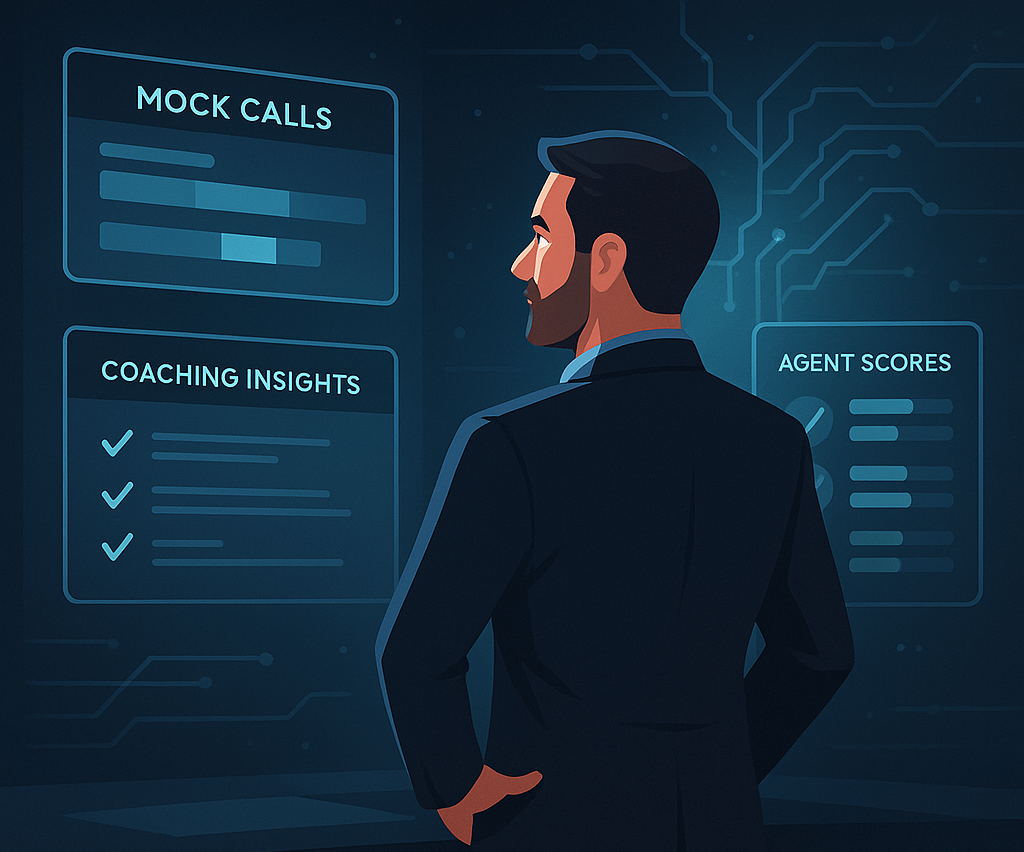
    A professional male trainer stands in front of digital holographic dashboards labeled “Mock Calls,” “Coaching Insights,” and “Agent Scores,” with the caption: “You’ve already got the instincts. Now you’ve got the tools.”
    You’ve already got the instincts. Now you’ve got the tools.

    TL;DR

    This article outlines 3 high-impact GPT prompts designed to streamline contact center onboarding and coaching. Trainers can use these prompts to (1) generate structured call scoring rubrics, (2) create realistic, emotionally varied mock call scenarios, and (3) extract targeted coaching opportunities from transcripts. Each prompt is ready to use with minimal editing—no AI expertise required. Ideal for improving training consistency, speed, and agent readiness in any call center environment.


    Want more insights like this?

    Subscribe to TrueCX’s newsletter—the #1 resource for contact center trainers—for the latest in AI-powered training, team performance strategies, and real-world tips for building a stronger, smarter contact center, starting with contact center ai.

  • 5 Questions to Ask Every New Hire at the End of Week One

    5 Questions to Ask Every New Hire at the End of Week One

    5 Questions to Ask Every New Hire at the End of Week One

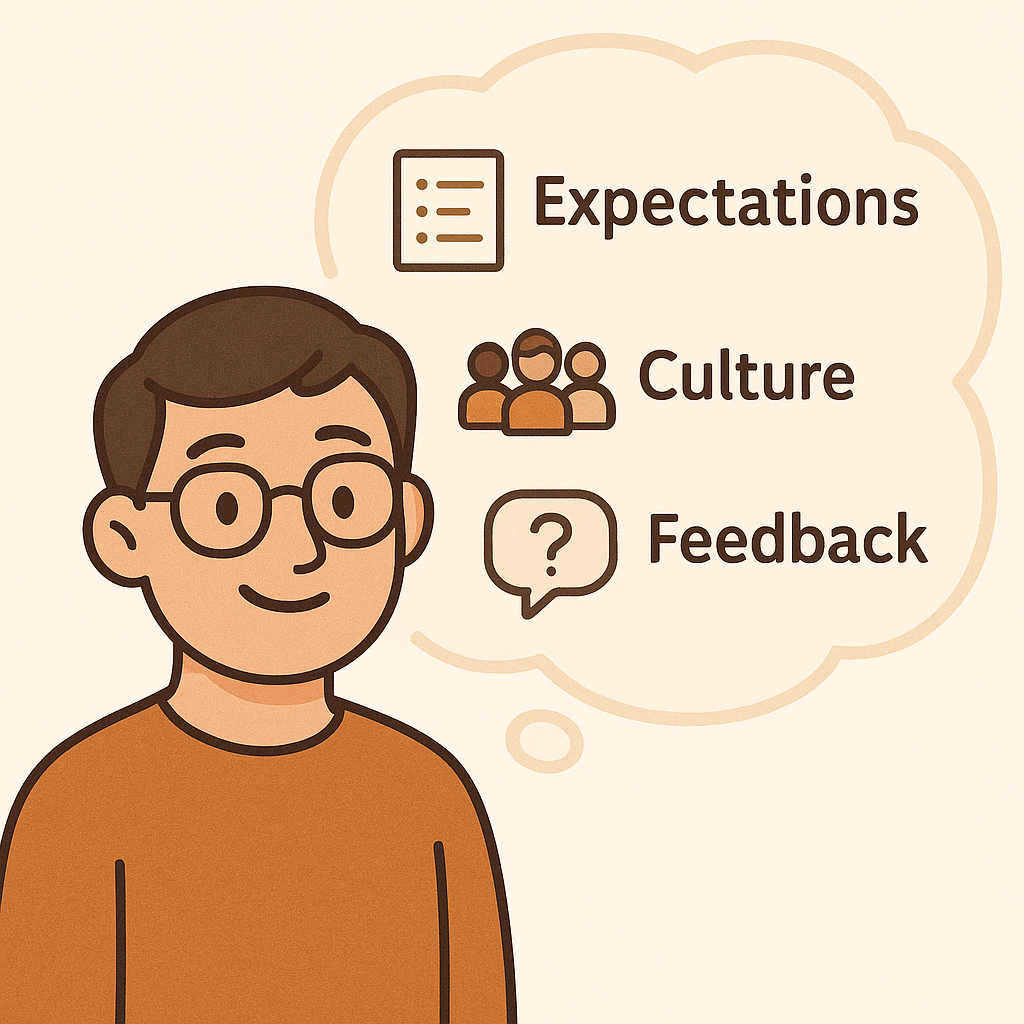
    Cartoon man with glasses in an orange sweater smiles next to a large thought bubble showing icons and text for “Expectations,” “Culture,” and “Feedback.”

    The first week on the job isn’t just about logins, lanyards, and icebreakers. It’s a critical window for setting expectations, solidifying culture, and—if you’re paying attention—getting unfiltered feedback that can strengthen your entire training program.

    That’s why the new hire check-in at the end of Week One is make-or-break. Get it right, and you’ll catch confusion before it calcifies, build trust fast, and refine your onboarding process in real time. Get it wrong—or worse, skip it—and you risk losing momentum, morale, or even the new hire altogether.

    A casual “How are things going?” might seem like a good place to start—and it is. But it won’t get you the gold. Most new hires want to impress, not confess. To break past the polite nods and surface-level answers, you need questions that are direct, unexpected, and a little bit brave.

    Here are five new hire check-in questions that do just that—plus tips on what to listen for and how to follow up.


    1. What’s one thing that surprised you this week—good or bad?

    Why it matters:
    This question cuts through “fine” and surfaces what’s memorable. Surprise is a powerful emotional cue—it tells you what stood out, what felt off, or what exceeded expectations.

    What to listen for:
    “I didn’t expect everyone to be so helpful” → great sign for team culture.
    “I thought training would be more hands-on” → a cue to review your pacing or delivery style.

    Follow-up tip:
    Dig deeper: “Tell me more about that. What were you expecting?” Even a half-baked answer here can reveal misalignments in how your program is positioned vs. experienced.


    2. What do you wish we had spent more time on?

    Why it matters:
    This uncovers gaps before they turn into performance problems. New hires often won’t say “I’m confused,” but they will tell you what they wish they had more of.

    What to listen for:
    If multiple hires mention the same topic—product knowledge, system navigation, objection handling—you’ve got a training content blind spot.

    Follow-up tip:
    Don’t get defensive. Instead, ask: “How would you have liked to cover that—more demos, practice time, job shadowing?” Their learning preferences are just as important as the content itself.


    3. If your friend asked, ‘How’s the training?’—what would you say?

    Why it matters:
    This question invites honesty by reframing the audience. People tend to be more candid when thinking about peers, not managers.

    What to listen for:
    Tone and word choice matter. “It’s intense, but solid” is very different from “It’s kind of all over the place.” If they’re sugarcoating for you, this question makes it harder.

    Follow-up tip:
    Probe without pressure: “Interesting—what parts feel strong, and where are you still unsure?” You’ll get more nuance than a Likert scale ever will.


    4. What’s one thing you still don’t feel confident doing on your own?

    Why it matters:
    Confidence gaps often hide behind good attitudes. This question flushes out the stuff people are afraid to admit they’re struggling with.

    What to listen for:
    Watch for tasks that are mission-critical (e.g., handling live calls, navigating systems, responding to objections). Those need urgent coaching attention before go-live.

    Follow-up tip:
    Affirm their honesty, then connect the dots: “Thanks for flagging that—let’s make sure your next coaching session focuses there.” A little tailored support goes a long way in Week Two.


    5. What does “doing a great job” look like to you here?

    Why it matters:
    This gauges whether your performance standards are sinking in—or if your new hire is still operating with assumptions from their last role.

    What to listen for:
    If they focus only on speed or hitting numbers, they might be missing key values like empathy, quality, or team collaboration. If they say “I’m not sure yet,” that’s your cue to clarify.

    Follow-up tip:
    Reinforce what great actually means at your center, and tie it back to specific behaviors. Bonus: This sets the stage for your first performance check-in.


    Final Thought

    Great trainers don’t just teach; they listen. A strong new hire check-in question isn’t about checking a box. It’s about creating a feedback loop that sharpens your program, boosts your people, and keeps top talent sticking around long after the first week.

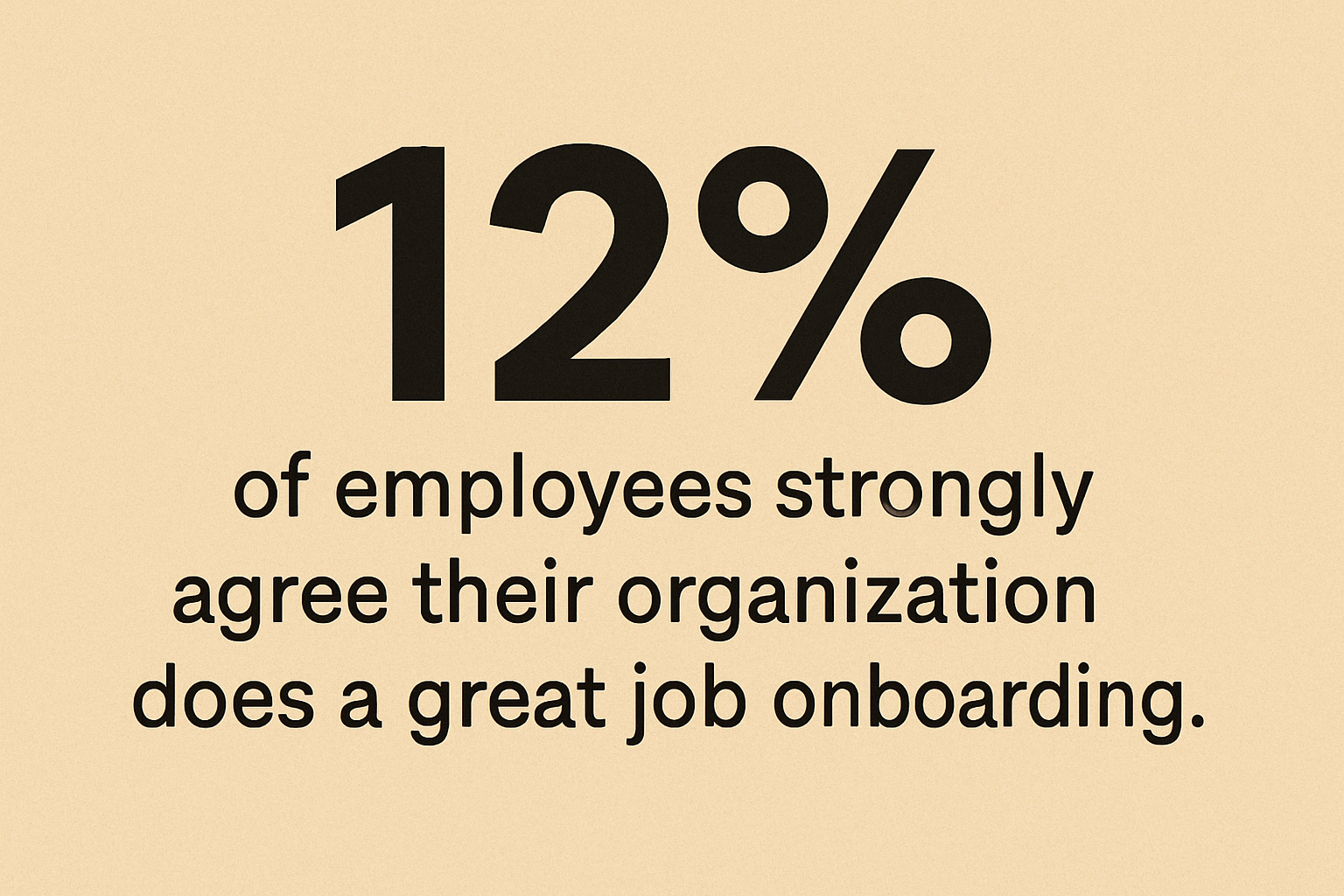
    "12% of employees strongly agree their organization does a great job onboarding, displayed in bold black text on a beige background."

    So yes, ask “How’s it going?”

    Then go deeper.

    Hard Truth: According to Gallup, only 12% of employees strongly agree their organization does a great job onboarding. That’s a problem and an opportunity.


    Tactical Download: Your Week One Check-In Cheat Sheet

    Use this 5-question script in your next 1:1.
    Post it on your wall. Share it with your fellow trainers. Forward it to your boss with a subject line like: “Why our Week One check-in needs an upgrade.”

    Download the checklist PDF:

    Here’s what’s inside:

    • The 5 bold questions
    • What to listen for
    • Follow-up coaching prompts
    • A quick audit to spot patterns across new hires

    You’ll walk into your next check-in prepared—and walk out with insights that actually move the needle.


    Want more insights like this?

    Subscribe to TrueCX’s newsletter—the #1 resource for contact center trainers—for the latest in AI-powered training, team performance strategies, and real-world tips for building a stronger, smarter contact center, starting with new hire check-in questions.

    TL;DR

    Great onboarding starts with better questions.
    The first week is a critical window for spotting confusion, building trust, and collecting feedback that actually improves your training. This 5-question Week One Check-In script helps you break past polite answers and surface what really matters—before small gaps turn into big problems.

    Use the script + follow-up tips to turn your next 1:1 into real insight.


  • Top 3 Call Center Interview Questions (That Actually Work)

    Top 3 Call Center Interview Questions (That Actually Work)

    Top 3 Call Center Interview Questions (That Actually Work)

    In the call center world, rep turnover is just part of the landscape. But while CSAT, quality scores, and AHT get all the attention, there’s one thing that might matter even more and rarely gets talked about—your hiring process.

    Think about it: before a rep ever picks up a phone or logs into their softphone, you’ve already set the tone. A good hire can elevate the entire team. A bad hire? They can quietly tank morale, ignore coaching, and turn your training investment into a sunk cost.

    And yet, hiring is often treated as an afterthought. Interviews get rushed. Questions are copy-pasted from a template someone wrote six years ago. I’ve seen panels show up late, glance at resumes for the first time mid-call, or clearly juggle other tasks in the background.

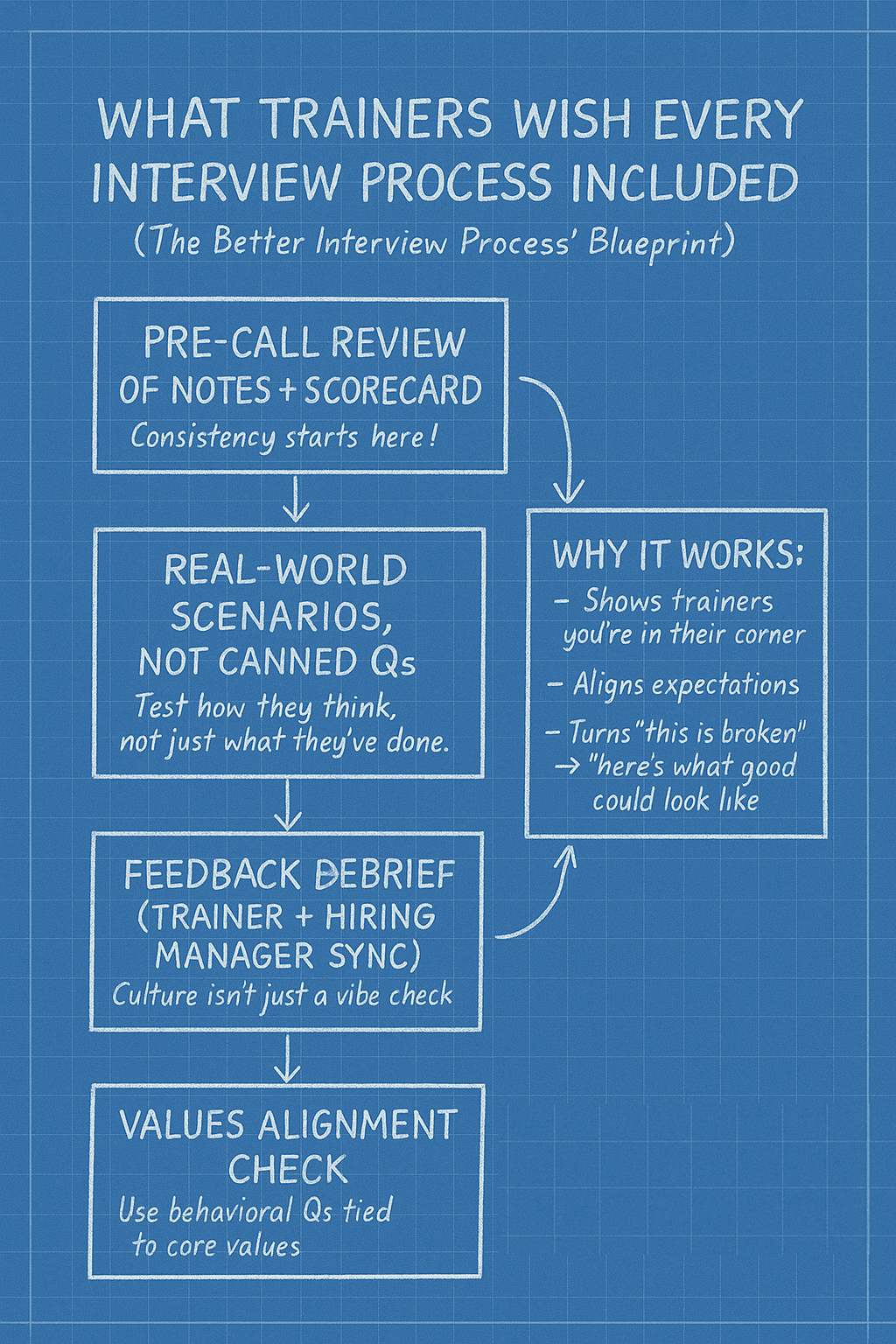
    A hand-drawn blueprint-style flowchart on a blue grid background titled "What Trainers Wish Every Interview Process Included." It outlines four key steps: Pre-call review of notes and scorecard, Real-world scenarios (not canned questions), Feedback debrief between trainer and hiring manager, and Values alignment check. A side box labeled "Why it works" emphasizes that it shows trainers you're in their corner and helps align expectations.
    A blueprint for a trainer-approved interview process—four steps to transform “this is broken” into “here’s what good could look like.”

    It sends a message, whether we realize it or not: this isn’t a priority. And if we don’t take the interview seriously, why should the candidate?

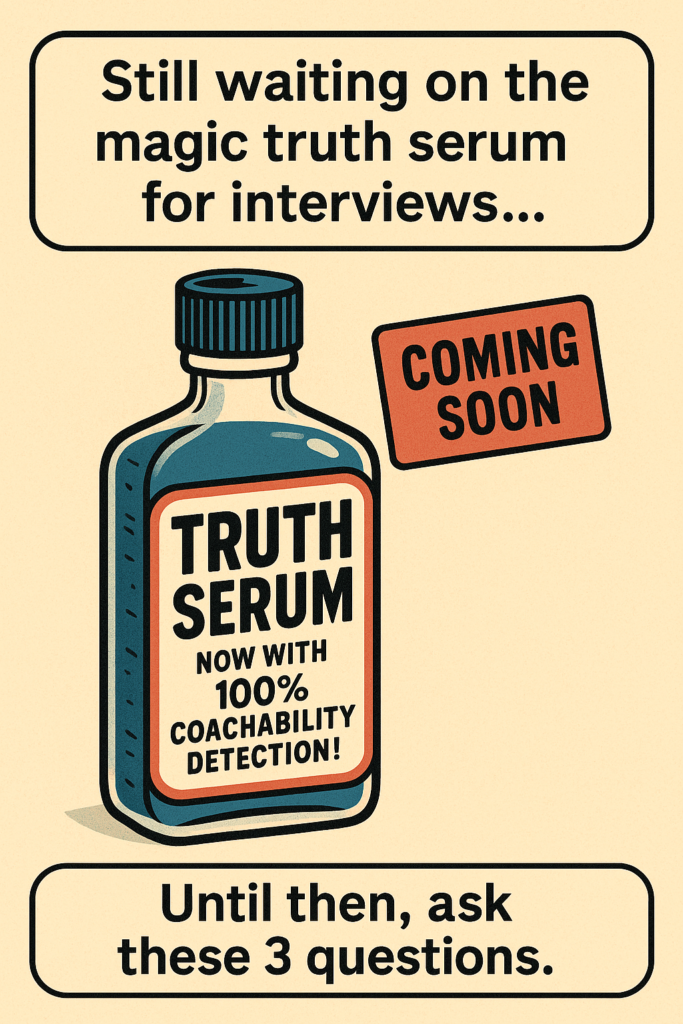
    A retro-style illustration of a vintage medicine bottle labeled "TRUTH SERUM – Now with 100% Coachability Detection!" floats on a tan background. A red "COMING SOON" tag is stamped near the top. Text above the bottle reads, “Still waiting on the magic truth serum for interviews...” Below it says, “Until then, ask these 3 questions.”

    It doesn’t have to be this way.

    Imagine if you had a magic truth serum during interviews—something that could instantly tell you if a candidate is adaptable, coachable, empathetic, and genuinely gives a damn. We don’t have that serum (yet), but we do have a few battle-tested call center interview questions that can help you cut through the noise and surface the candidates who are likely to succeed in the long run.

    Here are three to keep in your back pocket.


    1. “Have you ever had a moment with a customer where you completely blew it? Walk me through what happened and how you handled it afterward.”

    Why it works: This question flips the script from “perform for me” to “be real with me.” It invites vulnerability and gets past rehearsed responses. Candidates who can admit failure and show growth are often your most coachable hires. Bonus: it helps weed out anyone who blames others or lacks accountability.


    2. “Tell me about a time a supervisor or trainer corrected you, but you still thought you were right. What happened next?”

    Why it works: This isn’t just about receiving feedback: it’s about conflict, conviction, and how they balance their ego with learning. You’re looking for signs of emotional intelligence and the ability to engage without shutting down or getting defensive. Great reps aren’t robots. They’re coachable, but also thoughtful enough to challenge something when it doesn’t make sense.


    3. “What could your former employer have done differently to get you to stay?”

    Why it works: This one flips the script. Instead of asking why they left (which often leads to canned answers), you’re asking what might’ve changed the outcome. It helps you understand what motivates them and what kind of environment they’re really looking for.

    Are they chasing the highest paycheck, or are they looking for growth, support, and community? Are they running from a bad boss, or running toward a better opportunity? This question surfaces red flags like a job-hopper mindset and reveals values alignment in a way that “Where do you see yourself in five years?” just… doesn’t.


    Why your call center interview process matters more than ever

    Illustration of a call center trainer and a rep interacting. The trainer holds a clipboard, while the rep wears a headset and gives a thumbs up. Icons of a checkmark, lightbulb, and magnifying glass float above them, with bold text reading: "Why Your Call Center Interview Process Matters More Than Ever – For Contact Center Trainers."

    As one Reddit user—a contact center leader at a Fortune 100 company—put it:

    “We’re investing millions into a brand new facility with top-tier perks… but we still end up hiring agents who don’t care, won’t listen, and drag everyone else down. What are we missing?” Source

    This is the core problem: you can build the world’s best workplace, but if you fill it with the wrong people, no game room or wellness pod will save morale. Bad hires don’t just underperform—they become a tax on your good reps.

    Hiring better isn’t about trick questions or gut instincts. It’s about being intentional. About treating the interview not as a box to check, but as one of the most powerful levers you have for shaping culture, performance, and retention.

    So next time you’re hiring, skip the fluff. Ask better questions. Listen closely. And remember: you’re not just hiring an agent. You’re hiring someone your team will spend 40 hours a week sitting next to.


    Want more insights like this?

    Subscribe to TrueCX’s newsletter—the #1 resource for contact center trainers—for the latest in AI-powered training, team performance strategies, and real-world tips for building a stronger, smarter contact center, starting with better call center interview questions.

  • 5 Ways to Improve Call Center Onboarding Without Slowing Down Ops

    5 Ways to Improve Call Center Onboarding Without Slowing Down Ops

    5 Ways to Improve Call Center Onboarding Without Slowing Down Ops

    New Reality: AI Is Redefining Call Center Onboarding

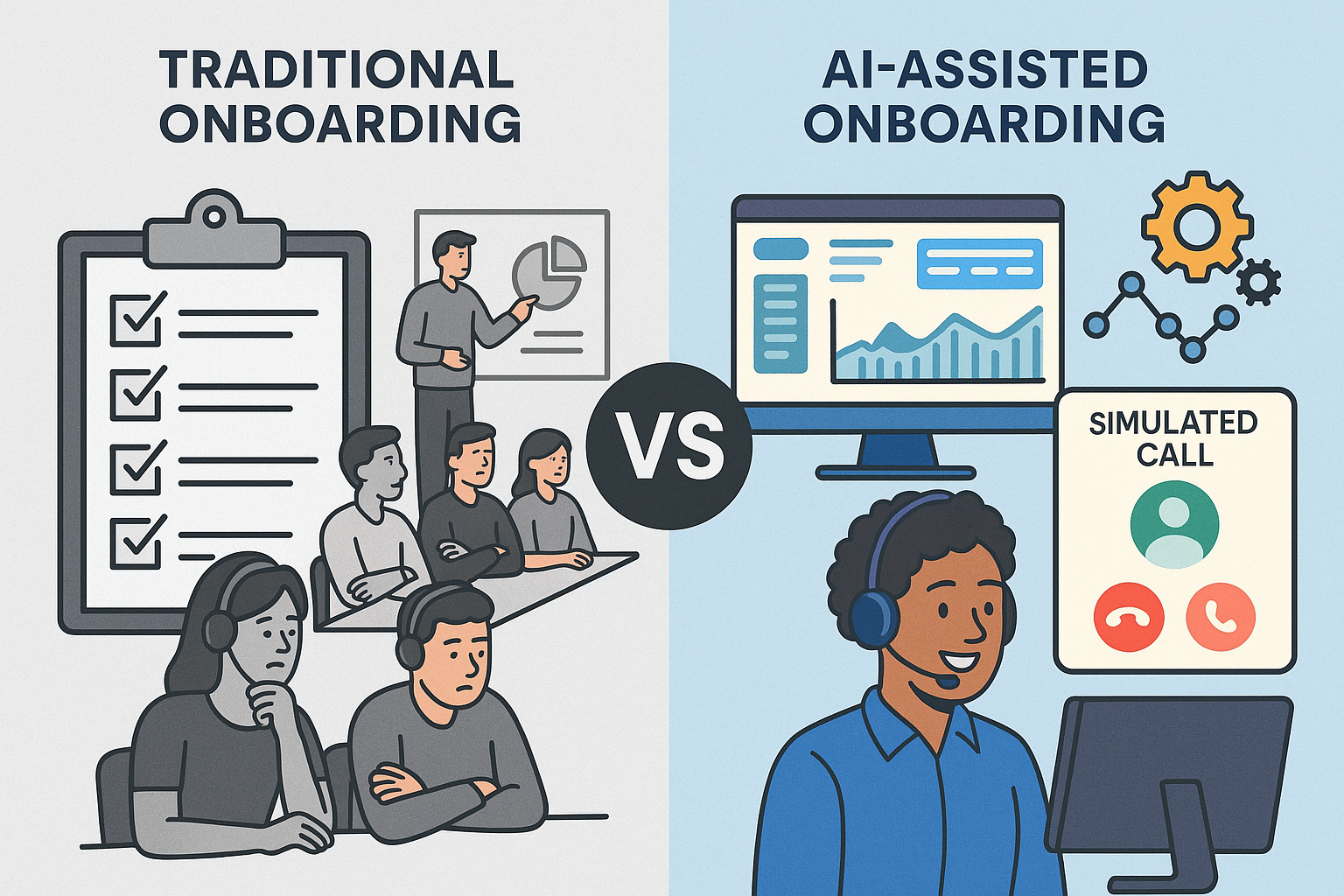
    Side-by-side comparison of traditional and AI-assisted call center onboarding. Left: bored agents in a classroom with checklists and a whiteboard. Right: smiling agent using a headset in front of a dashboard with simulated call and automation icons.
    Contrasting outdated onboarding methods with modern AI-enhanced training in call centers.

    Today’s contact center leaders face a balancing act: ramp agents faster, improve call quality, and avoid disrupting daily operations.

    But traditional onboarding hasn’t kept up. Lengthy classroom sessions, inconsistent roleplay, and slow feedback loops are still common — even though they rarely translate into better performance.

    And that gap is costly. According to McKinsey, high-performing agents are up to 3x more productive than low performers. Meanwhile, ICMI reports that 62% of contact centers take more than two months to fully onboard a new agent. That’s too long.

    The opportunity? AI-powered onboarding that lives in the back office. You can safely optimize training where it won’t affect customers — giving your team faster ramp times, better data, and more control.

    1. Identify High and Low Performers Early

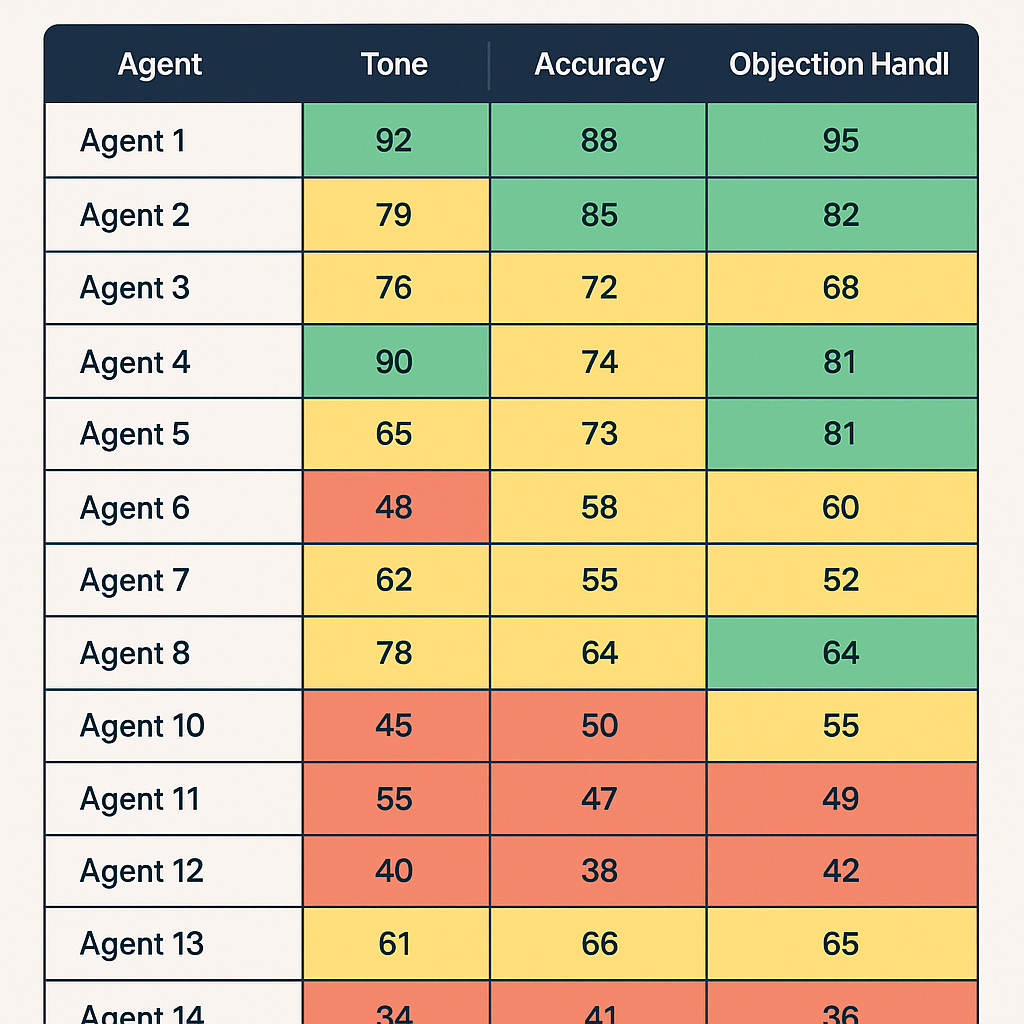
    A training dashboard displaying mock call performance scores for 14 agents across three categories: Tone, Accuracy, and Objection Handling. Each score is color-coded with green (top performers), yellow (average), and red (low performers).

    The earlier you can separate high-potential hires from poor fits, the better. Early training is your chance to assess not just skills, but coachability — a leading indicator of long-term success.

    Many leaders hesitate to cycle out low performers too soon. But dragging them through onboarding can waste thousands in time and wages, while slowing your coaches down.

    Action Tip:

    In the first week, score mock calls using a rubric with clear categories: product accuracy, tone, active listening, and objection handling. Use this data to tag coachable agents for fast-tracking, and move on quickly from those who aren’t progressing.

    2. Track Performance Before the First Real Call

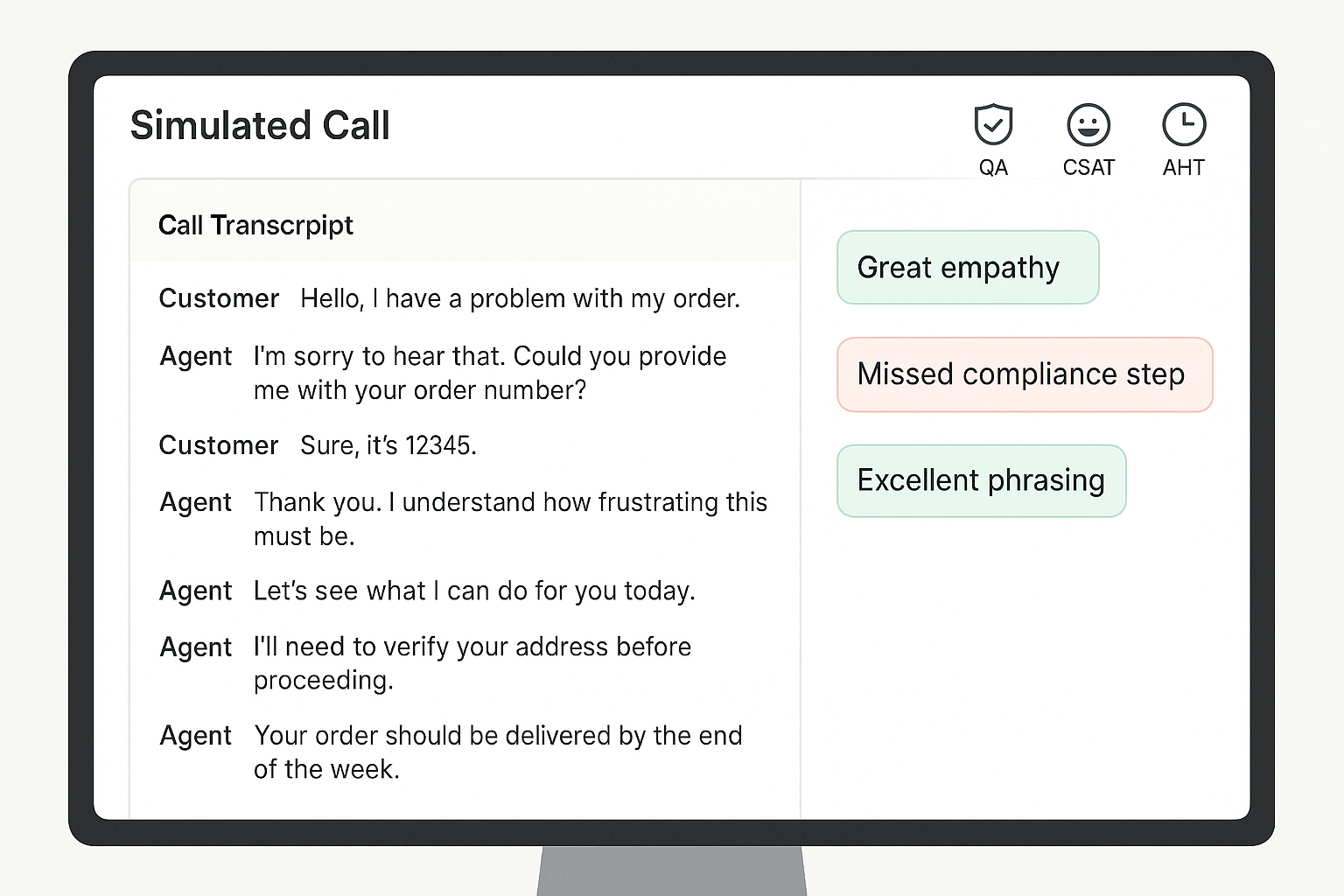
    A computer screen displaying a simulated customer service call interface with a call transcript on the left and feedback annotations like “Great empathy” and “Missed compliance step” on the right, along with QA, CSAT, and AHT icons at the top.

    Your first live call shouldn’t be the first time you assess an agent’s skills.

    Without early benchmarks, it’s impossible to know who’s ready — or what good looks like. That’s why simulated performance tracking is key.

    Leading teams are using AI-powered roleplay and simulation to measure call handling, QA adherence, and even mock CSAT before agents hit the floor. This reduces the chance of bad first impressions with customers.

    Action Tip:

    Use virtual customers to simulate key scenarios during onboarding. Track how each rep performs on scripted calls, objections, compliance, and empathy. Benchmark performance across day 1, week 1, and week 4.

    3. Make Practice Safe, Frequent, and Feedback-Rich

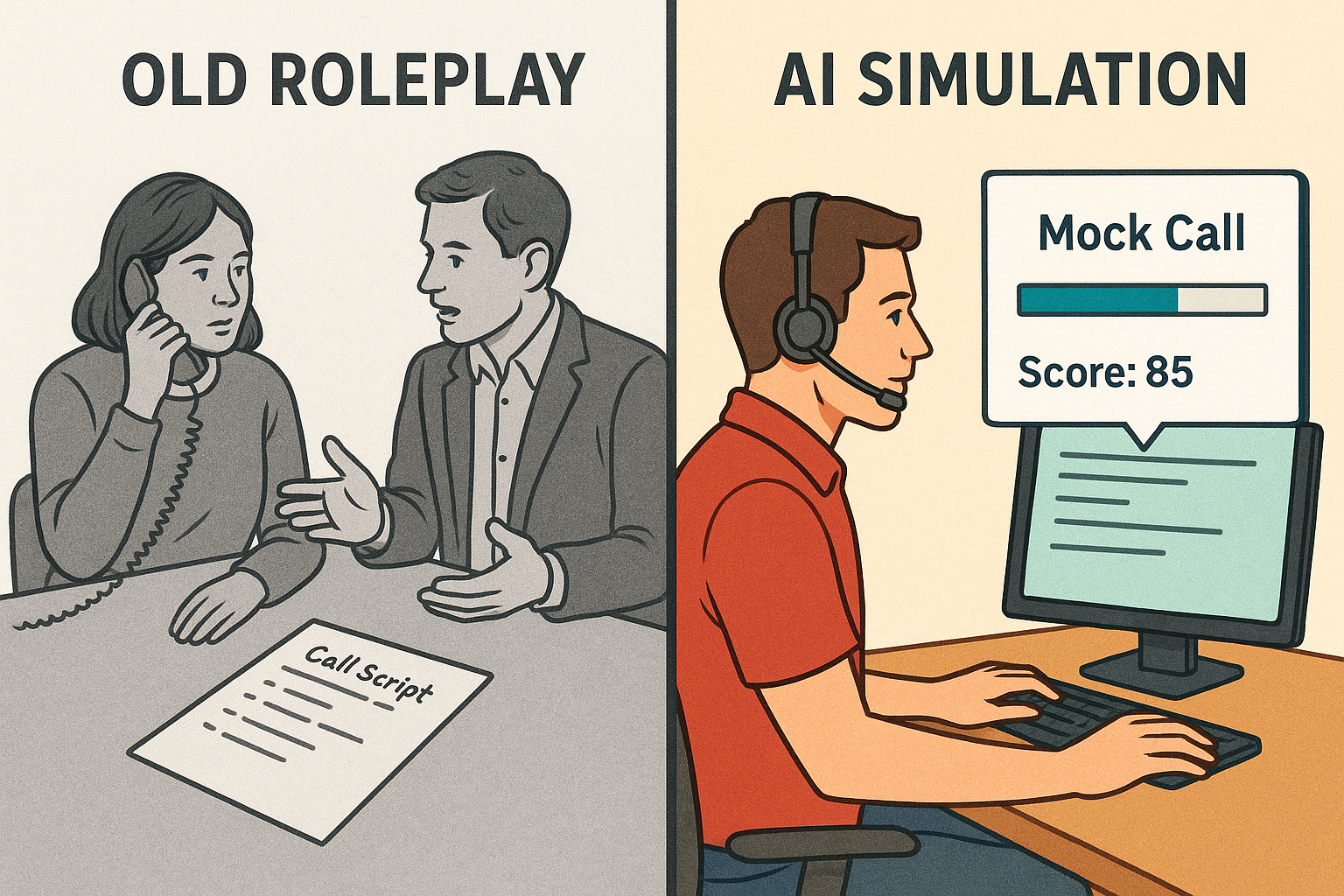
    Split-screen illustration comparing traditional call roleplay and modern AI simulation. Left side shows two people practicing a call with a phone and call script; right side shows a person at a computer with a headset, mock call progress bar, and a score of 85.
    From manual practice to measurable progress: how AI is transforming call training.

    Live roleplays are useful, but they’re often inconsistent. One coach might give thorough feedback while another lets agents skate by. Worse, they’re time-consuming.

    Practice needs to be low-risk, repeatable, and paired with instant feedback. AI makes this possible. Simulated calls can happen anytime, anywhere, and every interaction can be scored against consistent standards.

    Action Tip:

    Replace ad hoc roleplay with structured simulations powered by virtual customers. Layer in automated scoring and feedback, so agents always know what to fix. Aim for 3–5 short simulations per module, with a minimum passing score required to move on.

    4. Optimize for Your Fastest Rampers

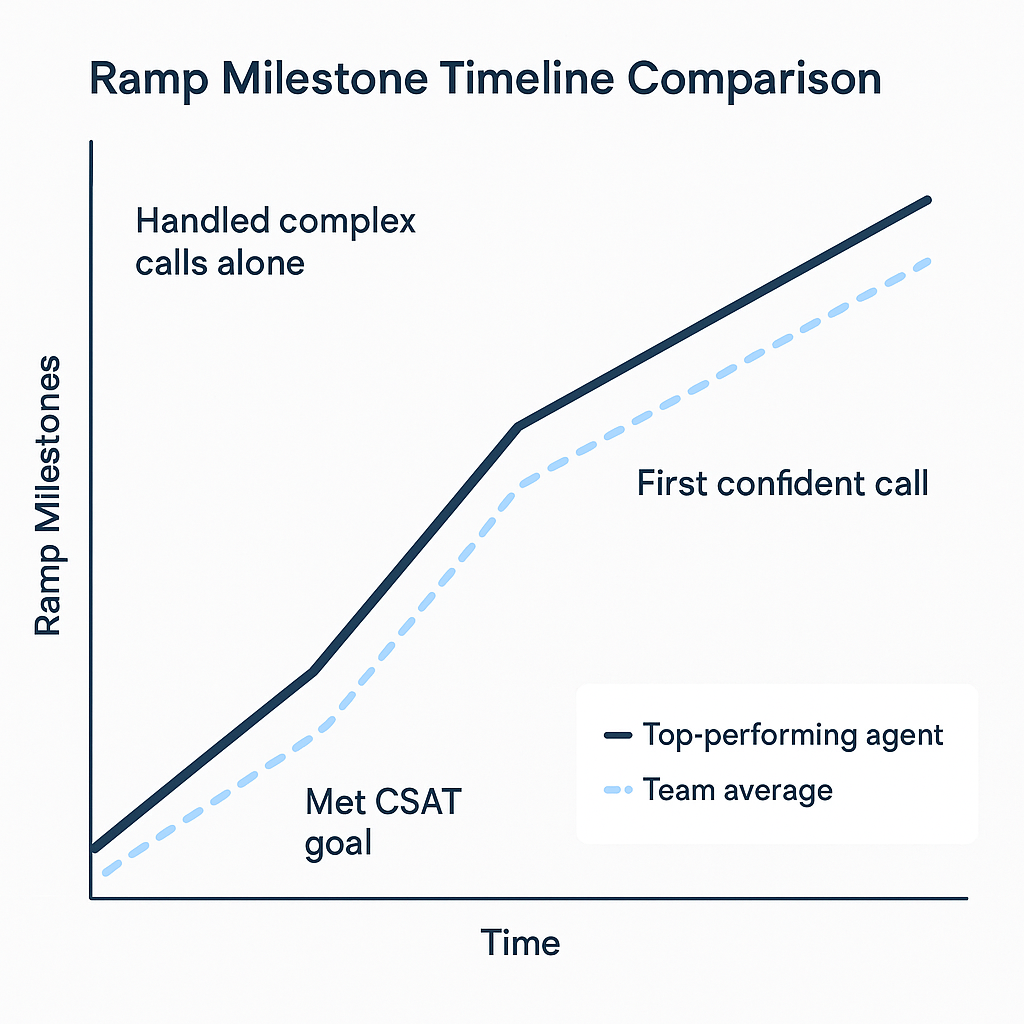
    A 2D digital line graph comparing the ramp-up timeline of a top-performing agent versus the team average. The graph shows three milestones—“Met CSAT goal,” “First confident call,” and “Handled complex calls alone”—with the top performer reaching each milestone earlier than the team average.

    A Salesforce study found that shortening ramp time by just 10% led to a 12% increase in agent productivity. Source

    Most onboarding is designed for the average hire. That drags down your timeline.

    Instead, study your fastest-ramping agents and reverse-engineer their path. When did they become proficient? What practice helped them most? What milestones did they hit and when?

    This approach lets you rebuild onboarding around outcomes — not activities.

    Action Tip:

    Track your top performers’ onboarding journey across three milestones:

    1. Time to confident first call
    2. Time to hit CSAT / QA targets
    3. Time to independent handling of complex scenarios

    Use those patterns to redesign your onboarding flow around results, not just schedules.

    5. Shift from “One and Done” to Ongoing Micro-Coaching

    Most agents regress after onboarding if they don’t get regular coaching. But teams are often too busy to keep supporting new hires beyond week one.

    That’s where micro-coaching comes in. By pushing small, targeted refreshers based on real call data, you can keep agents sharp without adding to your team’s workload.

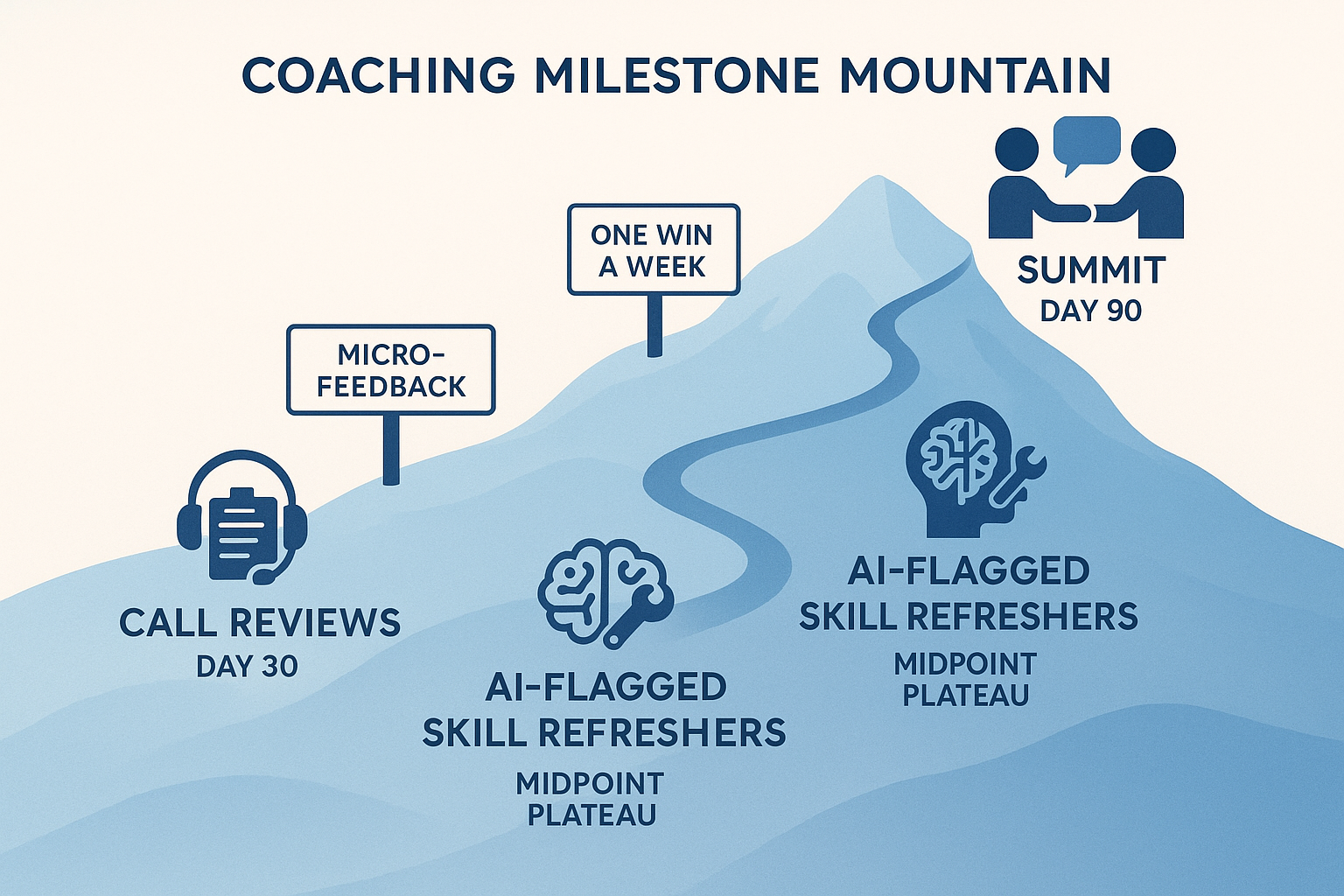
    A stylized mountain trail map showing a 90-day coaching journey with three key milestones: Call Reviews at Day 30, AI-Flagged Skill Refreshers at Day 60, and Peer Coaching at Day 90, along a blue gradient mountain path.
    A visual metaphor for a 90-day coaching journey, with milestones marked along a rising mountain path: Call Reviews (Day 30), AI-Flagged Skill Refreshers (Day 60), and Peer Coaching (Day 90).

    Action Tip:

    Create a 30/60/90 day plan that combines live call reviews with 5–10 minute refreshers. Use AI to flag skill gaps and trigger the right micro-lesson. Consider peer coaching too — it boosts engagement and reinforces best practices.

    Call Center Onboarding Optimization Checklist

    Here’s your quick-start reference for streamlining onboarding without sacrificing quality.

    Agent Evaluation (Week 1)

    Score every agent on coachability using mock or simulated calls
    Use a rubric: tone, product accuracy, objection handling
    Tag high-potential agents for fast-tracking
    Part ways early with non-coachable hires

    Performance Benchmarks

    Set QA, CSAT, and AHT targets for day 1, week 1, and month 1
    Use simulated environments to pre-test before live calls
    Track new-hire performance in a shared dashboard

    Training Program Design

    Focus on practice and feedback over slide-heavy sessions
    Use AI-driven simulations instead of manual roleplays
    End each module with a pass/fail assessment or mock scenario

    AI & Automation Integration

    Deploy Intelligent Virtual Customers for scalable mock calls
    Automate scoring and feedback to free up coaches
    Use performance data to trigger just-in-time coaching

    Ongoing Reinforcement

    Build a 30/60/90 day roadmap with checkpoints and refreshers
    Push short, targeted lessons based on call performance
    Enable peer reviews and shared call feedback

    Final Thoughts: Onboarding Doesn’t Have to Be a Bottleneck

    Modern onboarding doesn’t have to mean slowing down operations or risking the customer experience.

    Training lives in the back office. That’s where innovation can thrive — and where AI can safely support your team.

    If you’re ready to reduce ramp time while giving your agents more practice, more feedback, and a smoother path to proficiency, TrueCX can help.

    Explore how TrueCX’s Intelligent Virtual Customers enable faster, smarter onboarding — without slowing down your floor.

    Keep Reading

  • What Effective Call Center Training Looks Like in 2025

    What Effective Call Center Training Looks Like in 2025

    What Effective Call Center Training Looks Like in 2025

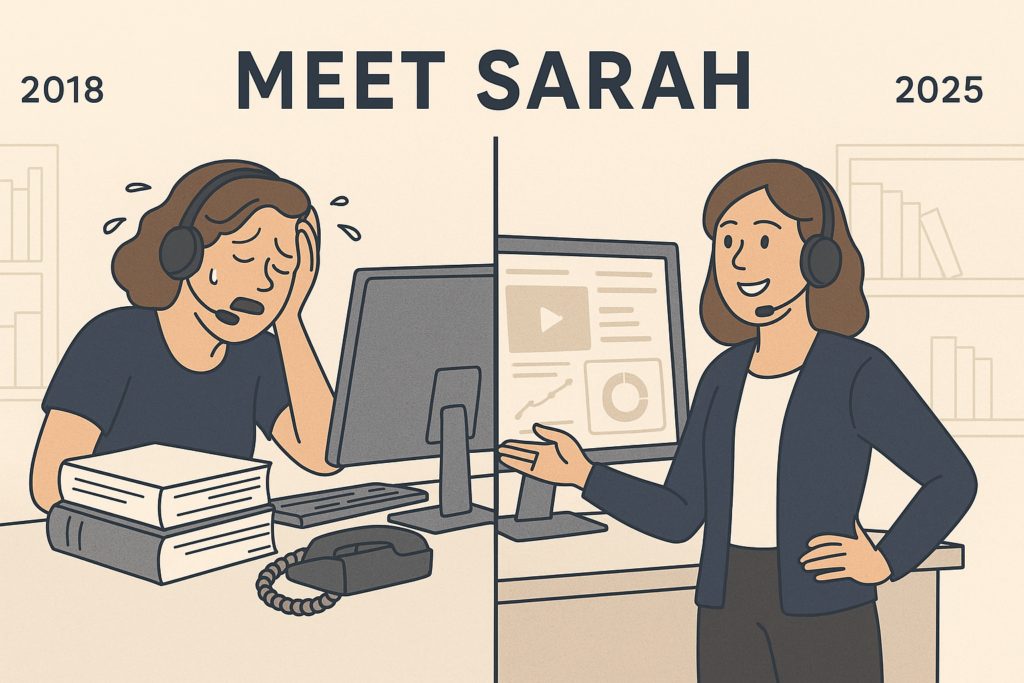
    Side-by-side illustration of Sarah in 2018 overwhelmed during traditional training, and in 2025 confidently using AI tools.

    Sarah used to dread her first week on the job.

    Back in 2018, fresh out of school and eager to prove herself, she joined a call center team for a fast-growing tech company. Day one was eight hours of PowerPoints. Day two was shadowing agents.

    Day three? A role-play that made her stomach churn—pretending to be a furious customer while a coworker stumbled through a mock call. None of it felt real. None of it prepared her for what happened when she finally picked up a call from an actual angry customer.

    Fast forward to 2025: Sarah is now a team lead. And the training she gives her new hires? It’s unrecognizable from what she experienced. Her agents are onboarded in interactive, AI-powered simulations—real-time, emotionally dynamic, customer-like conversations. They practice tough calls on day one, make mistakes without fear, and get feedback instantly. No more stage fright. No more guesswork. Just smart, safe, skill-building from the start.

    So what changed?

    Training in 2025 Is an Entirely Different Game

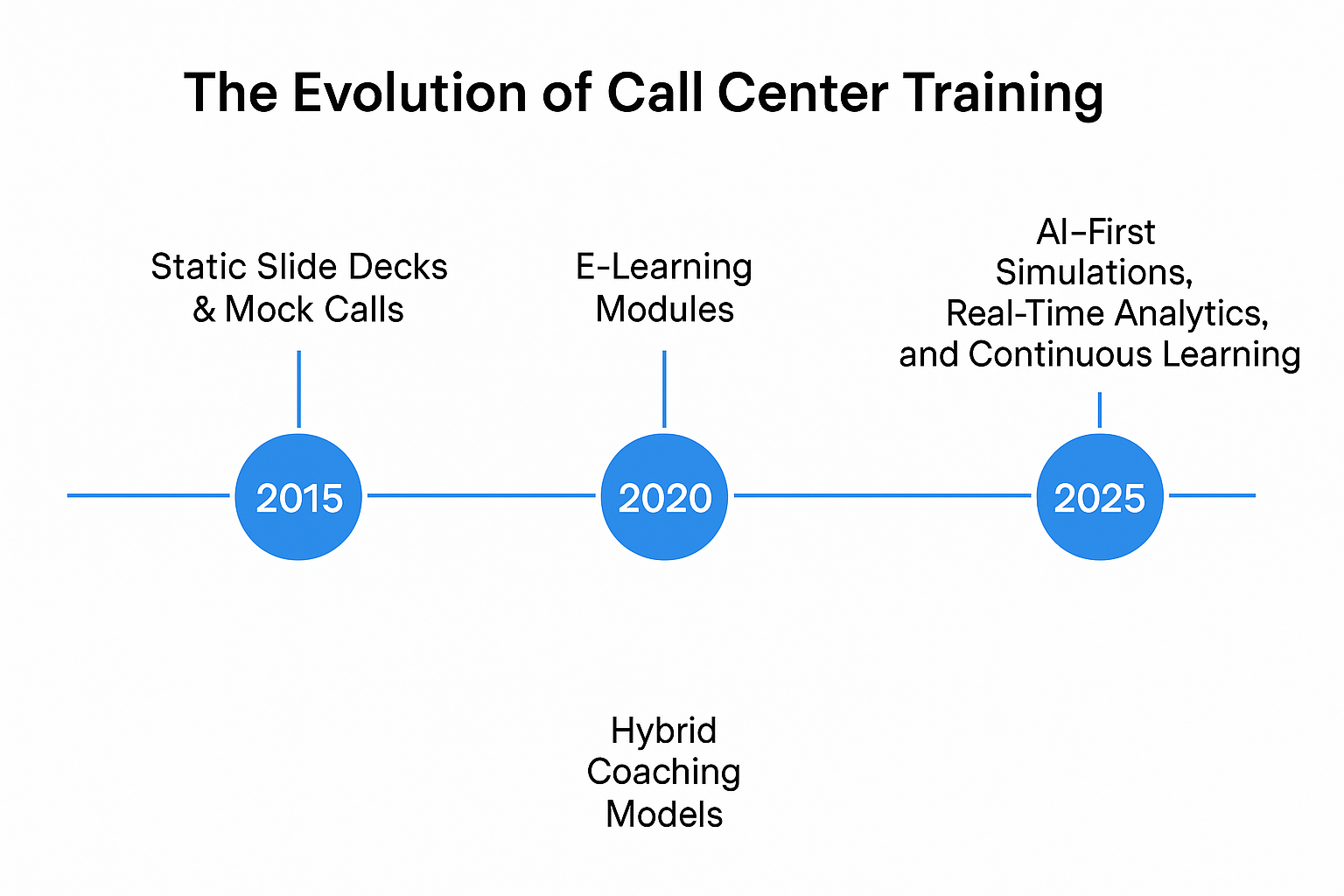
    Horizontal timeline showing key shifts in call center training: 2015’s static slide decks, 2020’s e-learning modules, and 2025’s AI-first tools.
    A decade of transformation in training methodologies.

    Call center training has gone through a transformation—and not a quiet one. Between rising customer expectations, hybrid workforces, and the explosion of AI, training teams have had to throw out the old playbook. The best ones haven’t just adapted; they’ve reimagined.

    Remember the mock calls Sarah had to sit through? In 2025, they’re all but extinct. Top-performing contact centers are investing in AI-first solutions that mimic real conversations with remarkable accuracy. Agents train with virtual customers who interrupt, escalate, ask unpredictable questions—just like a real call. But here’s the difference: they can do it again and again, until they get it right.

    Why the Old Way Stopped Working

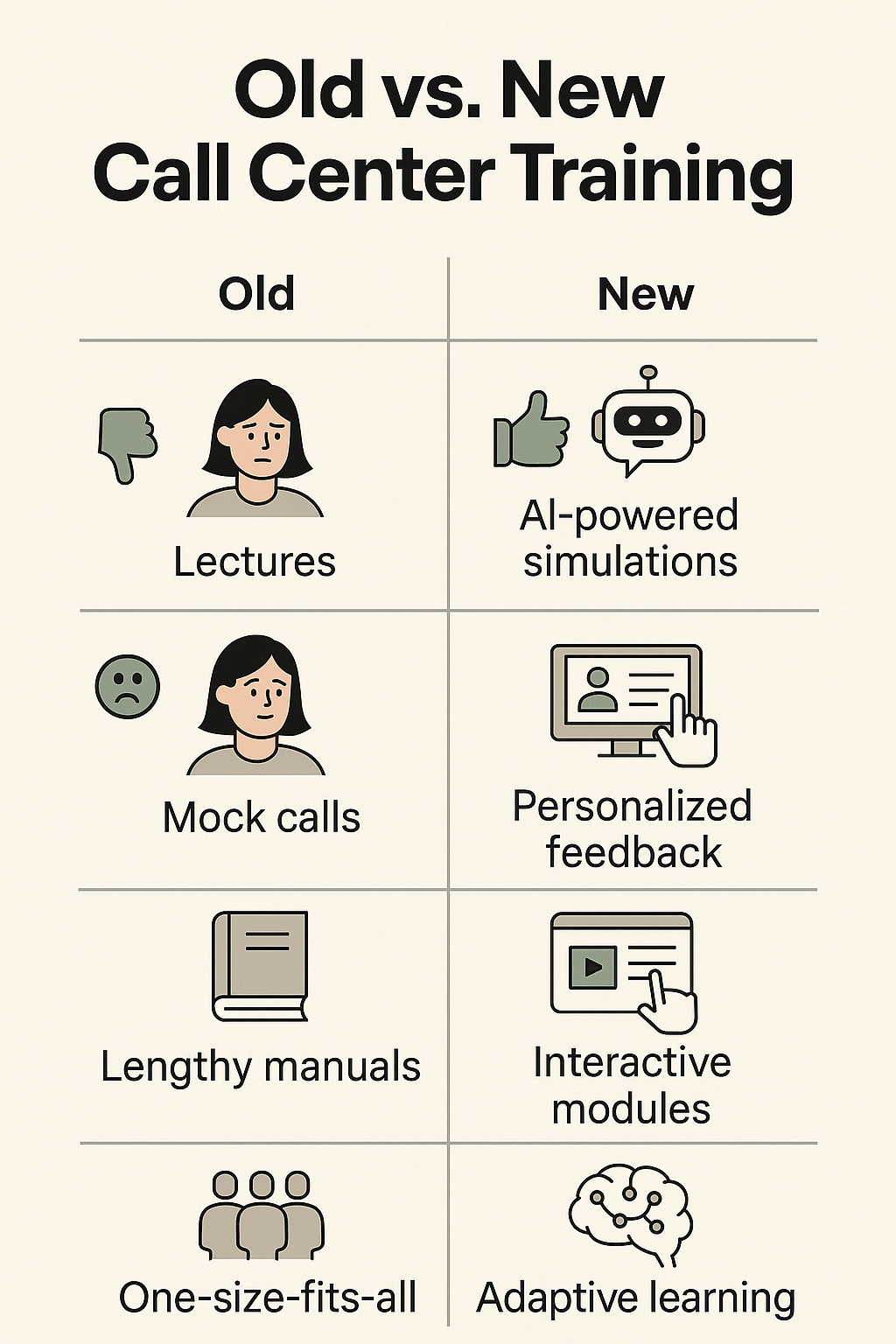
    Side-by-side icons showing old training methods like lectures and mock calls versus new methods like AI simulations and adaptive learning.

    Classroom lectures, static LMS modules, and role-play games weren’t just boring—they were ineffective. They didn’t stick. They didn’t scale. They didn’t support performance after onboarding. In fact, high turnover and low confidence often started in training.

    Sarah still remembers the panic she felt her first week taking live calls. “I knew the script, but I didn’t know how to think on my feet,” she says. “I didn’t know how to de-escalate, or what to do when a customer interrupted me mid-sentence.”

    She wasn’t alone. Research from McKinsey shows that customer care leaders now rank “retaining and developing talent” as a top-three priority. And for good reason: replacing a single agent can cost upwards of $6,500.

    The AI Training Revolution

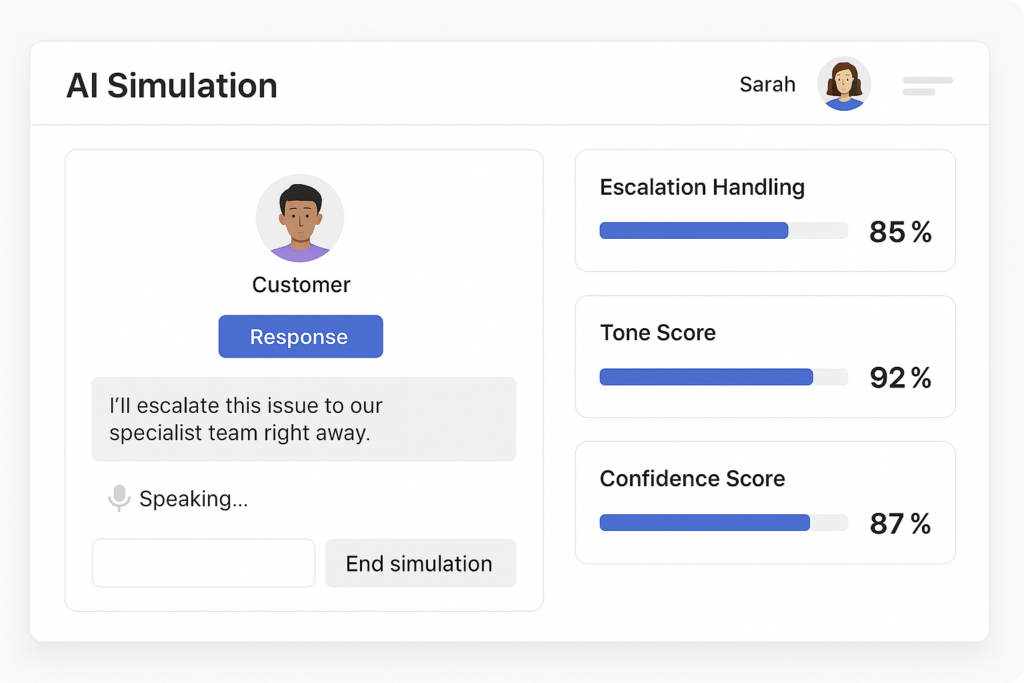
    Today, Sarah’s new hires train inside an AI simulation tool – think of it like a flight simulator, but for customer conversations. The AI listens, reacts, pivots, and escalates. It’s not just “choose-your-own-adventure.” It’s emotionally intelligent, using sentiment analysis to mirror customer moods and throw real-world curveballs.

    Stylized dashboard mockup showing a customer simulation and metrics like escalation handling, tone score, and confidence score.
    Sarah’s agents train with AI simulations before taking a live call.

    And it works. These simulations cut ramp-up time in half. According to Gartner, 80% of support organizations will use generative AI by the end of 2025. Some are already using it to simulate customer conversations, personalize learning paths, and even coach agents in real-time.

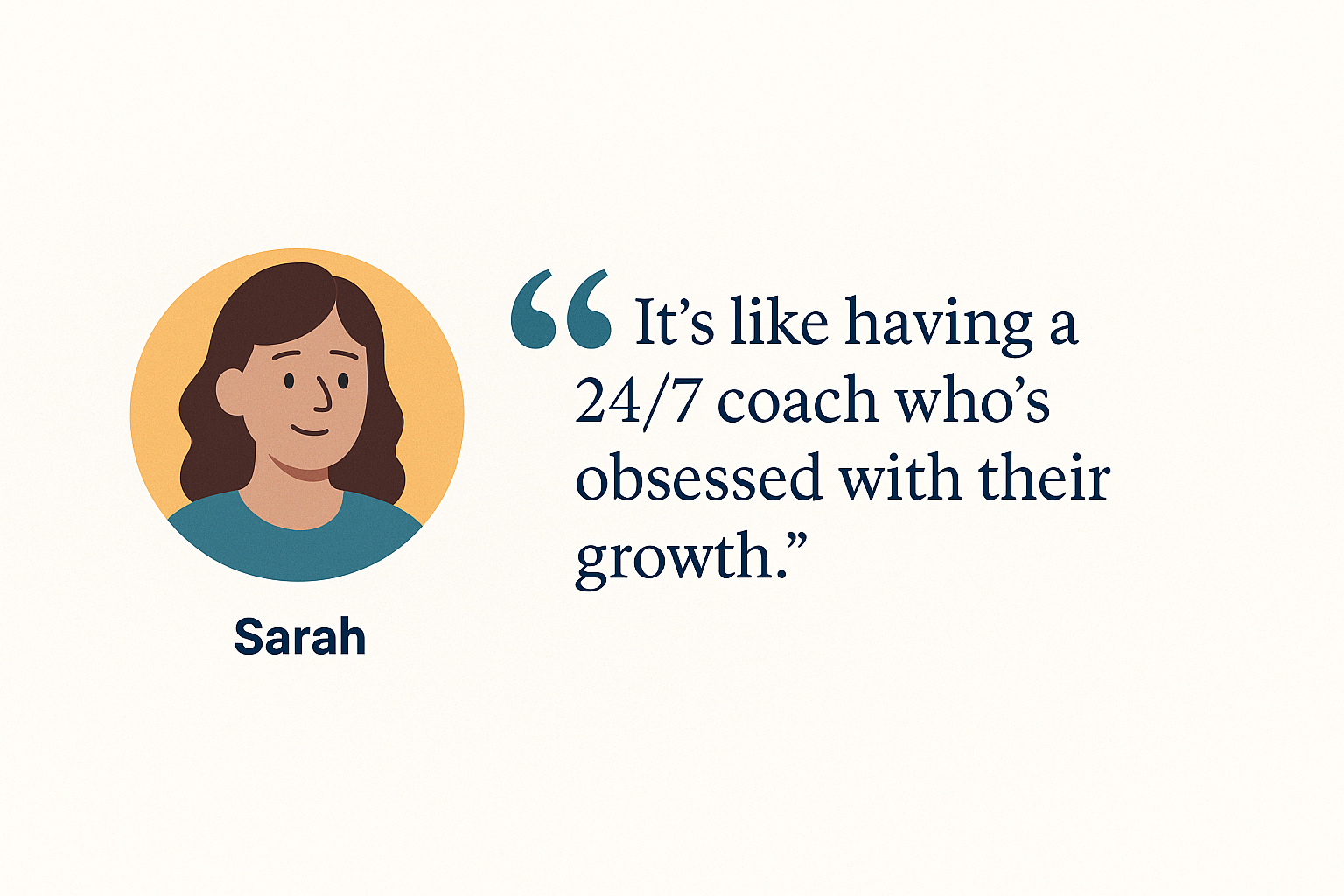
    Illustrated quote card showing Sarah with the quote: “It’s like having a 24/7 coach who’s obsessed with their growth.”

    Sarah’s favorite part? The data.

    “After every simulation, the system shows agents what they did well, what triggered a negative response, and what they could say differently. It’s like having a 24/7 coach who’s obsessed with their growth.”

    ROI That Talks to the C-Suite

    This isn’t just about cool tech. It’s about results. According to Accenture, organizations that invest in strong training programs see an average of 353% ROI. And companies using AI-powered training tools are reporting 20% faster handle times and 15% boosts in CSAT.

    Sarah’s own center has seen a double-digit drop in first-year turnover since switching to AI-first training. Customers are happier. Agents are sticking around. And when the CFO asks for numbers, Sarah doesn’t blink—because they’re all moving in the right direction.

    Old vs. New: A Quick Look

    Old Training
    Modern Training
    One-size-fits-all lectures
    Personalized, adaptive learning
    Awkward mock calls
    AI-powered simulations
    Training ends at onboarding
    Continuous skill development
    No feedback until mistakes made
    Real-time coaching & analytics
    High turnover, slow ramp-up
    Faster proficiency, happier agents

    Bringing It All Together

    Training is no longer something you “get through” before the real work begins. For Sarah—and thousands of leaders like her—it’s a strategic differentiator. Her agents are better prepared. Her customers are better served. Her KPIs are better than ever.

    And the irony? It all started by replacing the very thing she hated most: awkward mock calls.

    Sarah doesn’t dread training anymore. She leads it. And she loves watching her new agents grow faster, perform stronger, and stay longer—because their training works.

    Want more insights like this? Subscribe to our newsletter for the latest in AI-powered contact center training, team performance strategies, and customer experience trends.

    Three contact center reps cheerfully celebrating next to a screen with a glowing headset icon and a “Subscribe” button.
    Stay ahead with fresh insights on call center training and performance.